
ROG Ally Modpack
A simple modpack that improves overall performance and enables controller support for the Asus ROG Ally. Also adds now extra content.
⬇ Download on Modrinth
🎮 Asus ROG Ally Modpack
Optimized for Maximum Performance on Handheld Devices
New!
Now i release versions that can run on the silent mode to ensure to get most out of the Battery. This kind of versions are marked with Low:
ROG-Ally 1.21.8 Fabric Low
Version is something like Low-1.0.1
This modpack was specifically designed for use on the Asus ROG Ally and thoroughly tested on the device.
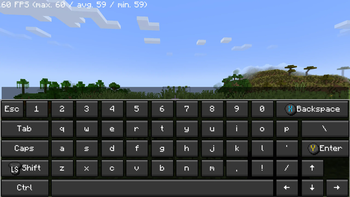
It combines enhanced performance with optimized controls for a smooth, controller-friendly gaming experience — no mouse or keyboard needed.
If you are a mod developer and do not want your mod to be included in my modpack, please contact me and I will remove it as soon as possible. You can find my contact details in my Profile
FPS should be around 150-350 depence on what Powermode is used and if there are any other apps running.
Setup:
- Activate Gamepad Mode
- Choose atleast the 15w Powermode (Recommended)
- Start the Game
- Let the game configure and download the controls
- Restart your Game Sometimes needed
If the controls won't work go to options, then controls and after that choose controller settings and click use
✨ Highlights
🚀 Optimized Performance
All included mods are carefully selected and configured to make the most of the ROG Ally’s hardware, ensuring smooth gameplay.
🎮 Controller Support
Full gamepad support makes this modpack perfect for gaming on the go or from the couch.

⚡ Faster World Loading
Use the /chunky start command to preload up to 500 chunks, reducing in-game lag and improving load times.
Comes with Shader Support
You can install and use any shader. I tested the BSL Shader on High while using the 10w Power mode and you get about 30-50 FPS!!!
📝 Notes
- Before you start switch to Gamepad Mode on your ROG Ally.
- All mods and settings were tested on the Asus ROG Ally Z1E to ensure stable and high-performance gameplay.
- I used the CPU Boost consider it as an go to if you still have low framerate (keep in mind this is using more of the battery charge).
- If you want to play on the go without charging, I would recommend disabling the Async mod.
Not affiliated with ASUS
- Edition: Minecraft Java
- File type: .jar
- Minecraft version listed: 26.1.2
- How to install: Install the matching mod loader (Forge, Fabric or NeoForge) for your Minecraft version. → Download the .jar. → Put it in the .minecraft/mods folder and launch that loader profile.
- Where to get it: Opens on Modrinth — not every file is mirrored on our own servers.
Install steps are the general flow for this file type — How to install Minecraft Java mods & modpacks walks through it step by step.
- Downloads as ROG Ally Modpack 1.2.8.mrpack
- Download size: 235 KB
- Download link checked 29 Aug 2026 — working
These come from our own check of the pack file, not from the source page.