
[THIS PROJECT HAS BEEN ARCHIVED] Feel free to fork this and make your own version as long as it's open source.
Replaces OpenGL with Vulkan by using VulkanMod along with adding some other performance and Quality of Life mods. Vulkanizer is meant to be light weight at ~30mb when installed. Vulkanizer also includes a couple Quality of Life mods such as Zoomify
💾 Installation
Installing Vulkanizer is pretty easy. Before anything else, check if your graphics card supports Vulkan, most computers within the last 8 years support it, then you can choose to install it in a couple ways, you can use the Modrinth App or something like Prism Launcher. With the Modrinth app, just search up the modpack, and press install! On Prism Launcher, go to New Instance, click on Modrinth, Search Vulkanizer, and click OK.🔥 Performance
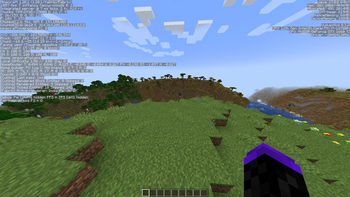
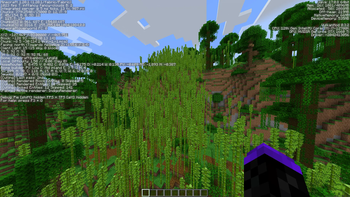
- i7-12700k/Nvidia GTX 1660ti (Vanilla: 390fps | Vulkanizer: 1057fps)
* i7-1165G7/Intel Xe graphics (Vanilla: 43fps | Vulkanizer: 117fps)
This area is work in progress!
🐛 Have an issue or suggestion?
If you have found an issue or you would like to suggest something to be added, you can go to the modpack's Github issues page.Quick facts
- Edition: Minecraft Java
- File type: .jar
- Minecraft version listed: 1.20.1
- How to install: Install the matching mod loader (Forge, Fabric or NeoForge) for your Minecraft version. → Download the .jar. → Put it in the .minecraft/mods folder and launch that loader profile.
- Where to get it: Opens on Modrinth — not every file is mirrored on our own servers.
Install steps are the general flow for this file type — How to install Minecraft Java mods & modpacks walks through it step by step.
Verified by MCModsHub
- Downloads as Vulkanizer-1.4.0-1.20.4.mrpack
- Download size: 2 KB
- Download link checked 29 Aug 2026 — working
These come from our own check of the pack file, not from the source page.