
Javier's improved fog
I don't know my version or loader
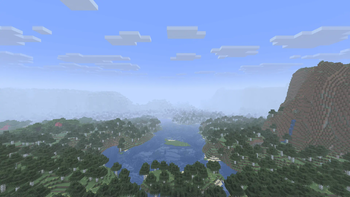
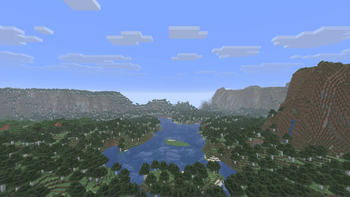
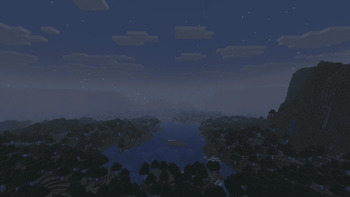
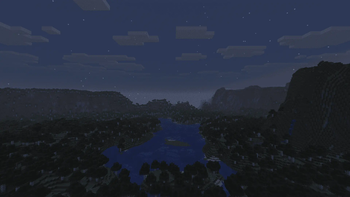
Javier's Improved Fog – Minecraft Java Shader
Javier's Improved Fog replaces Minecraft’s default fog system with a custom density curve for a more realistic and immersive visual experience. Unlike vanilla fog, which can appear too close or fade abruptly, this shader delivers a smooth, natural transition.

Main Features:
Distant & soft fog – starts farther from the player, giving clear visibility nearby and gradual haze in the distance. Custom progressive curve – almost linear at first, then smoothly blending into full fog, avoiding sharp cutoffs. Enhanced realism – perfect for exploration and scenic builds. Fully compatible with vanilla shaders and resource packs that don’t modify the fog core shader.
Recommended settings: Set your render distance to 32 chunks for the best experience.
Installation:
Download the .zip file of Javier's Improved Fog.
Place it in your resourcepacks folder.
Enable it from Minecraft’s Resource Pack settings.
Enjoy a smooth and immersive fog effect.
Want to edit it? I’ll leave a YouTube video link so you can customize it yourself.
Javier's Improved Fog – Shader para Minecraft Java
Javier's Improved Fog reemplaza el sistema de niebla predeterminado de Minecraft por una curva de densidad personalizada para una experiencia visual más realista e inmersiva. A diferencia de la niebla vanilla, que puede aparecer demasiado cerca o desvanecerse bruscamente, este shader logra una transición suave y natural.
Características principales:
Niebla lejana y suave – comienza más lejos del jugador, manteniendo la visibilidad clara cerca y un velo gradual en la distancia. Curva progresiva personalizada – casi lineal al inicio y suavizada hacia el final, evitando cortes bruscos. Mayor realismo – ideal para exploración y construcciones panorámicas. Totalmente compatible con shaders vanilla y packs de recursos que no modifiquen el shader base fog.
Ajustes recomendados: Configura tu distancia de renderizado a 32 chunks para la mejor experiencia.
Instalación:
Descarga el archivo .zip de Javier's Improved Fog.
Colócalo en tu carpeta resourcepacks.
Actívalo desde el menú de Paquetes de Recursos de Minecraft.
Disfruta de un efecto de niebla suave e inmersivo.
¿Quieres editarlo? Te dejaré un enlace a un video de YouTube para que puedas personalizarlo a tu gusto.
- Edition: Minecraft Java
- File type: .zip (resource pack)
- Minecraft versions listed: 1.21.9, 1.21.10, 1.21.11
- How to install: Download the .zip resource pack — do not unzip it. → Put it in .minecraft/resourcepacks. → Enable it in Options → Resource Packs.
- Where to get it: Opens on Modrinth — not every file is mirrored on our own servers.
Install steps are the general flow for this file type — see the MC Java Mods guides for the full walkthrough.
- Downloads as Javier's Improved Fog.zip
- Download size: 220 KB
- Download link checked 25 Aug 2026 — working
These come from our own check of the pack file, not from the source page.