
ShadersJava
Bright Shades
I don't know my version or loader
Open the Minecraft launcher and look at the profile you play on — it names both, like fabric-loader-1.21.4. The version also shows in the bottom-right corner of the game's main menu.
No loader in the profile name? Then it's plain Minecraft, and these mods won't run — you need Fabric or NeoForge installed first.

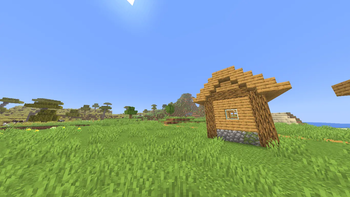
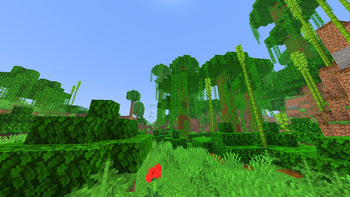

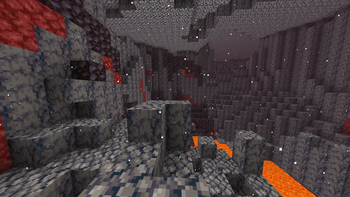
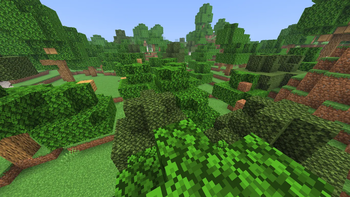
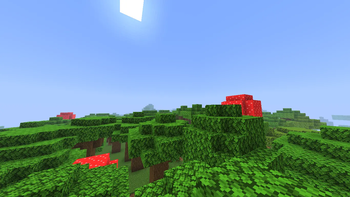
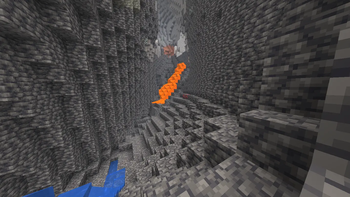
🌈 Bright Shades – Simple, Clean, and Colorful
Bright Shades is a small core-shader resourcepack that makes Minecraft look brighter, smoother, and more colorful without changing the original style.
It’s lightweight, doesn’t need any mods, and keeps the game running fast.
✨ What this pack does
- Makes the world feel more alive and vibrant
- Adds soft, brighter lighting in caves, forests, Nether, etc.
- Improves visibility without making things look washed out
- Works with any other texturepack (place Bright Shades on top)
- Keeps the vanilla look — just cleaner and nicer to explore
🎮 Works on
- Minecraft 1.21+
- Any vanilla client (no OptiFine needed) also with sodium by using https://modrinth.com/mod/sodium-core-shader-support
📥 How to use
- Download the pack
- Put it in your
resourcepacksfolder - Turn it on in-game
- Enjoy the brighter world!
Quick facts
- Edition: Minecraft Java
- File type: .zip (resource pack)
- Minecraft versions listed: 1.21.2, 1.21.3, 1.21.4
- How to install: Download the .zip resource pack — do not unzip it. → Put it in .minecraft/resourcepacks. → Enable it in Options → Resource Packs.
- Where to get it: Opens on Modrinth — not every file is mirrored on our own servers.
Install steps are the general flow for this file type — see the MC Java Mods guides for the full walkthrough.
Verified by MCModsHub
- Downloads as BrightShades.zip
- Download size: 393 KB
- Download link checked 15 Sept 2026 — working
These come from our own check of the pack file, not from the source page.