JaredH4 PVP
Java modpack listed for Minecraft 1.8. Downloads from the MC Java Mods app on Android.
⬇ Download on Modrinth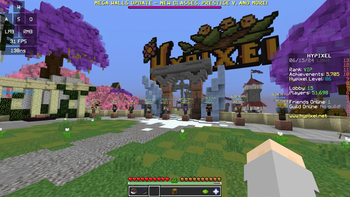
This Modpack was made by JaredH4 as a PvP focused Modpack. Has many commonly used PvP related features included such as Keystrokes, AutoGG and many others.
Designed mainly for Hypixel and other 1.8.9 PvP servers. Also has Not Enough Updates for Hypixel Skyblock.
There's a few mods which you will have to manually if you want the full version of the pack, I've put links to the downloads to those in the mods section.
Highly recommend you add Optifine 1.8.9: Optifine 1.8.9 Download
Adding this will greatly improve your fps (also there's zoom + shaders)
(PvP modpack starts at 19:48)
Mods:
- AutoGG: Automatically replies 'gg' at the end of a Hypixel minigame. https://sk1er.club/mods/autogg
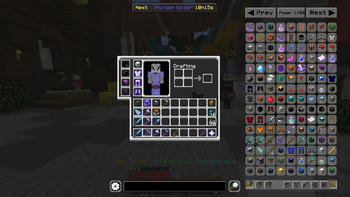
- ChromaHUD: Shows what armor you have without having to open your inventory. Note: You have to manually add this one: https://sk1er.club/mods/ChromaHUD
- Ears: Extra skin customization.
- Essential: All features disabled, used as a library mod.
- Hypixel Autocomplete: This one is pretty obvious. https://sk1er.club/mods/hypixel_auto_complete
- Jtech Resource Pack: PvP resource pack I like to use, feel free to disable or replace.
- Keystrokes: Shows on your screen when you press keys.
- Nick Hider: Optional, hides your nickname if you have one. Note: You have to manually add this one: https://sk1er.club/mods/nick_hider
- NotEnoughUpdates: Really useful for Hypixel Skyblock, tones of stuff.
- Patcher: Fixes a ton of things. Note: You have to manually add this one: https://sk1er.club/mods/patcher
- Replay Mod: Allows you to make replays, I use it for timelapses mainly.
- Scrollable Tooltips: Tooltips going off screen? This fixes that. https://sk1er.club/mods/text_overflow_scroll
- Windowed Fullscreen: Allows you to go onto other tabs with Minecraft in fullscreen mode. https://sk1er.club/mods/sk1er_fullscreen
Hope You Enjoy It!
- Edition: Minecraft Java
- File type: .jar
- Minecraft version listed: 1.8.9
- How to install: Install the matching mod loader (Forge, Fabric or NeoForge) for your Minecraft version. → Download the .jar. → Put it in the .minecraft/mods folder and launch that loader profile.
- Where to get it: Opens on Modrinth — not every file is mirrored on our own servers.
Install steps are the general flow for this file type — How to install Minecraft Java mods & modpacks walks through it step by step.
- Downloads as JaredH4 PVP 1.0.3.mrpack
- Download size: 122 KB
- Download link checked 30 Oct 2026 — working
These come from our own check of the pack file, not from the source page.