
Create: Forced Expansion
Java modpack listed for Minecraft 1.20. Downloads from the MC Java Mods app on Android.
⬇ Download on Modrinth
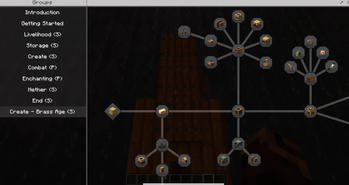
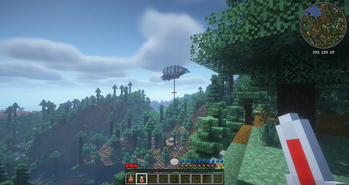
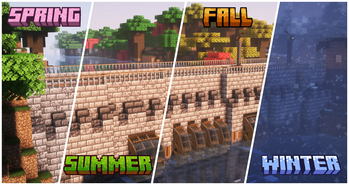


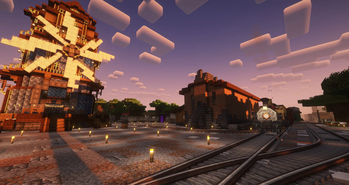


Explore the immersive world of our Create-centric, interactive modpack with a completly new progression system.

Video Placeholder
Expand your Empire
- Explore a Minecraft world with striking visuals and challenging structures using block-built airships and boats.
- Progress through the completely fresh Quest system, making use of Create to overcome the various challenges.
- Manage your temperature and meals with homeostatic and spice of fabric.
- Learn where to build your farms as well as how to support your saplings and seedlings from the seasons and climate.
- Establish outposts strategically to harvest a diverse array of resources essential for your survival as you follow new rules around your factories.
- Build yourself a home and numerous factories with an extended block pallet from rechiseled and chipped.
- Make the world your own using Create and its multiple add-ons.
- Store your gear in Sophisticated Backpacks and Tom's simple storage.
- Gear up to survive this harsh world and unravel the mysteries of runic stones scattered throughout the world.
- Conquer the Better Nether and Better End.
FAQ
MultiplayerQ: Does Distant Creations support Multiplayer?
A: Yes, but you have to host your own Server!
Q: The game is not running well, what can I do?
A: First and foremost, depending on your computer, change the Distant Horizon Settings.
By default, they are set to a pretty high view distance, so that should be the first change. Afterwards, the LOD quality setting can have a big impact as well.
Finally, consider changing the Shaders. By default the modpack comes with BSL and Complimentary Reimagined installed. If you wish to install other shaders, check their compability with Distant Horizons here.
Help/Bug ReportsQ: Where can I ask for help or report bugs?
A: Head over to the blunthorn Discord

- Edition: Minecraft Java
- File type: .jar
- Minecraft version listed: 1.20.1
- How to install: Install the matching mod loader (Forge, Fabric or NeoForge) for your Minecraft version. → Download the .jar. → Put it in the .minecraft/mods folder and launch that loader profile.
- Where to get it: Opens on Modrinth — not every file is mirrored on our own servers.
Install steps are the general flow for this file type — How to install Minecraft Java mods & modpacks walks through it step by step.
- Downloads as Create Forced Expansion 0.5.0.mrpack
- Download size: 6.5 MB
- Download link checked 30 Oct 2026 — working
These come from our own check of the pack file, not from the source page.