
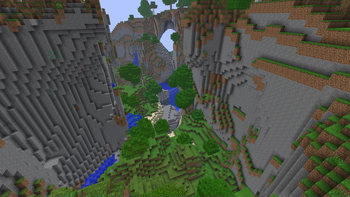
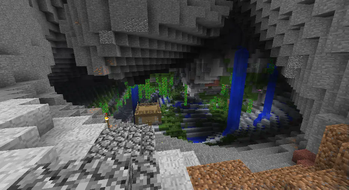
This modpack aims to recreate the beta version of Minecraft, well being on a modern Minecraft version. Seeds from beta versions will still work if the world type is set to Modern Beta. No items are added, only textures, world generation and game mechanics are changed. Some of the changes are sheep drop wool when punched, the hunger bar is removed and the Modern Beta world type was added.
Mods and Resource Packshttps://www.curseforge.com/minecraft/mc-mods/modern-beta
https://www.curseforge.com/minecraft/mc-mods/custom-stars
https://www.curseforge.com/minecraft/texture-packs/old-lighting-old-water
https://www.planetminecraft.com/texture-pack/beta-continuum/
https://modrinth.com/mod/continuity
https://modrinth.com/mod/dark-mode-everywhere-fabric
https://modrinth.com/mod/fabricskyboxes-interop
https://modrinth.com/mod/fabricskyboxes
https://modrinth.com/mod/infinite-music
https://modrinth.com/resourcepack/golden-days
https://modrinth.com/resourcepack/golden-days-alpha
https://modrinth.com/resourcepack/programmer-art-fix
https://modrinth.com/resourcepack/programmer-art-fixes
https://modrinth.com/mod/modmenu
https://modrinth.com/resourcepack/neo-beta
https://modrinth.com/datapack/nostalgic-fishing
https://modrinth.com/mod/nostalgic-tweaks
- Edition: Minecraft Java
- File type: .jar
- Minecraft version listed: 1.20.1
- How to install: Install the matching mod loader (Forge, Fabric or NeoForge) for your Minecraft version. → Download the .jar. → Put it in the .minecraft/mods folder and launch that loader profile.
- Where to get it: Opens on Modrinth — not every file is mirrored on our own servers.
Install steps are the general flow for this file type — How to install Minecraft Java mods & modpacks walks through it step by step.
- Downloads as The Golden Days 1.1.1.mrpack
- Download size: 3.9 MB
- Download link checked 19 Sept 2026 — working
These come from our own check of the pack file, not from the source page.