
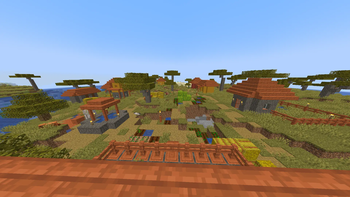
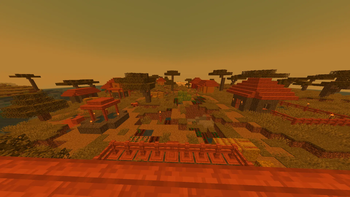
Description
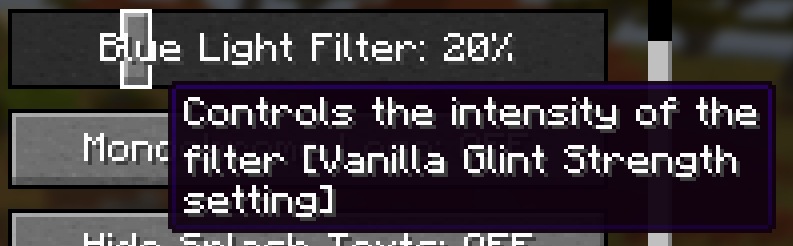
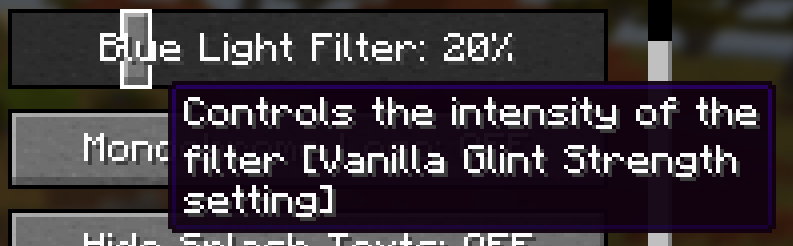
Adds a customizable orange filter to the game environment (not the GUI or items, only things in the world like blocks and mobs). This setting can be changed using a slider found in Accessibility Settings. The filter is only active when graphics are set to Fabulous! and the slider is above 0%. The slider replaces the Enchantment Glint strength, and the value will stay when disabling or enabling the pack. The glint strength is set to its default (75%) while the pack is active.
Versions
Supports Minecraft Java Edition 1.21.5. Other versions may work.
Compatibility
Incompatible with packs that edit the transparency post-effect shader (including to display custom shaders) or some other specific shaders and a custom one. Incompatible with any other use of the glint strength slider in accessibility settings, including modifying the name in the en_us lang file.
Disclaimer
Blue light filters may not actually have a positive effect, according to some studies. It is advisable to do your own research if you want to know what is best. This project was mainly intended as practice making shaders. It is up to the user whether or not they feel there is a benefit to using this pack.
Patreon
Join my new Patreon to support my projects!
- Edition: Minecraft Java
- File type: .zip (resource pack)
- Minecraft version listed: 1.21.5
- How to install: Download the .zip resource pack — do not unzip it. → Put it in .minecraft/resourcepacks. → Enable it in Options → Resource Packs.
- Where to get it: Opens on Modrinth — not every file is mirrored on our own servers.
Install steps are the general flow for this file type — see the MC Java Mods guides for the full walkthrough.
- Downloads as night_mode_v1.0.zip
- Download size: 3 KB
- Download link checked 16 Sept 2026 — working
These come from our own check of the pack file, not from the source page.