
Pretty Shadows
Java shader pack listed for Minecraft 1.18–26.x. Downloads from the MC Java Mods app on Android.
A vanilla-friendly shaderpack that adds clean shadows, softer lighting, fog controls, and subtle reflections for Iris and OptiFine.
I don't know my version or loader
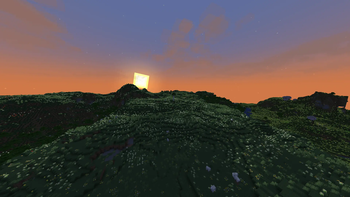
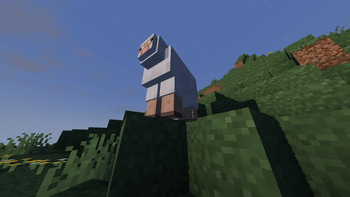
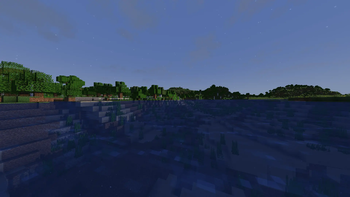
Pretty Shadows is a vanilla-friendly shaderpack focused on adding clean, realistic shadows and stronger atmosphere without turning Minecraft into a completely different-looking game. It keeps blocks, colors, and scenes recognizable while giving the world more depth and contrast.
The pack is built for both Iris and OptiFine. The Iris and OptiFine versions use the same shared shader source and default visual settings, so both downloads are meant to provide the same look by default. Choose the Iris file if you play with Iris, or the OptiFine file if you use OptiFine.
Features
- Lighting profiles from low-end settings to high-quality shadows
- Custom fog controls for overworld atmosphere
- End sky and star controls
- Optional hand dynamic lighting
- Optional glowing ores and waxed-copper highlighting
- Separate Iris and OptiFine downloads with matching default visuals
Performance
Pretty Shadows includes several built-in profiles: Lowest, Low, Normal, and High. Lower profiles reduce shadow resolution, shadow distance, and reflection cost for weaker systems. Higher profiles increase shadow distance and quality for a stronger visual effect.
If performance is low, start with the Low or Lowest profile, then raise individual options such as shadow distance, shadow map resolution, and reflections until the pack feels right for your system.
Compatibility
Pretty Shadows is packaged as a shaderpack, not a gameplay mod. It should be installed in your shaderpacks folder and selected from the shader menu in Iris or OptiFine.
Versioned builds are provided for Minecraft releases from 1.18.2 through 26.1.1. Iris and OptiFine compatibility depends on those loaders supporting the Minecraft version you are using.
Notes
This pack is designed for players who want Minecraft to look better while still feeling close to vanilla. It aims for readable lighting, clean shadows, and a lightweight visual upgrade rather than a heavy cinematic preset.
- Edition: Minecraft Java
- File type: .zip (resource pack)
- Minecraft versions listed: 1.18.2, 1.19, 1.19.1
- How to install: Download the .zip resource pack — do not unzip it. → Put it in .minecraft/resourcepacks. → Enable it in Options → Resource Packs.
- Where to get it: Opens on Modrinth — not every file is mirrored on our own servers.
Install steps are the general flow for this file type — see the MC Java Mods guides for the full walkthrough.
- Downloads as PrettyShadows-OptiFine-2.0.zip
- Download size: 37 KB
- Download link checked 6 Oct 2026 — working
These come from our own check of the pack file, not from the source page.