
Optimised Engineering
Simple modpack based primarily on Immersive Engineering as well as Optimized Forge 1.19 by "bruh". Really slim lightweight Vanilla+ modpack
⬇ Download on Modrinth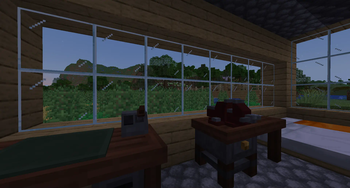
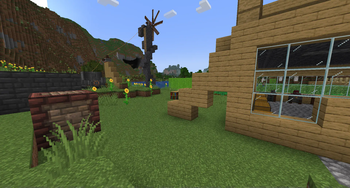
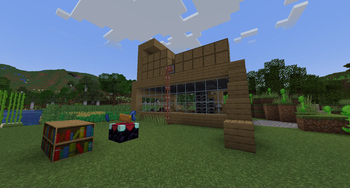
Note: Make sure to add "datapacks" folder to your world after creating your world!
Note: I am not updating this modpack! Feel free to update the mods through Prism Launcher though
Make sure to backups your worlds manually as well once in a blue moon, Simple Backups corrupted my world once (Out of about 8-10 restores)
Quark Engineering mod created by rickiegamer can be found here: https://www.curseforge.com/minecraft/mc-mods/quark-engineering
Simple modpack based primarily on Immersive Engineering as well as Optimized Forge 1.19 by "bruh". Really slim lightweight Vanilla+ modpack.
Aether Legacy wil be added when they backport it to 1.19.2
Includes:
- Appleskin
- Gravestone mod
- JEI
- Waystones/Waymaker
- Storage Drawers
- Xaero's Minimap
Many QoL improvements and performance mods based on the Optimized Forge 1.19 modpack.
You might want to add Twilight Forest for some extra stuff to do
Additional Changes/Features:
-Experience drops for smelting/blasting IE grit!
-Fusz_'s Easy Anvils, Easy Magic (Reroll Enchantments), Trading Post, Completionist's Index & Enchantment Infuser Mod (Repairing disabled)
-Quark + Quark Copper pipe added and configured for a cohesive experience
-Added a balanced recipe for coke coal creation from the Arc Furnace
-Ore doubling for Immersive Engineering re-introduced as per pre-1.17: https://modrinth.com/datapack/immersive-engineering-ore-doubling
-Automatically spawn with an IE Guide
Waystones + Xaero's Compat
Super fast! Optimised for low-end computers thanks to the Optimised Forge modpack and mod creators , if you have a higher-end computer make sure to configure the Quality and Performance Tabs in the Video Settings
Faithful x32/Quark32x included: https://faithfulpack.net/ / Note: f32.me (Faithful modded) NOT included
If you want to make a server, just remove/disable the following mods from the server mods folder:
Textrue's Rubudium Options
Rubidium
Rubidium Extra
Oculus
Dynamic Lights Reforged
Distant Horizons
Enjoy! And pls give advice for how I can improve it, Thanks 42years.1764days@gmail.com
- Edition: Minecraft Java
- File type: .jar
- Minecraft version listed: 1.19.2
- How to install: Install the matching mod loader (Forge, Fabric or NeoForge) for your Minecraft version. → Download the .jar. → Put it in the .minecraft/mods folder and launch that loader profile.
- Where to get it: Opens on Modrinth — not every file is mirrored on our own servers.
Install steps are the general flow for this file type — How to install Minecraft Java mods & modpacks walks through it step by step.
- Downloads as Optimised Engineering1.mrpack
- Download size: 16.9 MB
- Download link checked 29 Aug 2026 — working
These come from our own check of the pack file, not from the source page.