OcelotPack
Adds many optimisation mods, as well as OptiFine parity and other small features. Big FPS improvement. Fully server-compatible and client-only. Not…
⬇ Download on ModrinthModpack on hold
I no longer play Minecraft. You can contact me at https://roundabout-host.com/roundabout
OcelotPack
Forget about "doubling" your FPS. We can do better.
This is a Minecraft modpack on Fabric, focusing on optimisation, customisation and stability. The goal is not to have any opinionated stuff here. This could just as well be vanilla. Inspired by Fabulously Optimized and the OptiFine alternatives by LambdAurora.
Features
- Huge FPS boost - see images!
- Resource pack features - OptiFine parity!
- Nice connected textures, dynamic lights, shaders and F3 menu!
- See further on servers!
- Zoom your view!
- Low memory usage!
- Get free, custom capes!
- Play with your controller!
- Open source!
- And more
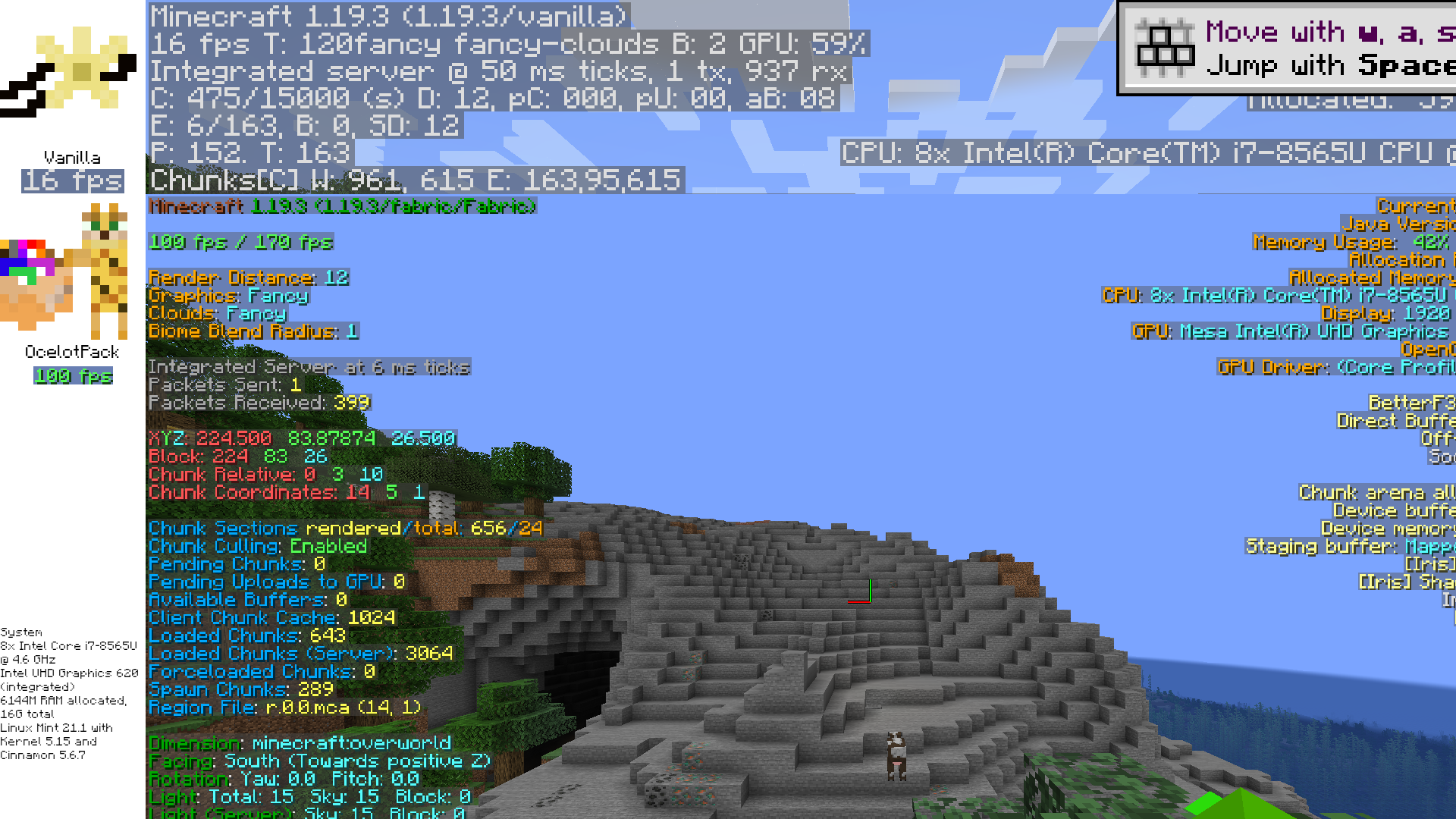
| CPU | GPU | RAM (max allocated) | Resolution | Vanilla | Modpack | Modpack relative | |
|---|---|---|---|---|---|---|---|
| (pictured) | Intel i7-8565U | Integrated Intel UHD Graphics 620 | 6144M | 1920x1080 | 16 | 100 | 625% |
| Intel i9-13900KF | nVidia RTX 3060 Ti LHR | 6144M | 1920x1080 | 118 | 844 | 715% |
Default settings, but VSync is disabled and Max FPS is unlimited. Check out the wiki for more info
- Edition: Minecraft Java
- File type: .jar
- Minecraft version listed: 1.20.1
- How to install: Install the matching mod loader (Forge, Fabric or NeoForge) for your Minecraft version. → Download the .jar. → Put it in the .minecraft/mods folder and launch that loader profile.
- Where to get it: Opens on Modrinth — not every file is mirrored on our own servers.
Install steps are the general flow for this file type — How to install Minecraft Java mods & modpacks walks through it step by step.
- Downloads as OcelotPack.mrpack
- Download size: 5.4 MB
- Download link checked 29 Aug 2026 — working
These come from our own check of the pack file, not from the source page.