
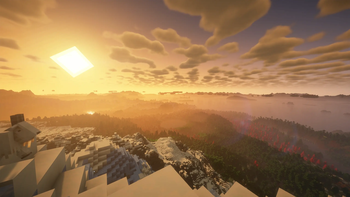
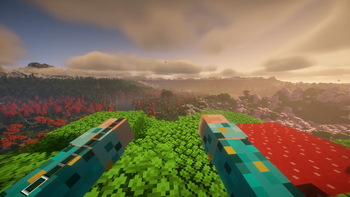
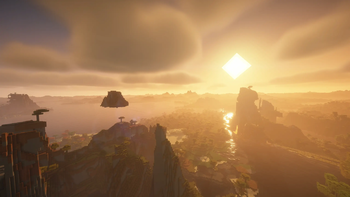
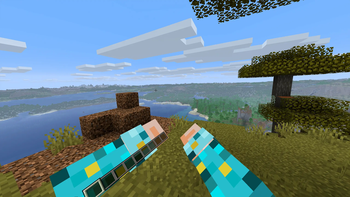
I made this modpack to test out how well the mod Voxy works with Vivecraft and Minecraft VR mods.
This pack contains mods that allow you to play in VR with Voxy and also modifies the terrain/world generation to maximise the wow factor of using a mod like this. I also added some preformance mods to maximise fps as much as possible.
I have a 5090 and 9950x3d so your results may vary especially if you try shaders but I think most can try this and will see a benefit with shaders disabled.
If you wish to follow what I did exactly then see below:
1 - disable vivecraft and voxy and start minecraft in flatscreen. 2 - Generate the world then enter these commands to get chunky to start loading the chunks: /chunky shape circle /chunky radius 512c /chunky start 3 - When it finishes quit the game, turn on vivecraft and voxy, start the game again and load into the world. 4 - Start Voxy loading using this command: /voxy import world "your world name" 5 - Wait for it to load and if you feel like it then try turning on the BSL shader
Enjoy :)
- Edition: Minecraft Java
- File type: .jar
- Minecraft version listed: 1.21.11
- How to install: Install the matching mod loader (Forge, Fabric or NeoForge) for your Minecraft version. → Download the .jar. → Put it in the .minecraft/mods folder and launch that loader profile.
- Where to get it: Opens on Modrinth — not every file is mirrored on our own servers.
Install steps are the general flow for this file type — How to install Minecraft Java mods & modpacks walks through it step by step.
- Downloads as Minecraft VR Voxy Test Experience 1.0.0.mrpack
- Download size: 78 KB
- Download link checked 29 Aug 2026 — working
These come from our own check of the pack file, not from the source page.