
ModpacksJava
Moose Configs
Java modpack listed for Minecraft 1.20. Downloads from the MC Java Mods app on Android.
⬇ Download on Modrinth
Minecraft Powered By Moose Configs!
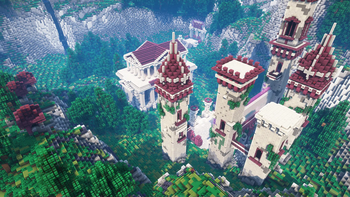
Legendary configs, settings, and performance kept from you for years; finally published for you to use as well! Aside from the high performance modpack, I've also included the following:
- Shaderpacks and corresponding configs
- Texturepacks (Base Pack & Block Overlay)
- Stupidly good fortune/luck (you'll be shocked how lucky you get from using this modpack)
- Improves pvp skill significantly! (ask anyone frfr)
Default Keybinds
Feel free to change them if you'd like ^-^
- Default shaders keybind is
K - Default togglesprint keybind is
P - Default waypoint keybind is
F10 - Default worldmap keybind is
M - Default freecam keybind is
U - Default freecam-player keybind is
I - Default nametags keybind is
N - Default zoom keybind is
~ - Default simple hud utilities keybind is
INSERT - Default armor hud keybind is
DELETE - Default player/npc hider is
END - Default minimap keybind is
PAGEUP - Default on-screen waypoints keybind is
PAGEDOWN - Default voicechat GUI is
RightShift - Default minimap on hold enlarger keybind is
\ - Default zoom in/out for minimap keybinds are
-and= - Default freelook keybind is
LeftAlt - Default chat keybind is
Enter(i had my reasons)
FAQ
Why? I've gotten sick of sending my modpack's entire root directory as a giant zip file to my friends so they can play with my modpack. I've finally decided to post my modpack as an official one on Modrinth after many requests. Enjoy! Will you update this? If there's any conflicts or errors, I'll be sure to update the modpack! Other versions? I'll only consider making a modpack for a different version if I get a lot of requests. Undecided for now. Where can I find you? Instagram, Youtube, and Discord are the main ways of finding me online. You definitely won't find me irl though ;) Can you add X mod? There's a good chance I might add a mod if it improves performance, if I like the mod, or if its simply a good addition to add to the modpack. Feel free to reach out to me if you'd like me to add the mod of your choice! Why is my screen blurry? You're most likely referring to the Motionblur Mod, you can change that via typing in chat /motionblur [0-100]. To disable Motionblur completely, run the following command: /motionblur 0. I personally use anywhere from 19-47 depending on how many players are around me, but feel free to use what works best for you! And yes, motionblur does seem to work with the shaders.Quick facts
- Edition: Minecraft Java
- File type: .jar
- Minecraft version listed: 1.20.1
- How to install: Install the matching mod loader (Forge, Fabric or NeoForge) for your Minecraft version. → Download the .jar. → Put it in the .minecraft/mods folder and launch that loader profile.
- Where to get it: Opens on Modrinth — not every file is mirrored on our own servers.
Install steps are the general flow for this file type — How to install Minecraft Java mods & modpacks walks through it step by step.
File checked by MCModsHub
- Downloads as 1.20.1 Modpack moos 1.0.0.mrpack
- Download size: 45.4 MB
- Download link checked 10 Oct 2026 — working
These come from our own check of the pack file, not from the source page.