Toast Control
Java mod listed for Minecraft 1.16–1.21. File opened and checked on 22 Sep 2026; downloads from the MC Java Mods app on Android.
⬇ Download on CurseForgeAbout
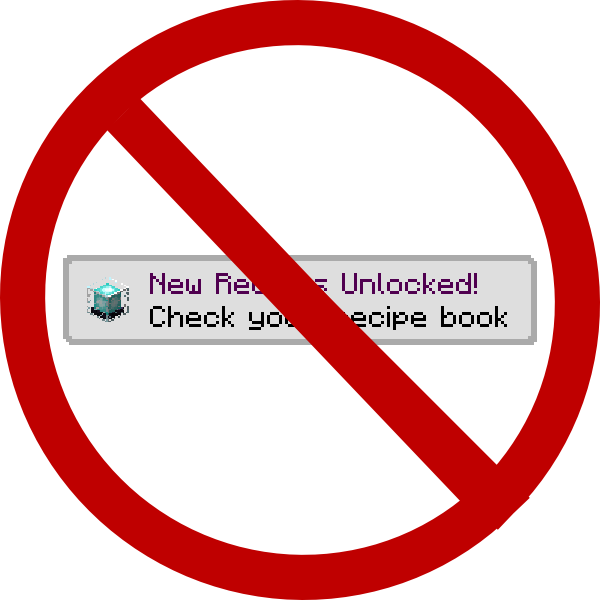
This mod allows you to control what toasts show up in Minecraft. By default, Minecraft shows you all toasts, including toasts for Recipes, Advancements, the Narrator, and Tutorials.
This mod, by default, disables toasts for Recipes and Tutorials. It can disable any other kind of toast through the configuration file.
If you do not want to block toasts, but think they are in the way, you can change their backgrounds. Toast Control allows for translucent or transparent backgrounds (vanilla toasts only).
Translucent toasts look like this:

Transparent toasts look like this:

Support Me

Contact
Discord: https://discord.shadowsoffire.dev
- Edition: Minecraft Java
- File type: .jar
- Minecraft versions listed: 1.21.1, 1.21, 1.20.1
- How to install: Install the matching mod loader (Forge, Fabric or NeoForge) for your Minecraft version. → Download the .jar. → Put it in the .minecraft/mods folder and launch that loader profile.
- Where to get it: Opens on CurseForge — not every file is mirrored on our own servers.
Install steps are the general flow for this file type — How to install Minecraft Java mods & modpacks walks through it step by step.
Toast Control is a free Minecraft Java mod. Compatible with Minecraft 1.21.1, 1.21, 1.20.1, 1.19.2 and newer. Downloaded 194,740,525 times (via CurseForge). Download it and open it directly in the game.