
ModpacksJava
Obsidian Optimized
Obsidian Optimized is a mod pack that improves Minecraft’s performance by boosting FPS with proven, real mods. It reduces lag and stuttering while adding…
⬇ Download on Modrinth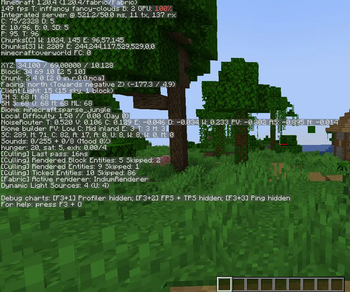
Obsidian Optimized – Best FPS Boosting Minecraft Modpack 🚀
Boost FPS & Optimize Performance in Minecraft 🔥
- Experience higher FPS, reduced lag, and smoother gameplay, even on low-end PCs.
Best FPS Boosting Mods for Minecraft 🎯
- Includes tested performance mods to increase FPS, reduce stuttering, and improve game stability.
Low-End PC Friendly Minecraft Modpack 💻
- Optimized settings and lightweight performance mods ensure a fast, lag-free experience on any system.
Minecraft Quality-of-Life (QoL) Mods 🎮
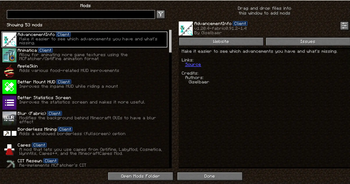
- Enhances gameplay with QoL mods that improve UI, controls, and overall Minecraft experience.
Minimal Resource Usage – Maximum FPS ⚡
- Designed to reduce CPU & GPU usage, making it the best Minecraft modpack for low-end PCs.
Smooth, Stable & Lag-Free Minecraft Gameplay 🏆
- Eliminates FPS drops, game freezes, and input delays, ensuring a seamless, high-performance experience.
🔥 Download Obsidian Optimized now – The Best FPS Boosting Minecraft Modpack for Low-End PCs! 🚀
Quick facts
- Edition: Minecraft Java
- File type: .jar
- Minecraft version listed: 1.18.2
- How to install: Install the matching mod loader (Forge, Fabric or NeoForge) for your Minecraft version. → Download the .jar. → Put it in the .minecraft/mods folder and launch that loader profile.
- Where to get it: Opens on Modrinth — not every file is mirrored on our own servers.
Install steps are the general flow for this file type — How to install Minecraft Java mods & modpacks walks through it step by step.
Verified by MCModsHub
- Downloads as Obsidian Optimized 1.0.7.mrpack
- Download size: 45 KB
- Download link checked 30 Aug 2026 — working
These come from our own check of the pack file, not from the source page.