
The Not-So-Controversial Update
Java modpack listed for Minecraft 1.20. Downloads from the MC Java Mods app on Android.
⬇ Download on Modrinth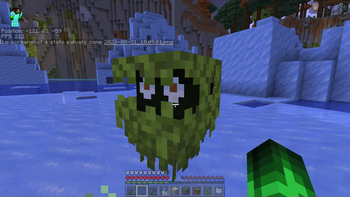


WARNING: This modpack requires Fabric to work correctly.
Have ever you wondered how Minecraft could be if some of Mojang/Microsofts' mistakes were actually fixed?
Welcome to "The Not-So-Controversial Update!"
This Modpack allows to fix some controversial errors and misunderstood updates.
For example:
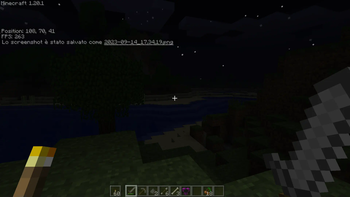
Now there's the old atmosphere and beta lightning! (you have to toggle them in the NostalgicTweaks Mod Settings)
The combat system is basically the combat test snapshot 8c, which tends to mix the 1.8 and 1.9 combat system!
Optimization with Sodium and Lithium (no Optifine for now, I'm sorry)
Parity between Java and Bedrock Edition!
You can toggle some of the Nostalgic Tweaks, if you want (I suggest to disable all the "Server side", so you won't have bugs during fights nor vanilla things)
There are most of cancelled mobs, like the Copper Golem and the Iceologer!
If you are nostalgic about the old world generation, you can generate a world with all the older world generations!
You can now use, craft and find bundles in dungeons!
Lightweight!
Also, faster minecarts.
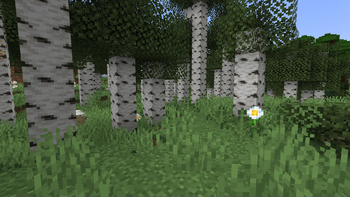
Also new and revamped biomes.
Warden is a bit more OP.
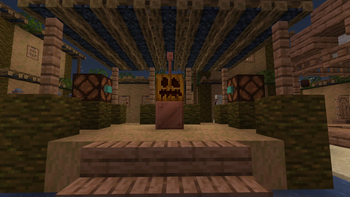
Oh, vertical slabs. Yeah, I mean, now they exist, so...
This Modpack should work pretty well in the client side and server side (except that you have to configure some mods, if you want to)
That being said, have fun!
Modlist:
- ACE
- Architectury
- Axolotl-item-fix
- Bookshelf
- BundlesUnlocked
- Controllable
- Combatify
- Bedrockify
- Cloth-config
- Dummmmmmy!
- EnchantedVerticalSlabs
- EnhancedBlockEntities
- ExlineCopperEquipment
- Fabric-Api
- FabricSeasons
- FabricSeasonsExtra
- FallingLeaves
- FerriteCore
- FriendsAndFoes
- FriendsAndFoes (Beekeeperhut addon)
- Geophilic
- Indium
- Iris Shader Mod
- Lithium
- Modern Beta
- Modmenu
- Moonlight
- NostalgicTweaks
- NoChatReports
- Owo-lib
- Replaymod
- Sodium
- Starlight
- Tooltipfix
- Voicechat Fabric
- WilderWild
Credits to all the modders!
- Edition: Minecraft Java
- File type: .jar
- Minecraft version listed: 1.20.1
- How to install: Install the matching mod loader (Forge, Fabric or NeoForge) for your Minecraft version. → Download the .jar. → Put it in the .minecraft/mods folder and launch that loader profile.
- Where to get it: Opens on Modrinth — not every file is mirrored on our own servers.
Install steps are the general flow for this file type — How to install Minecraft Java mods & modpacks walks through it step by step.
- Downloads as The Not-So-Controversial Update 1.6.0.mrpack
- Download size: 36 KB
- Download link checked 31 Oct 2026 — working
These come from our own check of the pack file, not from the source page.