


Pure Discord Server! 
Pure: Enhanced Minecraft Experience with Optimized Mods
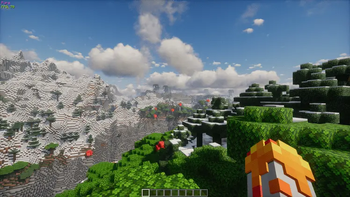
- Embark on a journey into the extraordinary realm of Pure, a meticulously crafted mod compilation tailored to elevate your vanilla Minecraft adventure. Immerse yourself in a world where optimization meets innovation, delivering not only visually stunning effects through BSL Shaders and Complementary Shaders - Reimagined but also introducing unique features to seamlessly enhance your gameplay.
Key Features of Pure:
Immersive Sounds: Dive into the Minecraft universe with AmbientSounds, which adds atmospheric sounds, creating a truly immersive audio experience.
Enhanced Shaders: Experience vibrant and realistic graphic effects with BSL Shaders, transforming your world into a captivating visual masterpiece.
Additional Informational Elements: Navigate your surroundings effortlessly with BetterF3, providing on-screen information for enhanced exploration and data tracking.
Improved In-Game Chat: Engage in more expressive conversations with Chat Heads and Emoji Type, making the chat experience both lively and engaging. **
Flexible Configuration Settings: Tailor your mod experience to suit your gaming style with Cloth Config API and YetAnotherConfigLib, offering additional settings for optimal customization.
Mods included in the compilation:
3D Skin Layers
- Author: tr7zw
- Version: 1.6.2
AmbientSounds
- Author: creativemd
- Version: 5.2.23
AppleSkin
- Author: squeek502
- Version: 2.5.1+mc1.20.2
BSL Shaders
- Author: CaptTatsu
- Version: 8.2.07.1
BetterF3
- Author: TreyRuffy
- Version: 8.0.2
Bobby
- Author: Johni0702
- Version: 5.0.2
Chat Heads
- Author: dzwdz
- Version: 0.10.30
Cloth Config API
- Author: shedaniel
- Version: 12.0.119+fabric
Complementary Shaders - Reimagined
- Author: EminGT
- Version: r5.1.1
Continuity
- Author: PepperCode1
- Version: 3.0.0-beta.4+1.20.2
CreativeCore
- Author: creativemd
- Version: 2.11.2
CustomHud
- Author: Minenash
- Version: 3.3.0+1.20.2
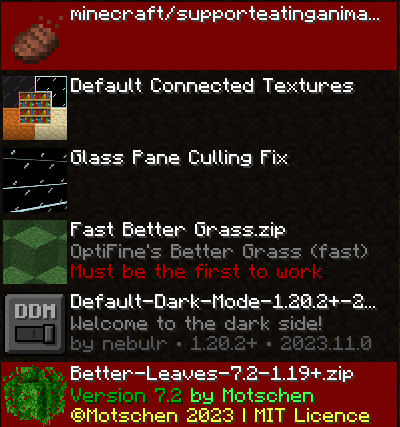
Default Dark Mode
- Author: nebulr
- Version: 2023.11.0-1.20.3
Dynamic FPS
- Author: juliand665
- Version: 3.3.3
Eating Animation
- Author: theoness1
- Version: 1.9.5
Emoji Type
- Author: Norbiros
- Version: 2.2.3+1.20.4
Entity Culling
- Author: tr7zw
- Version: 1.6.3-1.20.2
Exordium
- Author: tr7zw
- Version: 1.2.1-1.20.2
Fabric API
- Author: modmuss50
- Version: 0.91.3+1.20.2
Fabric Language Kotlin
- Author: modmuss50
Fast Better Grass
- Author: robotkoer
- Version: 1.20.3
FerriteCore
- Author: malte0811
- Version: 6.0.1
Forge Config API Port
- Author: Fuzs
- Version: v20.2.5-1.20.2-Fabric
ImmediatelyFast
- Author: RaphiMC
- Version: 1.2.8+1.20.4-fabric
Iris Shaders
- Author: coderbot
- Version: 1.6.14+1.20.2
LambDynamicLights
- Author: LambdAurora
- Version: 2.3.3+1.20.2
LazyDFU
- Author: astei
- Version: 0.1.3
Lithium
- Author: jellysquid3
- Version: mc1.20.2-0.12.0
Memory Leak Fix
- Author: FX
- Version: v1.1.5
Minecraft Emote
- Author: Vinrobot
- Version: 1.1.1
Mod Menu
- Author: (Not specified)
- Version: 8.0.1
ModernFix
- Author: embeddedt
- Version: 5.10.1+mc1.20.2
Motschen's Better Leaves
- Author: Motschen
- Version: 7.2
No Chat Reports
- Author: Aizistral
- Version: Fabric-1.20.2-v2.3.1
Not Enough Animations
- Author: tr7zw
- Version: 1.7.0
Plasmo Voice
- Author: kpids
- Version: fabric-1.20.2-2.0.8
Rethinking Voxels
- Author: gri573
- Version: r0.1-beta2
Shoulder Surfing Reloaded
- Author: Exopandora
- Version: 1.20.1-2.8.1
Sodium
- Author: jellysquid3
- Version: mc1.20.2-0.5.5
Sound Physics Remastered
- Author: henkelmax
- Version: (Version not specified)
Too Many Players
- Author: Feytox
- Version: 1.20.2-1.1.5
Visuality
- Author: PinkGoosik
- Version: 0.7.1+1.20
Xaero's Minimap
- Author: thexaero
- Version: 23.9.3_Fabric_1.20.2
YetAnotherConfigLib
- Author: isxander
- Version: 3.3.0-beta.1+1.20.2-fabric
Zoomify
- Author: isxander
- Version: 2.12.0
fast-ip-ping
- Author: fallen-breath
- Edition: Minecraft Java
- File type: .jar
- Minecraft version listed: 1.21.11
- How to install: Install the matching mod loader (Forge, Fabric or NeoForge) for your Minecraft version. → Download the .jar. → Put it in the .minecraft/mods folder and launch that loader profile.
- Where to get it: Opens on Modrinth — not every file is mirrored on our own servers.
Install steps are the general flow for this file type — How to install Minecraft Java mods & modpacks walks through it step by step.
- Downloads as Pure 1.0.8.mrpack
- Download size: 257 KB
- Download link checked 30 Aug 2026 — working
These come from our own check of the pack file, not from the source page.