
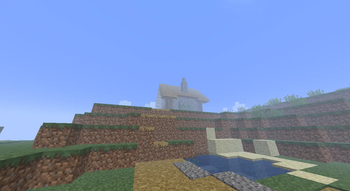
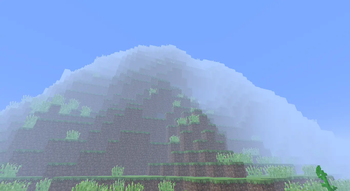
ARG Modpack
Available GUIs:
- Singleplayer (Unfinished)
- Multiplayer (Finished)
- Options (Decoration)
- Pause Screen (Finished)
- Create World Screen (Unfinished)
- Chat (DBG Finished)
- Original Options (Simplified interface and debugging information)
Simple Q&A:
Q: There's a bug.
A: Wait for update or change by yourself.
Q: Why a1.0.16?
A: Because of The ARG "a1.0.16.05"
Q: Why only english?
A: Because I don't know any language other than English and Chinese. And Chinese is not appropriate for an ARG.
Last Update Time: 08/21/2025
Author's word: Don't try to change it yourself if it's not particularly important, and it's best if you know what you're doing; your behavior can lead to three problems:
- switching layout errors
- switching GUI errors
- etc. I don't know what error
ARG整合包
可用的GUI:
- 单人游戏(未完成)
- 多人游戏(已完成)
- 选项(摆设)
- 暂停屏幕(已完成)
- 创建世界屏幕(未完成)
- 聊天(包含DBG信息)
- 原版选项(简化界面和调试信息)
简化Q&A:
问:有bug。
答:等更新或自己改。
问:为什么要仿 a1.0.16?
答:因为有个ARG叫"a1.0.16.05"
问:为什么只有英文版?
答:因为我不懂英语和中文以外的语言。而中文并不适合某些ARG。
最后更新时间:2025/08/21
作者的话:如果不是特别重要,就不要自己尝试改,并且最好你要知道你在干什么,你的行为可能会导致三个问题:
- 切换布局错误
- 切换GUI错误
- 等不知道是什么的错误
- Edition: Minecraft Java
- File type: .jar
- Minecraft version listed: 1.20.1
- How to install: Install the matching mod loader (Forge, Fabric or NeoForge) for your Minecraft version. → Download the .jar. → Put it in the .minecraft/mods folder and launch that loader profile.
- Where to get it: Opens on Modrinth — not every file is mirrored on our own servers.
Install steps are the general flow for this file type — How to install Minecraft Java mods & modpacks walks through it step by step.
- Downloads as [Unfinished] Alpha-ARG Modpack 1.0.16.13_01_manifestationv4_FANCYQuality.mrpack
- Download size: 21.6 MB
- Download link checked 31 Aug 2026 — working
These come from our own check of the pack file, not from the source page.