

🔥 Get the best performance out of your game!
With performance enhancing mods such as Sodium, Lithium, Starlight and many more, your gameplay will be smoother than ever!
🔎 Used to OptiFine Features? No problem!
Press C to zoom, use your favorite resource packs with all their fancy connected textures and animations, drag and drop your favorite shaderpack to make Minecraft look absolutely stunning, all that with much better performance than OptiFine!
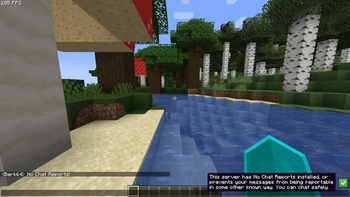
🔐 Chat safely!
With the mod No Chat Reports, your messages are anonymous once again. No more Mojang spying!
💡 Tip:
If you're going to use a shaderpack (I recommend Complementary Reimagined) that has dynamic lights, it is recommended to disable LambDynamicLights to ensure the best performance :)
- Edition: Minecraft Java
- File type: .jar
- Minecraft version listed: 1.19.2
- How to install: Install the matching mod loader (Forge, Fabric or NeoForge) for your Minecraft version. → Download the .jar. → Put it in the .minecraft/mods folder and launch that loader profile.
- Where to get it: Opens on Modrinth — not every file is mirrored on our own servers.
Install steps are the general flow for this file type — How to install Minecraft Java mods & modpacks walks through it step by step.
- Downloads as Smoothie 1.0.1.mrpack
- Download size: 995 KB
- Download link checked 1 Sept 2026 — working
These come from our own check of the pack file, not from the source page.