
What is the purpose of this modpack?
The main focus of this modpack is to allow players more customization of their armor, tools and other equipment! This modpack also introduces a few features that I feel should be a part of vanilla minecraft.
Examples:
- Easy Magic: It's a very simple mod that lets you leave items on the enchantment table and gives it a reroll button so you dont have to go back and forth with a pesky grindstone!
- Elytra Trims: This is a very simple yet really cool mod, it lets you put trims onto an elytra!
- Elytra Trinket: This mod allows your player to put an elytra into your cape slot! (It also allows you to fly with it too)
How does it affect gameplay?
These world gen mods dont effect gameplay significantly however they do affect the world gen significantly.
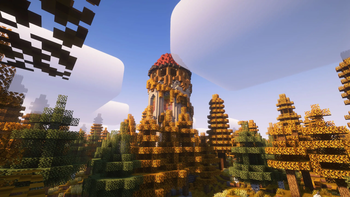
- Overworld gen - (Terralith) and (Tectonic)
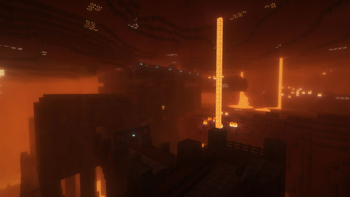
- Nether Dimension - (Amplified Nether)
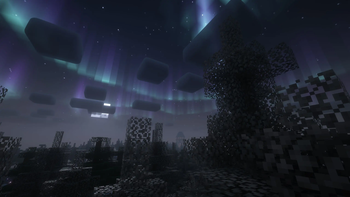
- End Dimension - (Nullscape)
You may also notice some performance increases from the library of performance related mods like Sodium.
Other minor gameplay differences:
- Comforts - Adds sleeping bags, hammocks, and more!
- InvMove - Let's you move with your inventory open!
- Dynamic Lights - Dropped and held light sources emit light!
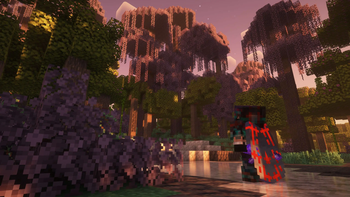
Visual differences
- Distant Horizons - Allows massively larger render distances (mileage may vary PC to PC)
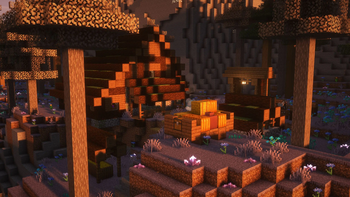
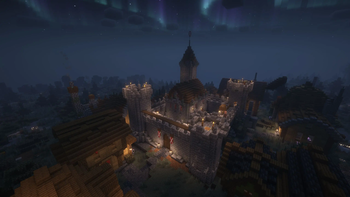
- Complementary Shaders - One of the best looking and most popular shaders available! (DH Compatible)
- Complementary Shaders + Euphoria Patches - Complementary reimagined with some modded tweaks to allow for a wider range of visuals! (NOT DH Compatible)
- Bloop Shaders - Another good alternative shaderpack to Complementary! (DH Compatible)
- Default Dark Mode - Gives the game a clean vanilla-like dark mode!
This modpack is an additional modpack I am working on alongside Vanilla Adventures + and Simply Refreshed
Quick facts
- Edition: Minecraft Java
- File type: .jar
- Minecraft version listed: 1.21
- How to install: Install the matching mod loader (Forge, Fabric or NeoForge) for your Minecraft version. → Download the .jar. → Put it in the .minecraft/mods folder and launch that loader profile.
- Where to get it: Opens on Modrinth — not every file is mirrored on our own servers.
Install steps are the general flow for this file type — How to install Minecraft Java mods & modpacks walks through it step by step.
Verified by MCModsHub
- Downloads as Lost Horizons 1.1.3.mrpack
- Download size: 934 KB
- Download link checked 1 Sept 2026 — working
These come from our own check of the pack file, not from the source page.