
Johnny's QOL
A quality of life modpack bringing you a streamlined Minecraft experience. Included in this are almost 100 addons to give your vanilla gameplay a much…
⬇ Download on Modrinth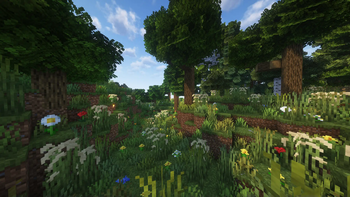
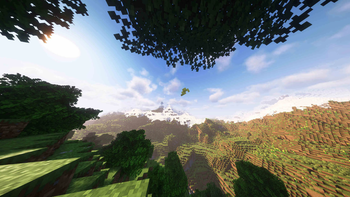
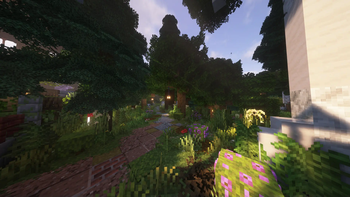
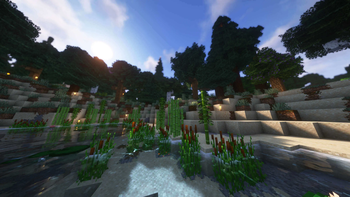
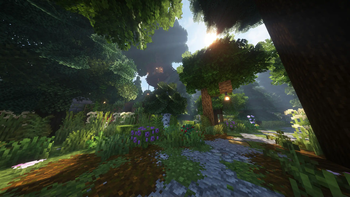
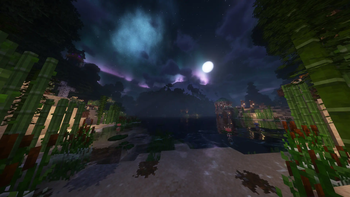

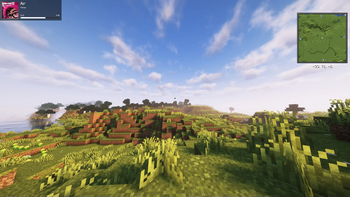
Minecraft the way it was meant to be played in 2024
- Enjoy Minecraft's 1.21 update with a complete visual / quality of life makeover. This modpack is a hand picked selection of mods and features that I used to transform my vanilla gameplay journey. All these pieces come together to produce a fresh and immersive 2024 Minecraft experience!
Features
UI Overhaul/additions fully customizable at your fingertips.
Iris shaders support with included pack.
Audio environment overhaul.
Complete music control & music streaming integration.
A plethora of QOL features for a streamlined minecraft experience.
Built on Fabric with lightweight and optimized mods.
All clientside features.
PLEASE READ! -
This modpack has now been split into TWO seperate modpacks. This version is focused on perfomance with some useful addons, while Johnny's QOL+ will include over 50 addtional mods.
Firstly thank you to all of the mod,resource,and shaderpack developers that made it possilble to compile this list to together. All included are permitted for open use.
This modpack was created with personal tweaking in mind. Almost everything that has been added to this pack can be adjusted to your liking. The default settings are meant to be a decent starting point for all the new in game features included. As you use this pack more you'll be able to fine tune all these new aspects for the perfect personal experience.
You will need to link your Crafity to your music streaming service of choice before it will auto sync.
FAQ will be added if enough interest.
This is my very first time creating a modpack! There are of course going to be some bugs and issues but this is new experience for me and I am learning a lot as I go! Thank you for understanding and I hope you enjoy!
- Edition: Minecraft Java
- File type: .jar
- Minecraft version listed: 1.21
- How to install: Install the matching mod loader (Forge, Fabric or NeoForge) for your Minecraft version. → Download the .jar. → Put it in the .minecraft/mods folder and launch that loader profile.
- Where to get it: Opens on Modrinth — not every file is mirrored on our own servers.
Install steps are the general flow for this file type — How to install Minecraft Java mods & modpacks walks through it step by step.
- Downloads as Johnny's QOL 2.1.0.mrpack
- Download size: 1.2 MB
- Download link checked 5 Sept 2026 — working
These come from our own check of the pack file, not from the source page.