
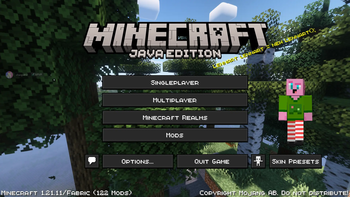
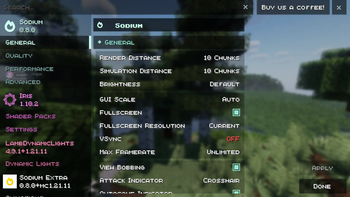
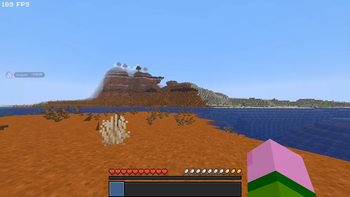

Opti is a modpack made for optimiaztion, and better gameplay.
Combining mods that optimize Minecraft, like ImmediatelyFast, but then has expirience mods like Chat Heads to make Minecraft more enjoyable. This way you get less lag but still enjoyable.
Included ModsOptimization:
-Dynamic FPS
-Entity Culling
-FastChest
-FerriteCore
-ImmediatelyFast
-Lithium
-No Waypoints/Locator Bar
-Remove Reloading Screen
-Server Pinger Fixer
-Sodium
-Sodium Extras
-Stfu
-Bobby Mod
-Bad Optimizations
-More Culling
Enjoyment:
-Capes
-Chat Heads
-Connected Paths
-Dynamic Crosshair
-LambDynamicLights
-M.R.U.
-MinecraftCapes
-Mod Menu
-Shulker Box Tooltip
-Skin Shuffle
-Sounds
-Zoomify
-Cherished Worlds
-Stendhal
-Dynamic Crosshair
-Paper Doll
-Freelook
-Scoreboard Overhaul
Other:
-AppleSkin
-Iris Shaders
-Crash Assistant
Resource Packs & Shaders:
-Borderless Glass
-Complementary Shaders
-Fast Better Grass
-Low Fire
-Mellow
-qrrafty's Capitalized Font
-Renderpearl
-Unique Dark
-Visual: Armor Trims
-(Bee's) Fancy Crops
This is the modpack I personally use, so I hope it works out well for you too.
-mintchocchip100
- Edition: Minecraft Java
- File type: .jar
- Minecraft version listed: 1.21.11
- How to install: Install the matching mod loader (Forge, Fabric or NeoForge) for your Minecraft version. → Download the .jar. → Put it in the .minecraft/mods folder and launch that loader profile.
- Where to get it: Opens on Modrinth — not every file is mirrored on our own servers.
Install steps are the general flow for this file type — How to install Minecraft Java mods & modpacks walks through it step by step.
- Downloads as Opti 0.7.mrpack
- Download size: 12.9 MB
- Download link checked 5 Sept 2026 — working
These come from our own check of the pack file, not from the source page.