
Wintercraft Enhanced
Java modpack listed for Minecraft 1.21. Downloads from the MC Java Mods app on Android.
An ENHANCED version of minecraft BUT it's ALWAYS WINTER! Explore a frosty new world generation with new dungeons, structures, villages, dimensions, new…
⬇ Download on Modrinth



Wintercraft Enhanced
An enhanced version of minecraft BUT it's always Winter using the fabulously optimized modpack as baseline for performance improvements.
Feautures
This modpack changes every biome to be frostful, enhances visuals, sounds, gui, atmosphere, many quality of life features and adds many new features to explore & even surprise you by adding many little mods and resource packs & some bigger mods you can fully explore while playing the game.
Essentially it makes the game feel like when you were a kid and everything was new BUT in WINTER...
This pack offers for easy multiplayer using the Essential mod. Just open your Singleplayer world and invite your friends via a friend-list, like in most other ko-op games!

most notable features:
huge performance improvements (one of the best performance modpacks out there as base line)
Distant Horizons NOW changed for VOXY with Tectonic world generation & shader compatibility (Voxy offers way better looking Lods (far away rendered chunks) than Distant Horizons at way better performance and finally with shader support too! To learn how to install shaders and use Voxy, read further below at "issues & solutions")
many new Structure and Exploration mods, most notably Dungeons and Taverns
new weapons & tools & -functionality, some new Ores
Enhanced Nether and End as well as NEW dimensions
Fresh animations and not enough animations with first person model for more immersive gameplay (also more mob variants with fresh animations and addons)
better sounds and ambience (inventory, items, birds, wind and lots more depending on biome and scenery)
Many NEW and enhanced particles & effects in all areas of the game!
Lots of quality of life improvements in all areas of the game
smoother gui and lots more to enhance the base game just enough to make it feel fresh and exciting again.

Features modlist (most notable)
World Generation & Exploration
- Tectonic
- Voxy (for distant chunks)
- Chunky to generate Chunks before playing (Voxy can't create chunks on its own - read more below at "issues & solutions")
- Dungeons and Taverns (with better stronghold and many more addons)
- Overhauled & NEW Dungeons & Stronghold
- Roguelike Dungeons, Structory
- Grand Capital villages, & more Biome Villages
- Subsurface - new cave biomes, including underground jungles & ICE biomes)
- Better Archeology
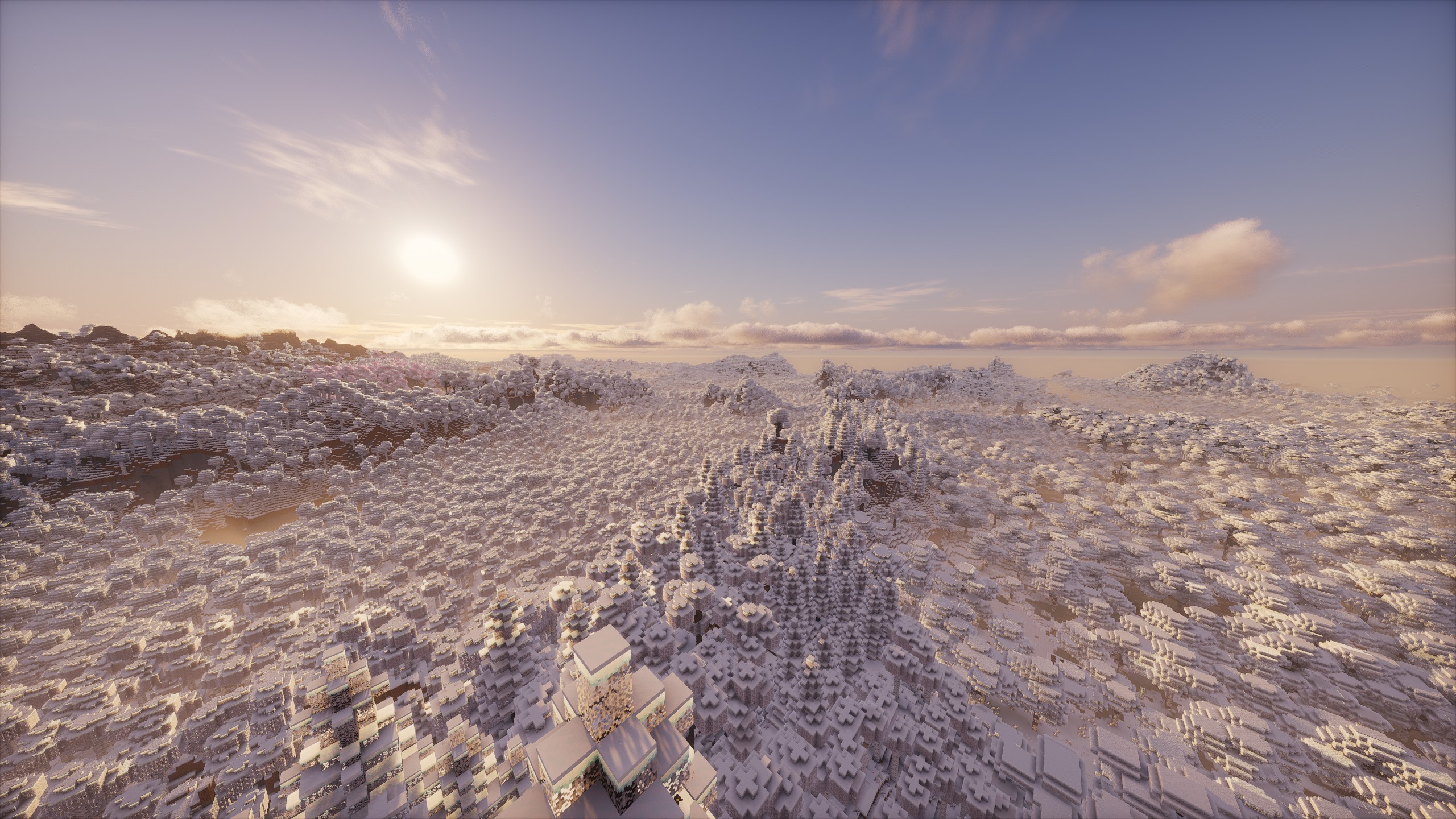
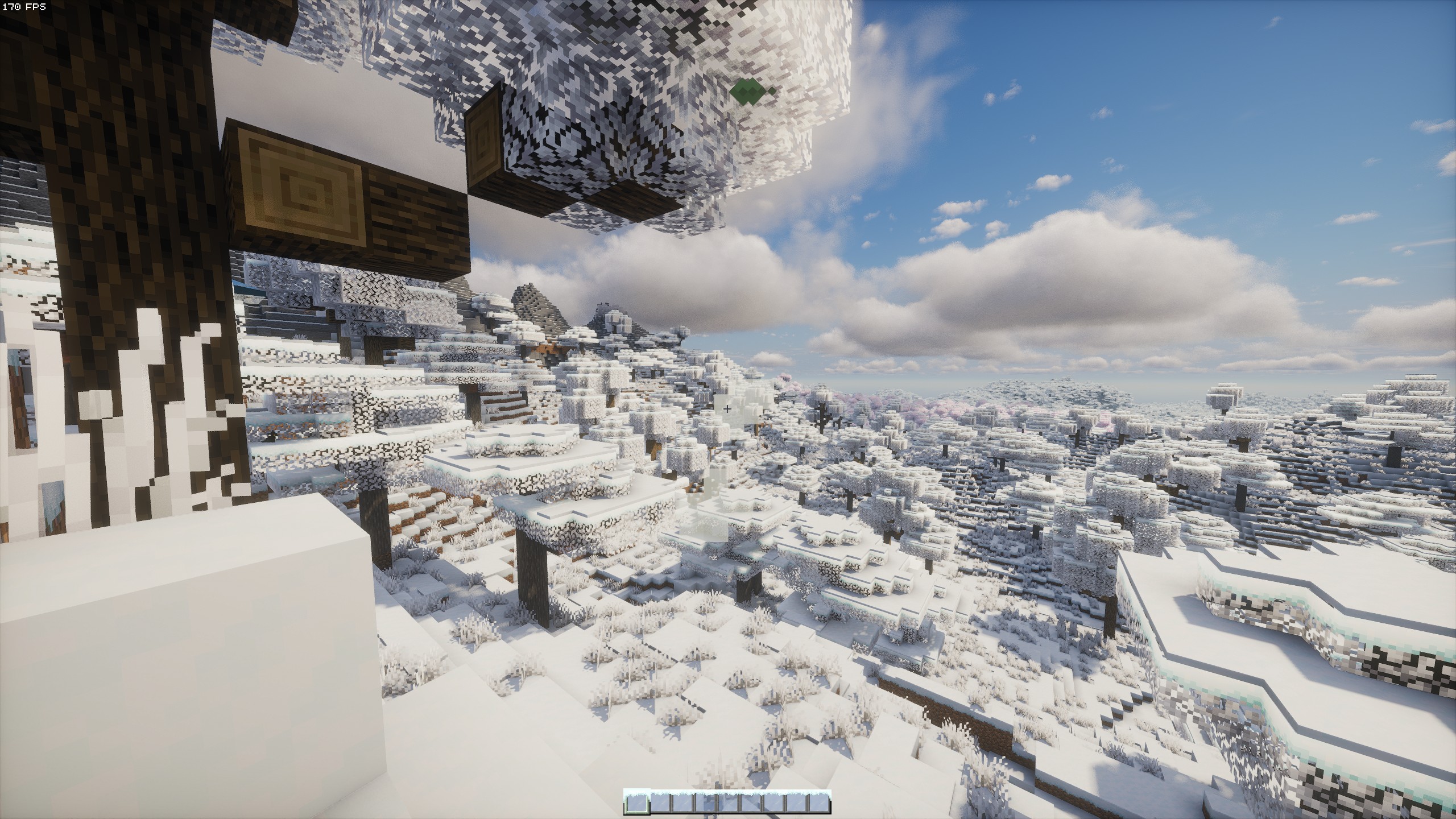
- All Biomes are covered in snow from the start & have rain replaced with snowing
- Naturally accumulating Snow (accumulating snow from snowstorms will melt after snowing has stopped to revert snowlevels to normal)
- Some Flowers as Snowmen



Dimensions
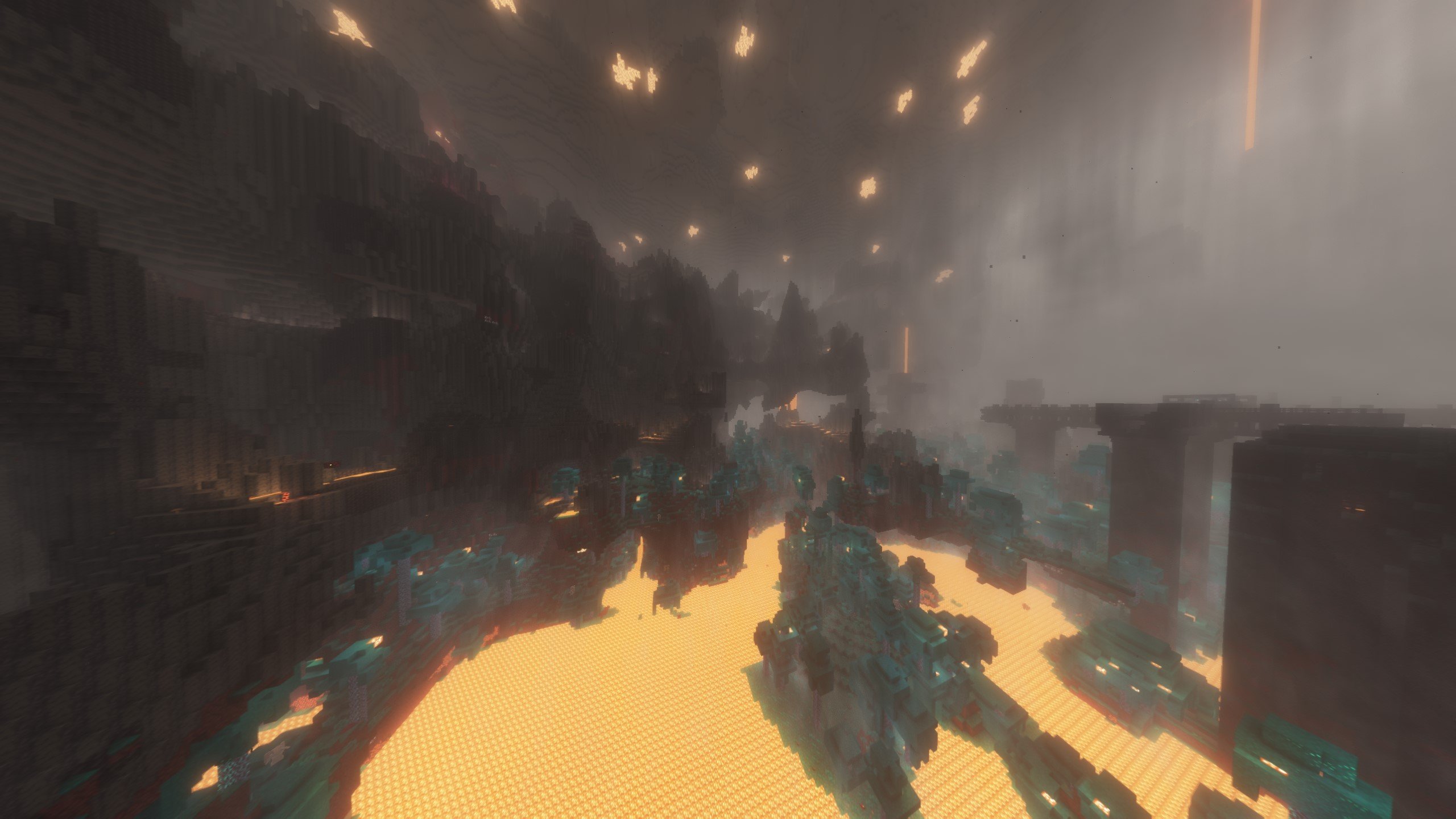
- Amplified Nether, New Nether Strucures, Nether Weather, Advanced Netherite
- Updated END with Stellarity (overhauls & adds new fantastical Biomes to the End), Better Endcities, Medieval Buildings, Enderite (new tools and armor)
- Deeper & Darker (adds the missing dimension to the big portal in the ancient cities) & updated Ancient cities
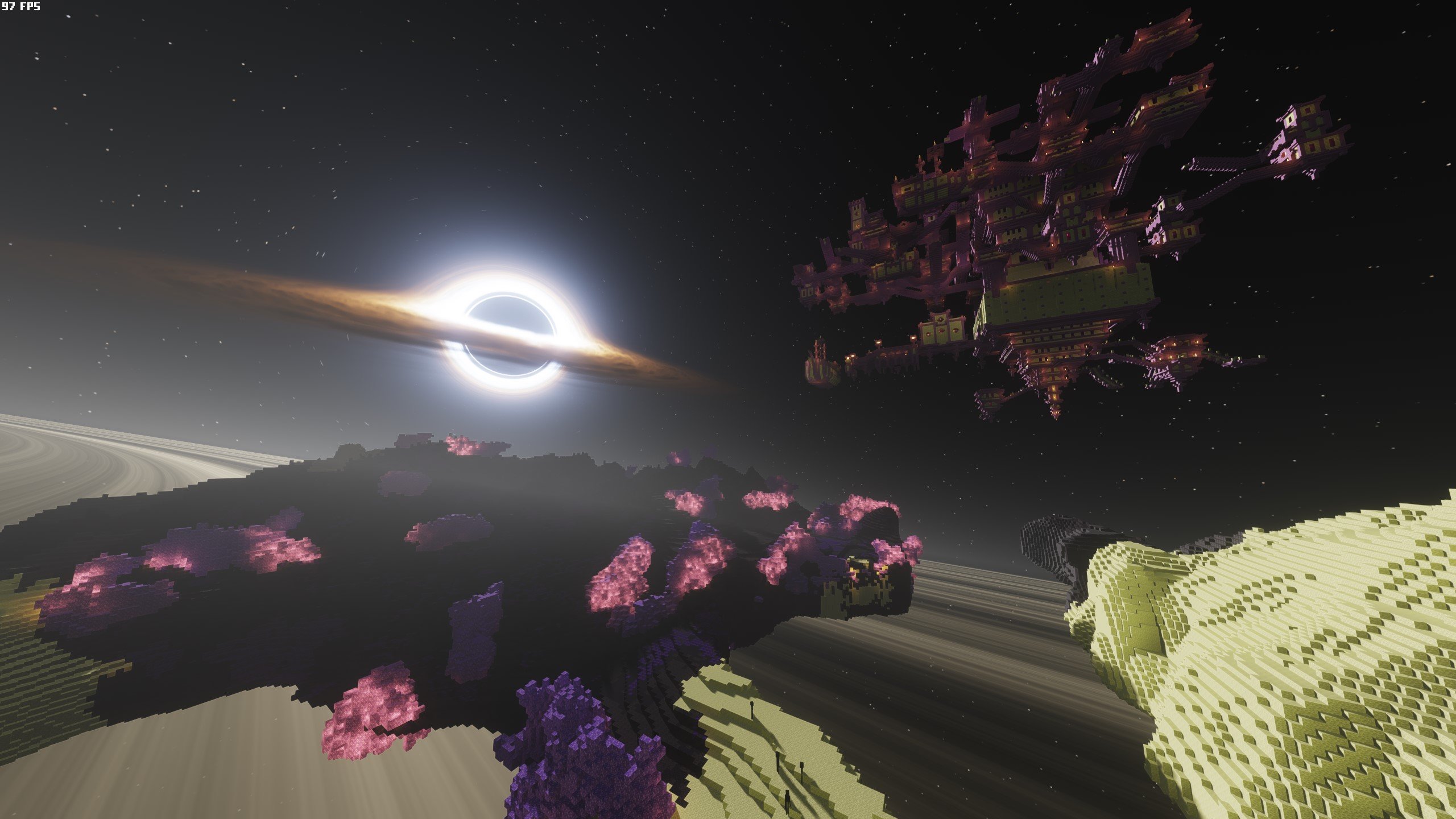 changed Nullscape for Stellarity (Better End Cities displayed above...)
Combat and Tools
- just hammers (a tool that can break blocks in a 3x3 area)
- Swingthrough (you can fight mobs through tall grass)
- More Armor, Weapon, Tool and Elytra Trims with effects
- RightClickHarvest (harvest crops and replant at the same time by rightclicking with a hoe)
- Axes are weapons
- Basic Weapons
- Show Healthbar from Mobs & Players
- Item physics

Mobs
- Living things (more animal mobs)
- More Mob Variants
- Friends & Foes (adds the mobs which lost in the mob votes)
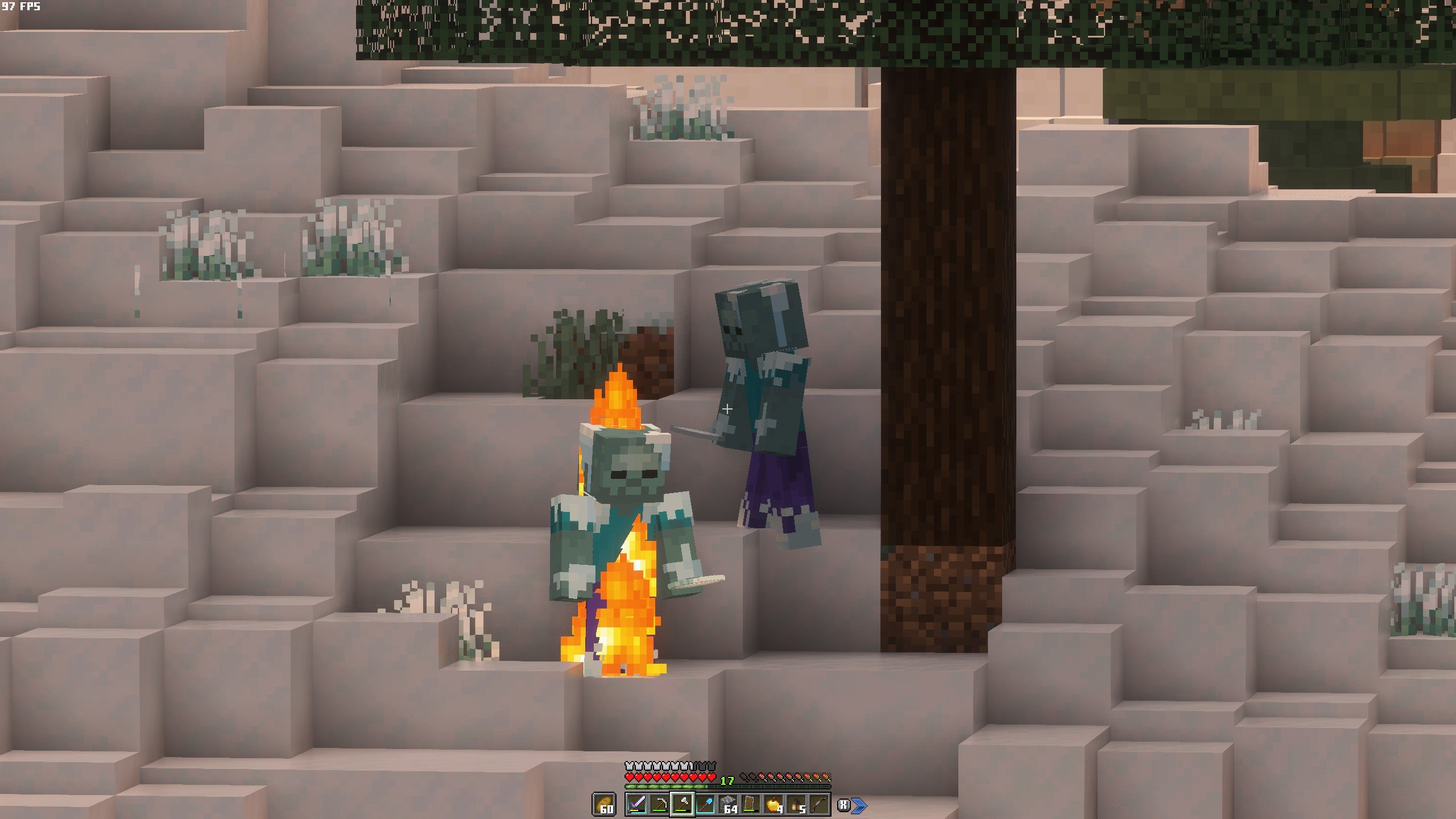
- New Illager types
- Fresh Animation with addons for all Mobs



Quality of Life Improvements
- Vanilla refresh (enhances & adds many mechanics)
- Bridging mod (allows to place blocks at the end of another block, without the need to hold shift to walk at the edge)
- Woodcutter (same as the stonecutter but for wood - like why isn't this in the base game?)
- Easy Anvils, Magic and Workbench (items stay in the workstation and are displayed on top of it)
- Tree Harvester (with toggle and fast leave decay)
- Farmer's delight (more food variants)
- Graves (you leave a grave when dying which keeps your inventory safe to recollect)
- Items on Horse & Boat visible
- Snow under trees & flowers
Other cool features
- New Weather types & Effects
- Lootr(for multiplayer: everyone can open a chest with individual loot)
- First Person Model
- Vanilla Notebook
- Better than Mending
- Ping wheel (for multiplayer)
- Some Surprise Mods for the "feeling like a kid again" -aspect


Visual & auditive improvements modlist (most notable)
Many more mods and resource packs that enhance Minecraft in this pack are for example the following:
- WinterPack
- Better Grassify (Optifine's fast and fancy grass ported)
- Ambient Sounds, Presence Footsteps, Sounds, Reactive Music
- Appleskin, Eating Animation
- More Mob Variants - Fresh Animations, Fresh Moves
- Better Clouds
- Visuality, Particular, Subtle Effetcs, Fancy Block Particles
- Cameroverhaul, Camera Utils, Better third Person
- Chat Heads, Chat Animation
- Continuity, Entity Model, Texture, Sound -Features
- Fancy Health Bar, Held Item Info, Highlighter, Tiny Item Animations, Mouse Tweaks
- Immersive Thunder, Iris
- Jei, Jade, No Resource Pack Warnings
- Show me your skin, 3D skin layers
- smooth gui, smooth scrolling
- Xaeros Minimap and World Map
- colorful containers, better flame particles, torches & lanterns
- Fancy Crops, Blinking Ender Eyes, Icons
- Low shield and fire
- MinecraftTen Font
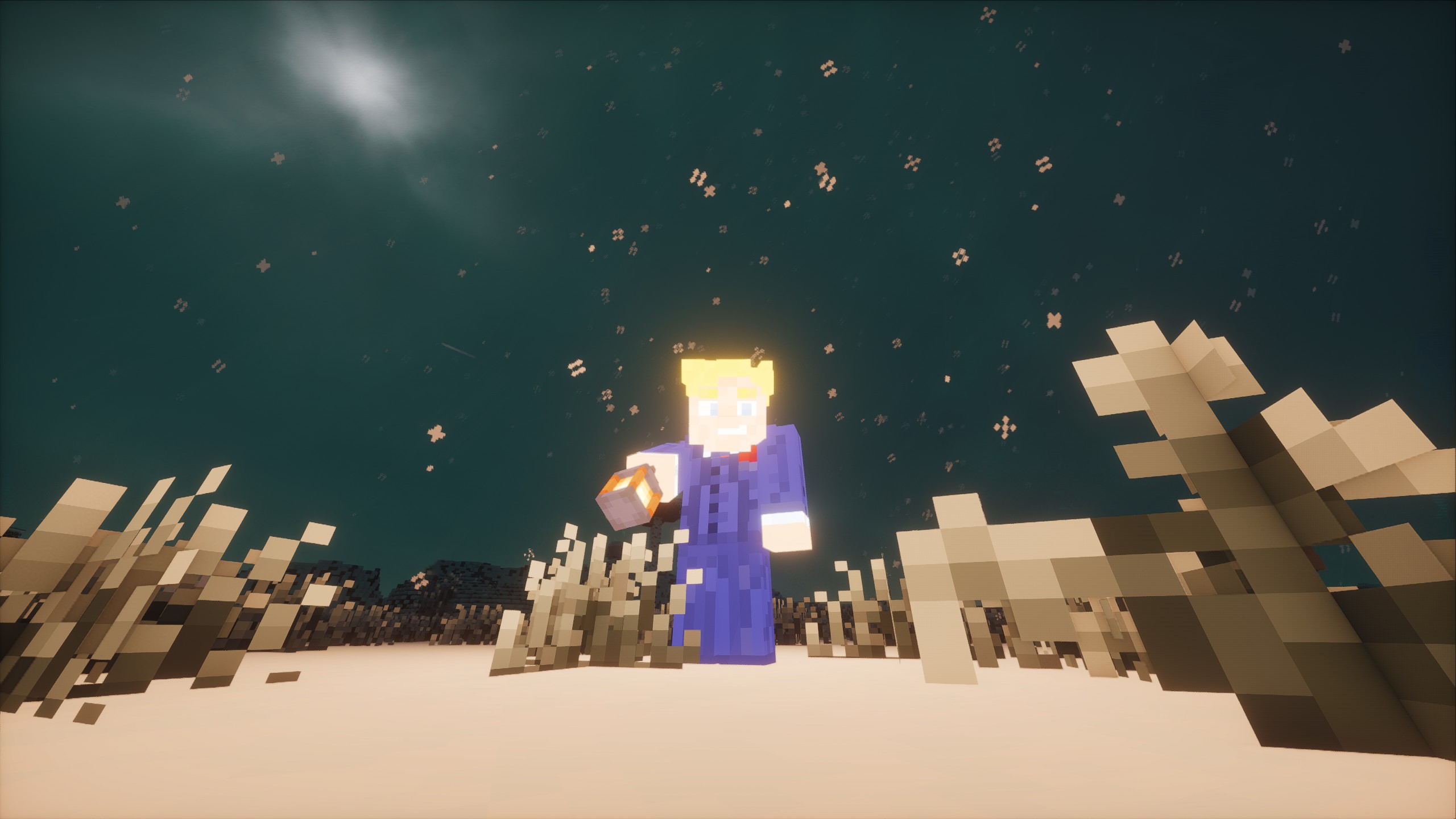
 You can adjust these fancy block particles to your liking or turn them off completely for better performance
Issues & Solutions
Voxy Chunk Generation
To see far away chunks when starting a new world, type the below Chunky commands in the chat of your world in that order
- /chunky center
- /chunky shape circle
- /chunky radius 2000 (*this decides the scale of the world to be generated and time needed for it depends on your system. You can start with a radius of 1000 and see from there)
- /chunky start The chunks will now generate and depending on the radius and your hardware the time needed for it may vary between a few minutes.
Use a vanilla render distance of 8 to 12 to have amazing render distance (through Voxy) with amazing performance! As of now Voxy can't generate chunks on it's own. It can only render already existing chunks. So if you play just like that you can only see the vanilla render distance while traveling and would only see very far in the direction where you've already been, which obviously is not the goal of a far render distance...
SO! To generate chunks before playing you'll have to use a few COMMANDS with the Mod Chunky.
Chunky lets you pregenerate chunks in a world, so you'll have to only wait a few minutes to have it load and then you'll be able to play Minecraft with 512 chunks render distance and everything already fully loaded! These chunks also load in again in just a few seconds when you start the world the next time! To use Chunky, type in the above commands in that order in the chat!
ISSUE Sometimes a clear border between the vanilla rendered chunks and the chunky-genrated chunks can be seen (no chunks rendered in between)!
- To solve this, just increase your vanilla render distance shortly for the missing chunks to load in when this happens, then decrease it again, when all chunks finally are loaded in.
Shaders
The shader should already be installed though, but if not, go here again.
For shaders to work, download the voxy-support shader from this Link: https://github.com/sixthsurge/photon/tree/voxy-support
Voxy finally has shader support, which offers for better looking far away chunks at render distances up to 512 chunks with even greater performance than before! HOWEVER only a few shaders do already work with Voxy at the moment! Luckily one of the best looking & most performant shaders at the same time is already available:
Photon shader
This shader must be downloaded from the creator's website (Link above)
Just change the version of the shader to the voxy-supporting shader
 Then download the ZIP on the right via "code"
 Open the downloaded ZIP-file and drag the included "Photon-Voxy-support" shader into your shaderpacks folder in your minecraft / modpack folder

Resource Packs
When installing the Modpack, the resoure packs should already be set up in the correct order. However, if you want to customize some settings, this is important:
For the resource packs to work properly you have to arrange them specifically
The packs below get used first, then the above ones will override the ones below if there are any crossings. Just make sure to put the baseline of packs at the bottom (Winterpack (& Resprited if you want to change up the vanilla look even further)) and specific packs on top.
- For frosty custimization I added 2 different Winter Resource Packs you can choose from!
- Winterpack &
- Snowstorm
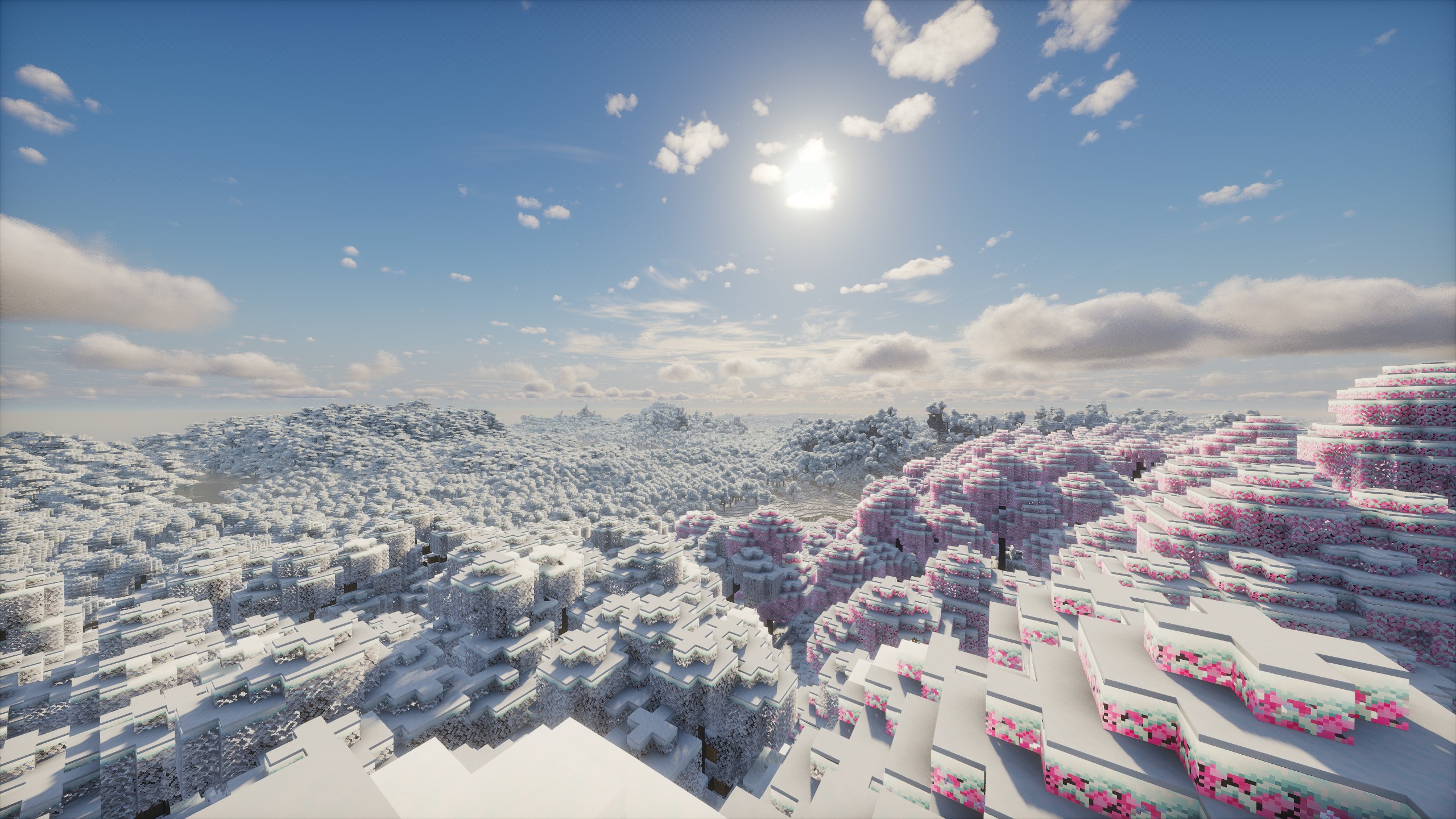
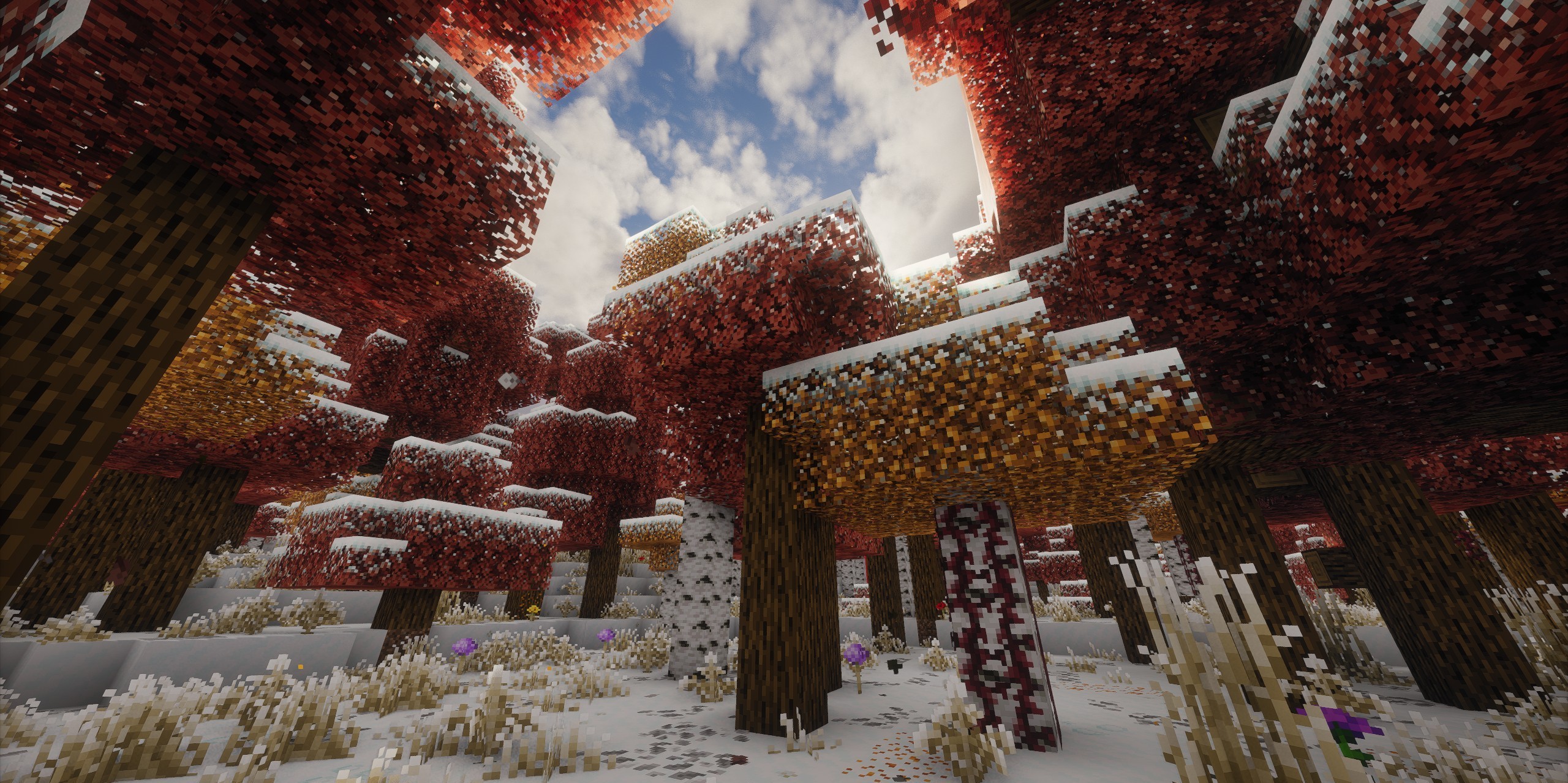
- Winterpack offers some more color variation to the leaves and gives some trees reddish and pines dark green leaves, while
- Snowstorm gives all leaves a white frosty appearance and also to your hotbar and inventory. (You can look at the difference in the screenshots in the gallery above)
- (if you don't like the transparent look of leaves with the Snowstorm pack, just remove the "Cull Leaves" Resource Pack)
important!
If you use the Winterpack, put it as baseline in the resource packs!
If you use Snowstorm, put it on top of the resource packs to work properly (otherwise the leaves will break)


For Fresh Animations, make sure to put the base pack as the lowest of the animation packs and the addons on top.
Performance & Config
You can also use the pack without shaders for better performance & turn Voxy (distant chunk Lods) on & off
To get the best performance with Voxy, with which you can look hundreds of chunks in the distance, set your normal render distance lower to like 8 or 12. (Only 8/12 chunks will be rendered completely then and the rest will be rendered in lower quality presets, progressively getting lower in quality the further away the chunks are. This makes it possible to run 128-256 or even 512 chunks view distance with shaders on around 150FPS on a good machine!)
You can also toggle enhanced vanilla fog in the mod menu, to make fog look better when not using shaders AND voxy.
When using Voxy you'll have to turn off vanilla fog, as the fog will not work on the voxy-rendered Lods! (Voxy does have his own fog)
When using shaders you'll also have to turn off Clouds (as most shaders come with their own clouds and the enhanced vanilla clouds will otherwise interfere with them.)
I've also included some liteweight shaders for "potato PCs" These do not work with Voxy though at the moment, so when using these you'll only see the vanilla render distance chunks!
 screenshot with voxy disabled, shaders disabled, clouds enabled & fog enabled at 24 chunks vanilla render distance

If you want to get the End shader with the black hole... That's a bit tricky. The creator seems to share it in a drive file but only sometimes.. You can look for it though on your own. The shader is called "IterationT 3.0.0"
- Edition: Minecraft Java
- File type: .jar
- Minecraft version listed: 1.21.10
- How to install: Install the matching mod loader (Forge, Fabric or NeoForge) for your Minecraft version. → Download the .jar. → Put it in the .minecraft/mods folder and launch that loader profile.
- Where to get it: Opens on Modrinth — not every file is mirrored on our own servers.
Install steps are the general flow for this file type — How to install Minecraft Java mods & modpacks walks through it step by step.
- Downloads as Wintercraft Enhanced - 1.21.10 1.3.mrpack
- Download size: 10.9 MB
- Download link checked 15 Oct 2026 — working
These come from our own check of the pack file, not from the source page.