

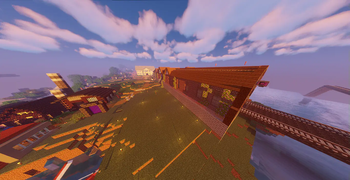

Welcome to a world of technical innovation and adventure! This epic Minecraft modpack combines creativity with nature and technology, offering players a wide range of possibilities and challenges.
At the heart of this modpack is Create mod, which allows players to create complex mechanisms and machines using mechanical elements. From automated farms to complex transport systems, your imagination is the only limit!
But don't worry, we haven't forgotten the beauty of nature either. Naturalist mod brings new biomes, plants and animals to the game, bringing your world's environment to life. Discover wildlife, collect rare plants and build your own ecosystem.
And what would Minecraft be without a little tweaking? This modpack also features a number of Vanilla+ mods that add new features, items and improvements to the base game. From new weapons and tools to expanded building options and improved gameplay mechanics, you'll have everything you need at your fingertips to become the master of your own Minecraft world.
So what do you say? Ready to adventure, explore and build? Join us and embark on an endless journey of possibilities!
Recommended hardware requirements for SMOOTH modpack operation
- Minimum: 3GB RAM (Recommended: 5-8GB) [RAM]
- Minimum: Intel Core i5 or equivalent (Recommended: Intel Core i7) [CPU]
- Minimum: NVIDIA GeForce GTX 660 or equivalent (Recommended: NVIDIA GeForce GTX 970) [GPU]
- Minimum: 4GB HDD/SSD (Recommended: 10GB SSD; 10GB is more, but then you won't have to deal with running out of disk space) [Disk Space]
Please note that these figures are averages from players playing our modpack. We know that our modpack has Embeddium, FastLoad and Lithium, but as the number of mods continues to increase, so do the hardware requirements
For a better modpack experience, it is better to download the modpack from CurseForge, because of the copyright on modrinth
Quick facts
- Edition: Minecraft Java
- File type: .jar
- Minecraft version listed: 1.20.1
- How to install: Install the matching mod loader (Forge, Fabric or NeoForge) for your Minecraft version. → Download the .jar. → Put it in the .minecraft/mods folder and launch that loader profile.
- Where to get it: Opens on Modrinth — not every file is mirrored on our own servers.
Install steps are the general flow for this file type — How to install Minecraft Java mods & modpacks walks through it step by step.
Verified by MCModsHub
- Downloads as MelonHost-V2 3.3.8.mrpack
- Download size: 27.9 MB
- Download link checked 5 Sept 2026 — working
These come from our own check of the pack file, not from the source page.