Main Client
An all-in-one quality-of-life modpack for Minecraft 26.2 on Fabric, ready for solo creative worlds or playing on a server with friends.
⬇ Download on Modrinth
Main Client
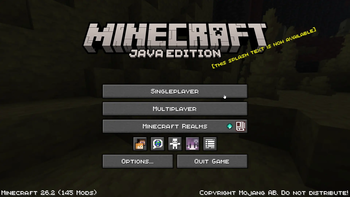
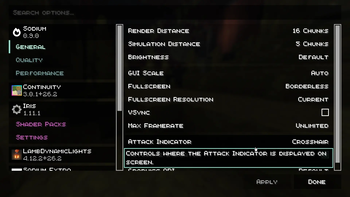
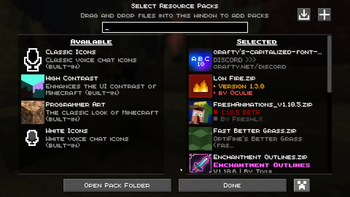
Main Client is an all-in-one quality-of-life modpack for Minecraft 26.2 (Fabric). It bundles a curated selection of QoL mods and resource packs into a single ready-to-play package, so you can install once and jump straight into either a solo creative world or a server with friends — no extra configuration required.
What This Modpack Does
Main Client combines a large collection of quality-of-life mods and resource packs that are hand-picked to work together. The goal is a smoother, cleaner, better-looking game out of the box, without you having to assemble and test a mod list yourself.
Why Download It
- Built for Minecraft 26.2 — the Chaos Cubed (Sulfur) drop, fully up to date
- Quality-of-life mods — interface, performance, and convenience improvements throughout
- Bundled resource packs — a consistent, upgraded visual style included by default
- Sulfur content ready — set up to work with 26.2's new sulfur blocks, cinnabar, and Sulfur Cube
- Friends system — integrated multiplayer support for playing alongside friends
- Equally at home solo or online — designed to play well in a random creative world or a server with friends
How To Use It
- Make sure your launcher is set up for Minecraft 26.2 with the Fabric loader.
- Install Main Client through your preferred launcher.
- Launch the pack.
- Start a creative world, survival world, or connect to a server with friends. Your choice! — the pack is configured to handle everything.
Before You Download
This is a curated modpack rather than a single mod. You'll need the Fabric loader for 26.2 (most launchers handle this automatically). Note that 26.2 requires Java 25, so make sure your system has it before launching.
- Edition: Minecraft Java
- File type: .jar
- Minecraft version listed: 26.2
- How to install: Install the matching mod loader (Forge, Fabric or NeoForge) for your Minecraft version. → Download the .jar. → Put it in the .minecraft/mods folder and launch that loader profile.
- Where to get it: Opens on Modrinth — not every file is mirrored on our own servers.
Install steps are the general flow for this file type — How to install Minecraft Java mods & modpacks walks through it step by step.
- Downloads as MainClient.mrpack
- Download size: 47 KB
- Download link checked 12 Sept 2026 — working
These come from our own check of the pack file, not from the source page.