
Cubes Reimagined
How to Make Minecraft Feel Brand New Again is a YouTube video by Dimaxxed in which he goes into detail about the mods he uses to make playing Minecraft…
⬇ Download on Modrinth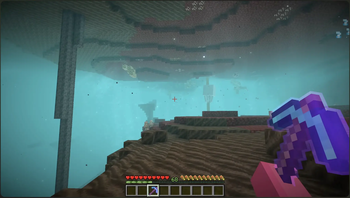
Cubes Reimagined
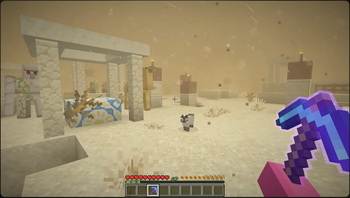
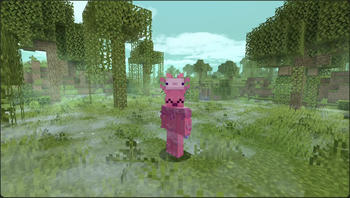
Cubes Reimagined is a lightweight client-side Fabric modpack inspired by Dimaxxed's "How to Make Minecraft Feel Brand New Again" video. It combines visual enhancements, immersive animations, quality-of-life improvements, and performance optimizations into a single package that makes Minecraft feel more modern without straying far from the vanilla experience.
Rather than adding new progression systems, dimensions, or major gameplay overhauls, Cubes Reimagined focuses on refining the game you already know and love.
Features
Enhanced Visuals
- Improved lighting, shadows, and rendering through modern optimization and graphics mods
- Better particles, environmental effects, and visual polish throughout the game
- Enhanced sky, weather, and atmospheric effects for a more immersive world
- Improved block, item, and entity rendering for a cleaner overall presentation
Better Animations & Immersion
- More natural player animations and movement
- Improved first-person interactions and item handling
- Enhanced camera movement and visual feedback
- Smoother entity and gameplay animations that make the world feel more alive
Quality of Life Improvements
- Better inventory management and interface enhancements
- Improved tooltips and information displays
- More convenient navigation and gameplay utilities
- Small usability improvements that reduce frustration without changing vanilla mechanics
Audio & Atmosphere
- Enhanced ambient sounds and environmental audio
- More immersive world ambience while exploring, mining, and adventuring
- Improved overall soundscape that helps make each biome feel distinct
Performance Optimizations
- Sodium and other modern optimization mods for significantly improved FPS
- Reduced stuttering and smoother chunk loading
- Better memory and rendering performance
- Lightweight client-side improvements designed to keep the game running smoothly
Multiplayer Friendly
- Primarily client-side, allowing use on most vanilla and modded servers
- Improves your gameplay experience without requiring servers to install the pack
- Maintains compatibility with standard Minecraft gameplay
- Edition: Minecraft Java
- File type: .jar
- Minecraft version listed: 1.21.10
- How to install: Install the matching mod loader (Forge, Fabric or NeoForge) for your Minecraft version. → Download the .jar. → Put it in the .minecraft/mods folder and launch that loader profile.
- Where to get it: Opens on Modrinth — not every file is mirrored on our own servers.
Install steps are the general flow for this file type — How to install Minecraft Java mods & modpacks walks through it step by step.
- Downloads as Cubes Reimagined 1.1.0.mrpack
- Download size: 74 KB
- Download link checked 13 Sept 2026 — working
These come from our own check of the pack file, not from the source page.