
ModpacksJava
Zero Optimization
Java modpack listed for Minecraft 26.x. Downloads from the MC Java Mods app on Android.
⬇ Download on Modrinth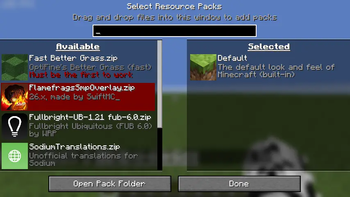



Zero Optimization
The ultimate performance-focused experience for Minecraft.
Do you love Minecraft but hate the lag? Zero Optimization is designed to squeeze every frame out of your hardware, providing a silky-smooth gameplay experience without compromising the "vanilla feel" of the game.
🚀 Why should you choose Zero Optimization
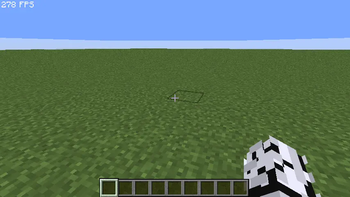
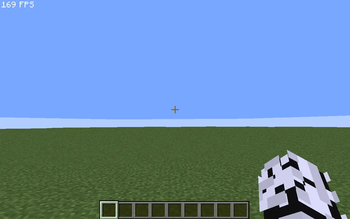
- Massive FPS Boost: Optimized rendering and engine tweaks to ensure high frame rates, even on older hardware.
- Reduced Stutter: Say goodbye to micro-stutters caused by aggressive garbage collection and chunk loading.
- Faster Load Times: Optimized asset loading so you can jump into your world in seconds.
- Vanilla+ Experience: We’ve kept the core gameplay exactly as Mojang intended—no game-breaking changes, just better performance.
- Battery Saver: Perfect for laptops and handheld devices by reducing unnecessary CPU overhead.
📖 Contents
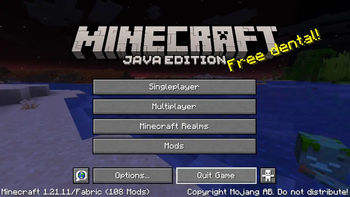
Mods- BadOptimizations
- Balm
- Chunky
- Cloth Config API
- Crash Assistant
- Dynamic FPS
- Entity Culling
- Entity View Distance
- Fabric API
- Fabric Language Kotlin
- Fast Noise
- FerriteCore
- Fzzy Config
- ImmediatelyFast
- Indium
- Iris Shaders
- Ixeris
- Krypton
- Lithium
- ModernFix-mVUS
- Mod Menu
- More Culling
- Particle Core
- Reese's Sodium Options
- Sodium
- Sodium Extra
- Text Placeholder API
- Very Many Players (Fabric)
- Fast Better Grass
- FlameFrags SMP overlay
- Fullbright UB
- Translations for Sodium
📋 Requirements & Setup
- Install Prism Launcher or Modrinth App (optional)
- Ram:
- 2gb= 1gb
- 4gb= 2-2.5gb
- 8gb= 3gb
- 16gb+= 4gb
💬 Join my discord server
- Why?: Report bugs or give ideas
- Link: Click here
Quick facts
- Edition: Minecraft Java
- File type: .jar
- Minecraft version listed: 26.1.1
- How to install: Install the matching mod loader (Forge, Fabric or NeoForge) for your Minecraft version. → Download the .jar. → Put it in the .minecraft/mods folder and launch that loader profile.
- Where to get it: Opens on Modrinth — not every file is mirrored on our own servers.
Install steps are the general flow for this file type — How to install Minecraft Java mods & modpacks walks through it step by step.
File checked by MCModsHub
- Downloads as Zero Optimization 26.1.1.mrpack
- Download size: 4.5 MB
- Download link checked 11 Nov 2026 — working
These come from our own check of the pack file, not from the source page.