
ModpacksJava
Give Me More Graphics
Give Me More Graphics is a Fabric 1.21.11 modpack that upgrades Minecraft’s visuals with better particles, foliage, lighting, ambient audio, and animation…
⬇ Download on Modrinth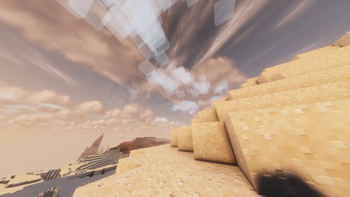
Give Me More Graphics
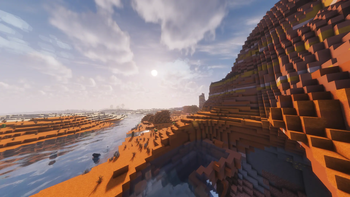
Give Me More Graphics is a Fabric 1.21.11 visual upgrade modpack focused on atmosphere, foliage, particles, and smooth quality-of-life improvements, while keeping gameplay close to vanilla.


What this pack focuses on
- Better visuals without changing core survival progression
- Rich particles, ambient effects, and enhanced environmental feel
- Improved clouds, lighting, and animation polish
- Better menu and UI quality-of-life mods
- Optional shaderpacks included in the modpack for easy switching
Included visual highlights
- Better clouds and dynamic lighting
- Extra particle and weather effects
- Falling leaves and grass enhancement mods
- Ambient sounds and sound physics improvements
- Entity model and texture enhancement stack
- Zoom support (Zoomify)
Performance and compatibility
- Built for Minecraft 1.21.11
- Fabric Loader 0.19.2
- Includes Sodium ecosystem performance stack
- Includes Iris for shader support
- No gameplay cheats included
Notes
- Shaderpacks are bundled as optional visual presets. Enable one in Video Settings if desired.
- This pack is aimed at visual quality first, with balanced performance.
More shader downloads
- Complementary Reimagined: https://modrinth.com/shader/complementary-reimagined
- Complementary Unbound: https://modrinth.com/shader/complementary-unbound
- Photon Shader: https://modrinth.com/shader/photon-shader
- Solas Shader: https://modrinth.com/shader/solas-shader
- BSL Shaders: https://modrinth.com/shader/bsl-shaders
- Bliss Shader: https://modrinth.com/shader/bliss-shader
Credits
All credit for individual mods and shaderpacks belongs to their original creators. Please support the authors on Modrinth and their project pages.
Quick facts
- Edition: Minecraft Java
- File type: .jar
- Minecraft version listed: 1.21.11
- How to install: Install the matching mod loader (Forge, Fabric or NeoForge) for your Minecraft version. → Download the .jar. → Put it in the .minecraft/mods folder and launch that loader profile.
- Where to get it: Opens on Modrinth — not every file is mirrored on our own servers.
Install steps are the general flow for this file type — How to install Minecraft Java mods & modpacks walks through it step by step.
Verified by MCModsHub
- Downloads as Give Me More Graphics.mrpack
- Download size: 173.0 MB
- Download link checked 20 Aug 2026 — working
These come from our own check of the pack file, not from the source page.