
MyPerfectVanilla
Java modpack listed for Minecraft 26.x. Downloads from the MC Java Mods app on Android.
⬇ Download on Modrinth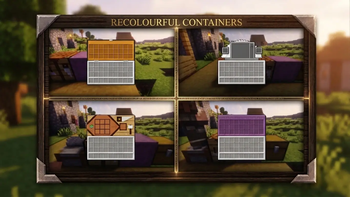
MyPerfectVanilla (MPV)
THE VANILLA EXPERIENCE, POLISHED TO PERFECTION.
A seamless blend of peak performance, breathtaking visuals, and essential quality-of-life enhancements.
Overview
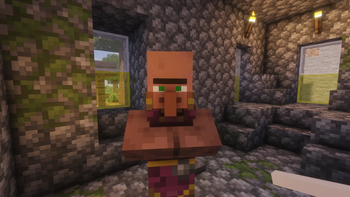
MyPerfectVanilla (MPV) is a meticulously curated modpack designed for players who love the core spirit of Vanilla Minecraft but crave modern performance, breathtaking visuals, and seamless quality-of-life improvements.
Instead of overwhelming the game with complex tech trees or custom magic systems, MPV focuses on polishing what makes Minecraft great: exploration, building, and immersion.
Key Features
- Next-Gen Performance: Powered by Sodium, Lithium, and modern optimization engines to maximize your FPS and eliminate stuttering, even with high render distances.
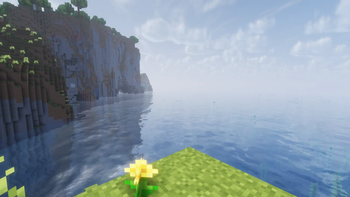
- Stunning Visuals: Fully compatible with iris shaders and features custom, subtle resource tweaks that enhance textures, leaves, and water without breaking the vanilla art style.
- Quality of Life: Includes seamless inventory management, advanced tooltips, an intuitive map/minimap system, and a zoom key.
- Immersive Audio: Enhanced ambient sounds and directional audio bring caves, forests, and oceans to life.
- Pure Vanilla Compatibility: Built to work perfectly on standard vanilla multiplayer servers. Play with your friends anywhere!
Installation Guide
Getting started is quick and easy:
- Download a Launcher: We recommend using the Modrinth App or CurseForge.
- Search for MPV: Type "MyPerfectVanilla" into the search bar.
- Install & Play: Click "Install", wait for the assets to download, and hit "Play"!
Tip: For the absolute best experience, make sure to enable your preferred Shader Pack in the Video Settings menu after launching!
Community & Support
Got feedback, found a bug, or want to share your builds? Join our community!
- Report Bugs: Visit our Issue Tracker to log any performance drops or crashes.
- Suggestions: Have a favorite vanilla+ mod? Let us know on our Issues page!
- Edition: Minecraft Java
- File type: .jar
- Minecraft version listed: 26.1.2
- How to install: Install the matching mod loader (Forge, Fabric or NeoForge) for your Minecraft version. → Download the .jar. → Put it in the .minecraft/mods folder and launch that loader profile.
- Where to get it: Opens on Modrinth — not every file is mirrored on our own servers.
Install steps are the general flow for this file type — How to install Minecraft Java mods & modpacks walks through it step by step.
- Downloads as MyPerfectVanilla 1.0.0.mrpack
- Download size: 63 KB
- Download link checked 24 Oct 2026 — working
These come from our own check of the pack file, not from the source page.