
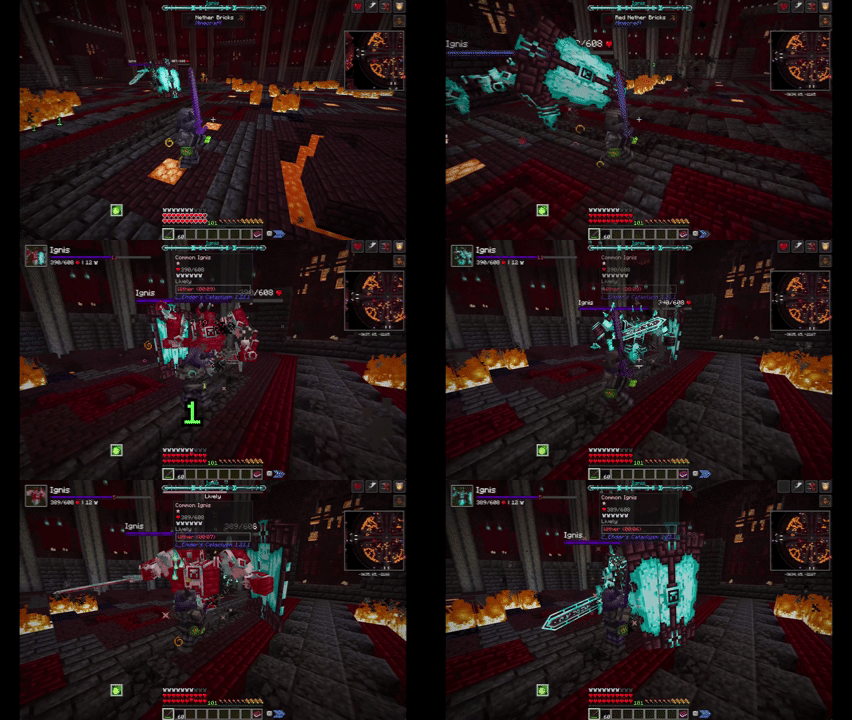
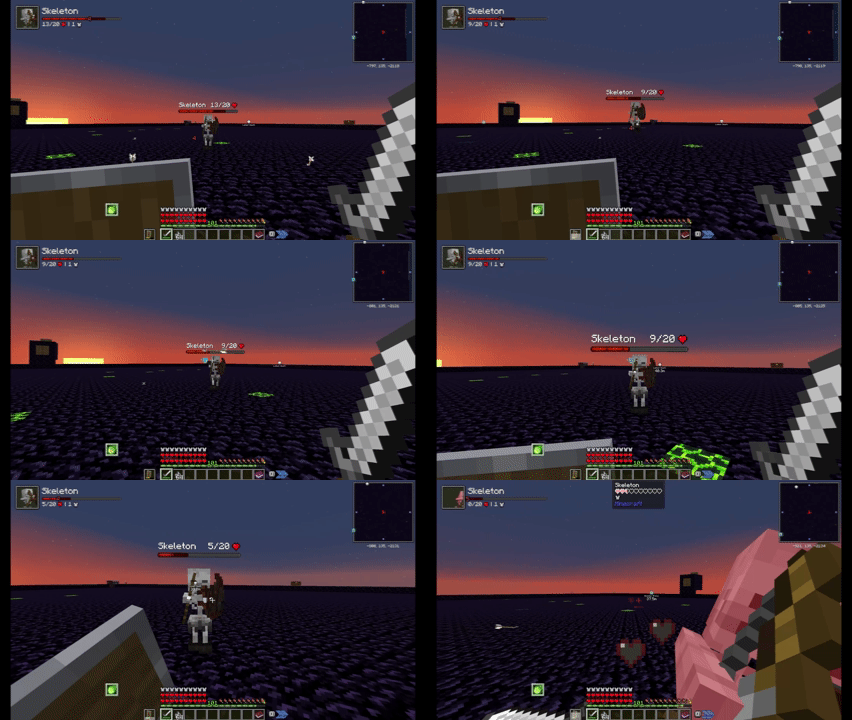
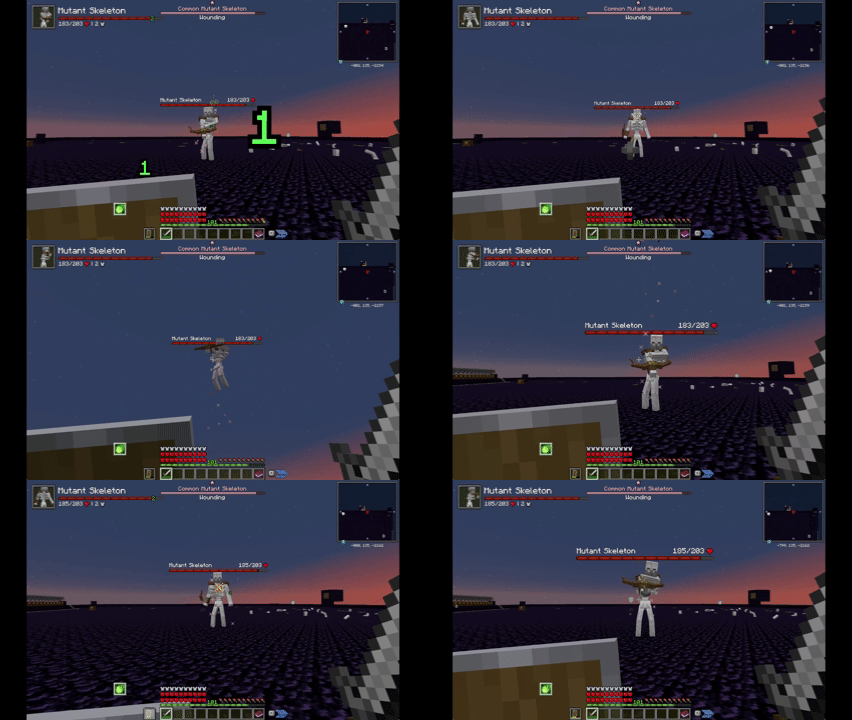
Description
A modpack mainly focused on adventure, balance, and freedom.
Memory Requirements
I recommend 16 GBs, 8 GB minimum. You might get away with 6 if you're a guest joining a hosted server, but I have not tried 6 gigs myself. For a dedicated server I have had success with 8, but you may need 16 depending on player count. (More players = more stuff loaded)
Versioning Explained: Any version with matching first two numbers are compatible with each other in multiplayer. (E.g. 1.5.0 can play on a 1.5.1 server.)
Details
Main Features- Configs balanced across the board. See Configs section.
- Percentage scaling damage enchantments, making heavy weapons more viable after enchantments unlock!
- Low starting health, resulting in a more challenging early game; you may want to tackle easier dungeons first...
- Tons of dungeons to explore!
- A simple yet expanded 'vanilla+' combat system with dodge rolls, + parries using built-in blocking, including with 2-handed blocking weapons!
- A variety of new formidable bosses to face, with Cataclysm as the cap of damage scaling.
- Variety of starter kits including magic, ranged, and melee.
- Gear and item based progression rather than sheer time investment, allowing new joiners and infrequent players to keep up.
- Champions, a rare variant of mobs with extra effects (like Infernal Mobs), fine tuned for balance. Bosses are guaranteed to be rank 1 Champions with a random affix!
- Must-have mods like Quark and Supplementaries.
- Plenty of movement options to navigate Terralith style worlds.
- Some light tech with Create.
- Advanced large ships with Create Aeronautics, alongside simpler to design vehicles like Small Ships and Immersive Aircraft! No matter your playstyle or focus, there are transit styles for you.
- No more RNG on enchantments with an upgraded table!
- Reworked repair and enchantment system with fine tuned balance of high XP cost vs some material cost. (Dis-enchant -> Repair at Advanced Infusion Table -> re-enchant) vs (repair at anvil with material cost). Your best option will depend on how big your XP farm is.
- A thoughtful combined storage solution with Colossal Chests combined with Tom's Simple Storage, and Sophisticated Backpacks!
- Shoulder surfing for a better third person viewpoint.
Note (1.5.1 and below updates): To get any config updates, delete them from the config folder. This will use the configureddefaults folder configs first before generating default ones for everything else. This is to preserve any custom config changes one may have between updates.
Artifacts
- Vampiric Gloves: Drain lowered from 0.2 to 0.1. Cap increased from 6 to 10 to make it worth using with higher damage.
- Chance an enemy has artifact equipped raised to 0.5%
- Campsites can now appear up to Y 100 instead of the default 40. Allowing them to appear on the surface.
- campsiteCount has been increased from 40 to 76 to compensate for height increase.
- Feral Claws buffed from 0.3 increase to 0.5 increase, making them more valuable.
Better Combat
- Movement speed during attacking increased from 0.5 to 0.8. Dual shortswords feel much better after this change, give them a try!
- Attack speed multiplier for off-handed during dual wielding increased from 1.2 to 1.5. I ran the numbers, and this evens out the DPS difference between dual Shortswords and heavy two-handers with full Netherite weapons vs full Netherite armor. (Two-handed still has the reach advantage!)
- Damage multiplier when dual wielding (two 1-handed weapons) set to 0.85. The damage was a bit much with flat damage buffs and enchants like Sharpness, and even with this nerf dual wielding is still very strong!
- Size factor for attack range reduced by half. Charm of Shrinking still reduces it a little.
Biomes O' Plenty
- Disabled the Corrupted End biome. This biome caused EXTREME lag from Anomaly sections. The blocks themselves are still enabled (not obliterated) if you really want to place them, just be warned.
Born in Configuration
- Disabled Maggot spawning, annoying mob.
- Disabled Stalker spawning. There's no way to disable Darkness and it's just annoying; this isn't a horror modpack.
combatroll
- Can now dodge roll while weapon is on cooldown. Most noticeable on slower weapons.
- Auto jump during rolls is turned off, providing no advantage for having the option on vs off.
- Dodge cooldown is now 2.5 seconds.
- Exhaustion is much greater, equivalent to 1.5 times jumping while running.
- Roll time when player cannot act again decreased to 6, allowing acting right out of a roll!
- Max level of Longfooted is now 3, with 1.0 per level, maxing at 3 additional blocks. (Double length.)
- Max level of Acrobat decreased from 10 to 5.
- Acrobat multiplier increased to 0.125. (Total 1.25 sec. cooldown reduction.)
- Max level of multi-roll decreased to 1.
- Enchantment costs reworked. Multi-roll is especially expensive.
- Roll has invulnerability during the duration.
Champions
- All bosses are minimum rank 1.
- All mobs are balanced around a maximum "effective HP" based on their base armor and HP.
- Disabled shielded, reflective, infested, desecrating, and plagued affixes.
- Through a Data Pack, Champions are more rewarding in general, and all mobs are added.
Comforts
- Only one player needs to sleep to skip the day. This is so if everyone else is in the nether or something you can still skip it.
Create
- By default, spawners are allowed to move by contraptions. Feel free to collect them for mob farms!
Deeper & Darker
- Soul Elytra cooldown greatly reduced (30 seconds to 6 seconds) to compete with Ignitium option and not become obsolete.
Dis-enchanting Table
- Costs 5 levels of XP value.
- Automatic disenchanting (using Hoppers) is enabled.
EasyMagic
- All enchantments are shown now rather than just one on vanilla enchantment tables.
- Chiseled Bookshelves give enchantment power regardless of where they are facing. Creative freedom!
Enchanting Infuser
- Both variants can only enchant unenchanted gear. I feel like getting to high levels wasn't rewarding anymore since you could do one enchant at a time at 7 to 18 levels. Note that for some reason this affects repairs too - You'll have to Grindstone enchants off an item before repairing it.
- Advanced infuser maximum cost raised from 20 to 80.
- Normal infuser max cost raised from 20 to 80.
- Modded enchantments are counted in the calculation now. In English, this makes fully enchanting a piece of ultimate gear about 60 to even 80 levels.
- Advanced infusers no longer enchant Books. They still can repair with only XP which is important late-game when materials are a bigger deal. With cheap enchant resets using Lapis at a regular enchantment table and seeing all enchants, it's much more manageable to get enchants you want. (Also Lapis is still useful late-game this way.)
- Advanced Infusers can now repair any item, not only weapons and armor!
- Repairs using EXP are much more expensive; it is now 3 levels per 10%, and that scales up fast.
EasyAnvils
- Repair costs are 1 level across the board.
- Break chance is raised from 0.05 to 0.10 (Still lower than vanilla's 0.12)
- Repair per time is now 33%.
Epic Knights
- epicknights/weapons: Buffed all piercing of armor piercing weapons by double. This is to hopefully fix the issue of massive defense Champions (Around 20+ defense, piercing weapons start being better than non piercing) and make piercing more meaningful.
Fixed Anvil Repair Costs
- Repairing now costs 1 level per repair instead of 3. I wanted to make even unenchanted repairs worth doing. Plus this gives one a choice between Infusion repairs (more XP cost) vs spending materials but less XP cost.
Grindstone Enchantments
- Costs reduced to fixed 5 levels. This is to balance it against the Infusion Table. WIth default settings it was cheaper to reinfuse than remove enchants.
- Grindstone disenchantment to book disabled. Use a Disenchanting table instead that will properly reset repair costs. You can still use a Grindstone to move enchantments from book to book.
Gravestone (server)
- Disabled Obituary drops. A waypoint spawns showing you the death location anyway, and early-game they can clog ones inventory.
Global Packs
- Disable by deleting/moving files from global_packs/required_data.
- Advanced infuser has treasure enchantments enabled. champions have several extra drops (currently artifacts) and drop air less often in general.
- Combat roll enchantment configurations.
- Create Immersive Aircrafts Datapack
Immersive Melodies
- Mobs will no longer drop their weapon to play instruments. (forceMobsToPickUp false)
Inventory Tweaks
- Sort and buttons disabled since Quark already covers it. This mod is used just for the better tool refills (that refills blocks as well).
Item Obliterator
- Removed: Redstone, Emerald, Lapis, and Obsidian hammers and excavators.
- Disabled Recipe: Inception Upgrade from Sophisticated Backpacks.
- Disabled recipes: Soul Sand, Soul Soil
Just Another Rotten Flesh to Leather Mod
- Enabled hardmode mode for JRFTL, so it takes 4 rotten flesh then smelting.
Kiwi
- Disabled initial debug message popup.
Naturally Charged Creepers
- Chance lowered from 0.1 to 0.05. Charged creepers are rare again.
Only Hammers and Excavators
- Adjusted all tool durability to line up with Iron Hammer material investment ratios: 6.348 times Pickaxe durability. (Except Gold which is 2x Wooden durability because default gold is awful)
Paraglider
- Paragliding increases speed by 30%, matching sprinting.
- Max Consumed Hearts is 15 instead of 20, starting health is 10. This brings max HP down from 60 to 40 (50 with Crystal Heart) on top of increasing the challenge of the early game.
(Removed in 1.4.0) Simple Uncrafting Table
- Uncrafting now costs 80 XP apiece. (About 1 level at 25+ levels, or 7 at level 7.)
- You can no longer uncraft damaged items, preventing free repairs.
- Uncrafting does not recover the enchantment book anymore, to keep Grindstones relevant.
starterkit
- Added several starter kits of a variety of classes.
- You can choose your starter kit.
- Added that you can press Esc to close the starterkit menu to the message.
Waystones
- Minimum XP cost to teleport is now 3 levels.
- Maximum cost is 7.
- Dimensional warping cost is 7 levels.
- Warpstones have a cost multiplier of 1.0.
- Warp Plates have a cost multiplier of 0.5. (Due to the manual linking required.)
- No inventory button
- Dimension allowed list emptied; ALL dimensions contain waystones!
- Disabled other map waypoints, since we use Xaero's.
Quark
- Disable Matrix Enchanting module.
- Disable Totem of Holding for gravestone to work properly.
- Disable backpack as Sophisticated Backpacks fills the same niche.
- Auto tool restock disabled for the same reason. (Also Inventory Tweaks covers this)
Shield Expansion
- Added all modded "shield" items including: Umbrella, magistuarmory (Epic Knights) shields and 2-handed weapons, Cataclysm shields.
Shoulder Surfing
- Rotation no longer follows direction of movement automatically.
- Always face the direction of attacking, allowing attacking while moving backwards effectively.
Supplementaries
- Quiver Y offset moved up by -100 so Iron's Spells selector doesn't overlap it.
Xaero's Maps
- Entity radar off by default.
- Locked to North for compatibility with lower framerate for performance.
- Disabled update notifications.
- Mob Difficulty Presets for champions including Normal, Hard Mode, and Nightmare. See ReadMe in configPresets for more details.
- Additional presets for maximum and starting player health.
- Minor: Has a workaround or easily undone.
- Moderate: Significant affect on a world or breaks a feature.
- Major (none so far): World bricking bugs, such as world gen glitches.
[Minor, below 1.6.0 only] Config updates are not overwritten, this is because configureddefaults only creates those files in config if they are not present. Workaround: Delete all files in config and it will reset with the updates. Starting in 1.6.0, modpack-modified configs will override instead. configureddefaults will still re-create modpack default configs if they are deleted from configs folder.
[Moderate] Breaking any End Crystal before the Ender Dragon spawns breaks the fight. Please wait for the boss to spawn!
[Minor] Clicking on anything on the game window while the game is still booting might make the game crash. This is a general heavily modded Minecraft thing unfortunately; please patiently let it load.
[Minor] For some reason, Stone Pickaxes uncraft into regular Stone instead of Cobblestone. No idea why this happens. You can still use Cobblestone to craft them. Since we don't have anything like Equivalent Exchange or other universal currency conversion, this isn't much of an exploit.
[Moderate/Minor?] The Next button for uncrafting doesn't seem to work on servers for multi-recipe items. For example wool becomes blocks of flowers instead of string every time. Edit: Though one of my friends got Blaze Rods to work, it's just finnicky.
[Moderate] [Dedicated Server Only] [1.3.0 and under] For some reason, items disappear from existence when moved with the Uncrafting Table UI open. Re-join to revert the items to their original state if you have this happen. I have reported this issue on the Uncrafting Table GitHub here.
Server Guide
Use Neoforge 21.1.230. (If on 1.6.0, use 21.1.235 instead)
Use MC version 1.21.1.
Recommended RAM: 8 gigs seems to suffice.
Copy the following 3 from the client (3 dots -> Open Folder in Modrinth):
- configureddefaults (can delete options.txt after, but it's so small so eh)
- global_packs
- mods
Note: When updating, you'll want to clean up the configs folder to update them.
Mod files removed in dedicated servers:
- e4mc-neoforge
- forgematica
- mcqoy
- reactivemusic
- All Sodium mods (reeses-sodium-options, sodium-neoforge, sodiumdynamiclights)
Note that this list IS NOT COMPLETE YET. These are just the files required to be removed to get the server working. (Clients can join using the matching modpack version, etc.)
If you want to help identify the other client sided mods, feel free to post an issue on the linked GitHub.
Additional Mods[Addition] If you want larger worlds: Tectonic (mod version, as it's compatible with Terralith). Though the worlds in that mod are so big you may need airships and planes.
[Replacement] Neo Origins replacing Starterkits, if you want a more impactful and permanent "starting class" beyond equipment.
[Addition] If you want levels to have a stat bonus beyond enchantments (will impact balance): Simply Levels.
[Replacement] If you want to go all-in on combat focus: Epic Fight + compatibility mods instead of Better Combat.
Licensing Details
All rights reserved to the mod authors of the individual mods in this compilation. Any custom datapacks, configurations, and the mod list itself may be freely modified in modpacks derived elsewhere on Modrinth; all I ask is for a credit section (added bonus if you link this pack) if you're inspired!
- Edition: Minecraft Java
- File type: .jar
- Minecraft version listed: 1.21.1
- How to install: Install the matching mod loader (Forge, Fabric or NeoForge) for your Minecraft version. → Download the .jar. → Put it in the .minecraft/mods folder and launch that loader profile.
- Where to get it: Opens on Modrinth — not every file is mirrored on our own servers.
Install steps are the general flow for this file type — How to install Minecraft Java mods & modpacks walks through it step by step.
- Downloads as DarkMetaKnight's Adventure Pack 1.6.1.mrpack
- Download size: 2.1 MB
- Download link checked 20 Aug 2026 — working
These come from our own check of the pack file, not from the source page.