
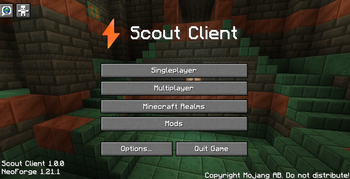
Scout Client
Scout Client is a highly efficient and optimised client for the best balance of QOL and performance.
Optimisations/Improvements- Better memory usage
- Dynamic FPS usage
- Faster loading
- Faster Chunks
- Overlay optimisations
- Light optimisations
- Terrain generation optimisations
- Texture fixes
- Game immersion
- Ambient Sounds
- More Footstep sounds
- UI Enhancements (TBC)
- Camera zoom
- No chat restrictions
- Animations
- Detailed crash logs
- Crash helper
- Shaders
- Inventory Immersion
- Item highlighting
- Particles
- Sounds
- Voice chat
- Map
- All-version compatiability (ViaVersion)
Scout Client has 2 versions: Scout Client and Scout Perform (To Be Released). Scout Perform is the absolute best performance you can get BUT with a smaller compatiability range with extra mods whilst Scout Client is the perfect blend of both.
Quick facts
- Edition: Minecraft Java
- File type: .jar
- Minecraft version listed: 1.21.1
- How to install: Install the matching mod loader (Forge, Fabric or NeoForge) for your Minecraft version. → Download the .jar. → Put it in the .minecraft/mods folder and launch that loader profile.
- Where to get it: Opens on Modrinth — not every file is mirrored on our own servers.
Install steps are the general flow for this file type — How to install Minecraft Java mods & modpacks walks through it step by step.
Verified by MCModsHub
- Downloads as Scout Client 1.0.0.mrpack
- Download size: 596 KB
- Download link checked 23 Aug 2026 — working
These come from our own check of the pack file, not from the source page.