HomeJavaModsStylish Effects
Stylish Effects
ModsJava

Stylish Effects

by Fuzs · on CurseForge

Which build do you need?

This mod ships a separate file for every mod loader and every version of the game. Pick both, then download — the wrong build installs fine and then does nothing in the game.

Mod loader

Minecraft version

⬇ Download for 1.21.11 · Fabric⬇ Download for 1.21.10 · Fabric⬇ Download for 1.21.9 · Fabric⬇ Download for 1.21.8 · Fabric⬇ Download for 1.21.7 · Fabric⬇ Download for 1.21.5 · Fabric⬇ Download for 1.21.4 · Fabric⬇ Download for 1.21.3 · Fabric⬇ Download for 1.21.1 · Fabric⬇ Download for 1.20.4 · Fabric⬇ Download for 1.20.1 · Fabric⬇ Download for 1.20 · Fabric⬇ Download for 1.19.4 · Fabric⬇ Download for 1.19.3 · Fabric⬇ Download for 1.19.2 · Fabric⬇ Download for 1.19.1 · Fabric⬇ Download for 1.19 · Fabric⬇ Download for 1.21.11 · NeoForge⬇ Download for 1.21.10 · NeoForge⬇ Download for 1.21.9 · NeoForge⬇ Download for 1.21.8 · NeoForge⬇ Download for 1.21.7 · NeoForge⬇ Download for 1.21.5 · NeoForge⬇ Download for 1.21.4 · NeoForge⬇ Download for 1.21.3 · NeoForge⬇ Download for 1.21.1 · NeoForge⬇ Download for 1.20.4 · NeoForge⬇ Download for 1.20.4 · Forge⬇ Download for 1.20.1 · Forge⬇ Download for 1.20 · Forge⬇ Download for 1.19.4 · Forge⬇ Download for 1.19.3 · Forge⬇ Download for 1.19.2 · Forge⬇ Download for 1.19.1 · Forge⬇ Download for 1.19 · Forge⬇ Download for 1.18.2 · Forge⬇ Download for 1.18–1.18.1 · Forge⬇ Download for 1.17.1 · Forge⬇ Download for 1.16.2–1.16.5 · Forge
I don't know my version or loader
Open the Minecraft launcher and look at the profile you play on — it names both, like fabric-loader-1.21.4. The version also shows in the bottom-right corner of the game's main menu.
No loader in the profile name? Then it's plain Minecraft, and these mods won't run — you need Fabric or NeoForge installed first.
Stylish Effects — screenshot 1Stylish Effects — screenshot 2Stylish Effects — screenshot 3Stylish Effects — screenshot 4Stylish Effects — screenshot 5Stylish Effects — screenshot 6Stylish Effects — screenshot 7Stylish Effects — screenshot 8

📖 About:

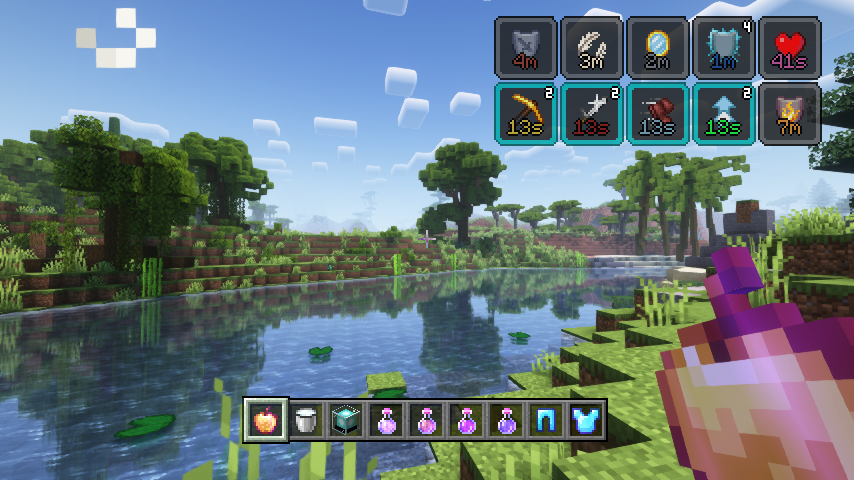
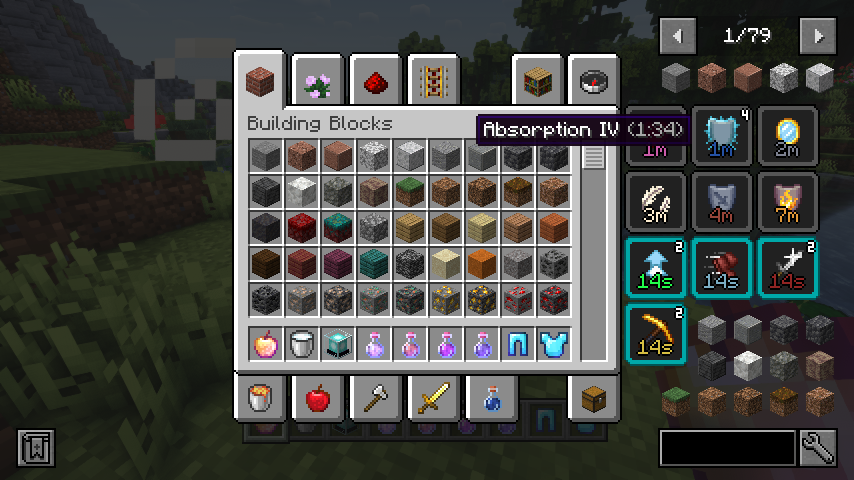
Stylish Effects completely overhauls how status effects are displayed. There are multiple modes to choose and countless configuration options available to create the effects display of your dreams.

📚 Contents:

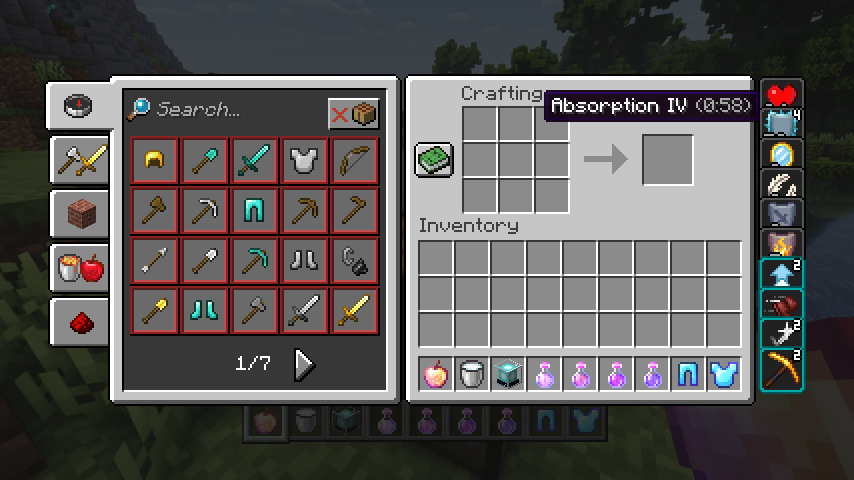
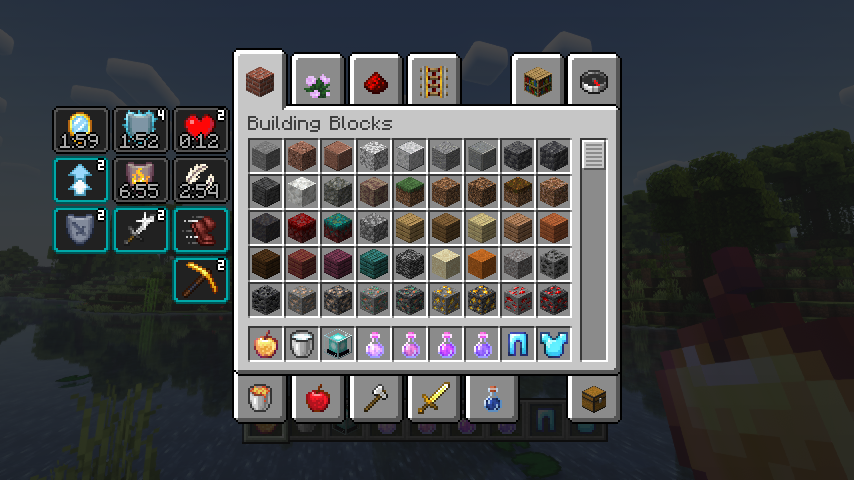
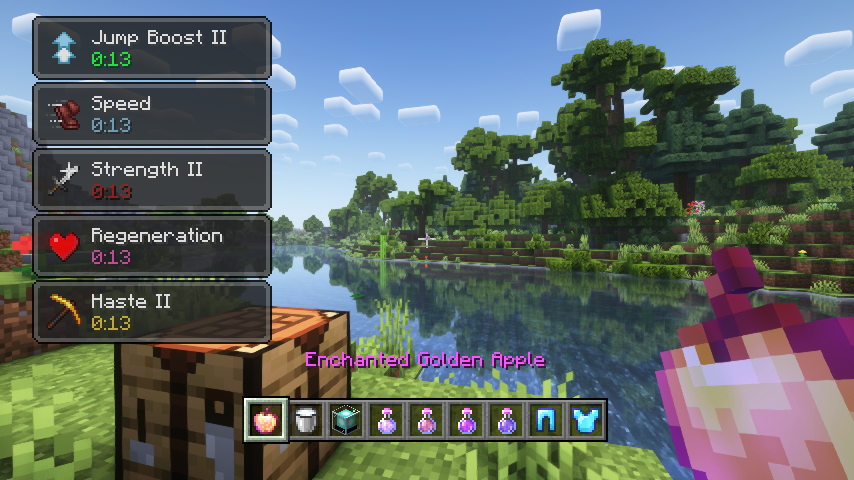
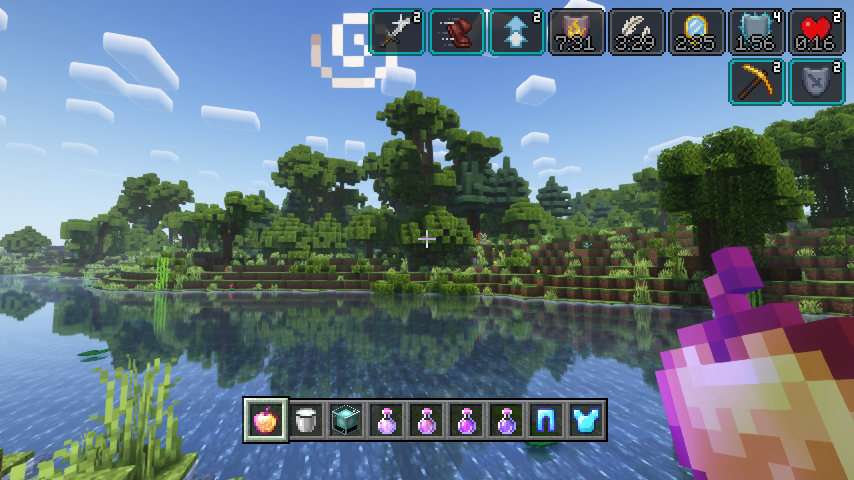
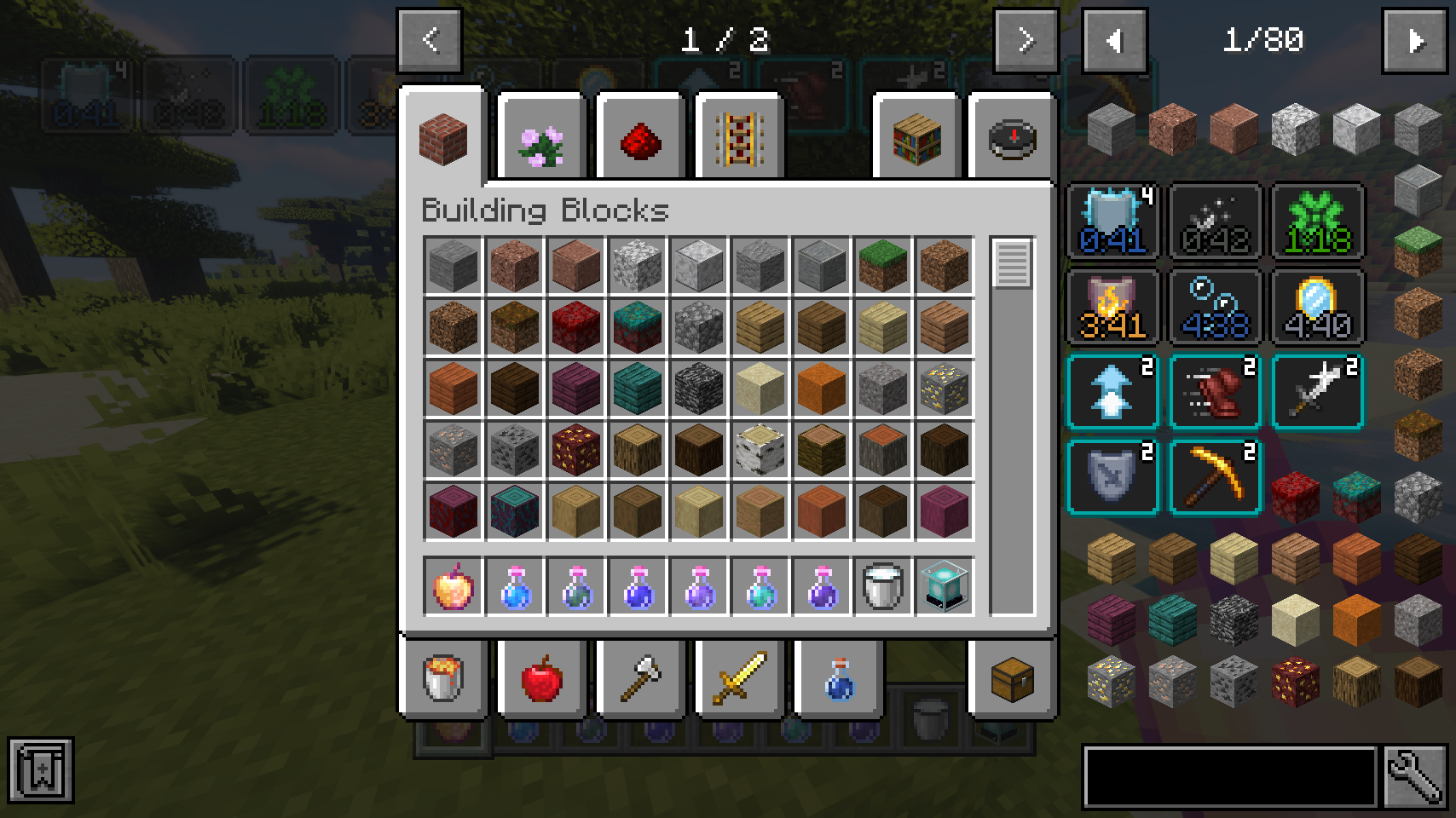
First of all, the crummy little vanilla hud effects display is replaced with a fancier version which includes an effect timer as well as the current effect amplifier. This display is also now used in the inventory, as it's way more compact and allows for many more effects to be shown before they start to overlap. And this new inventory display is no longer limited to the player inventory, now you can see your active effects in every container!

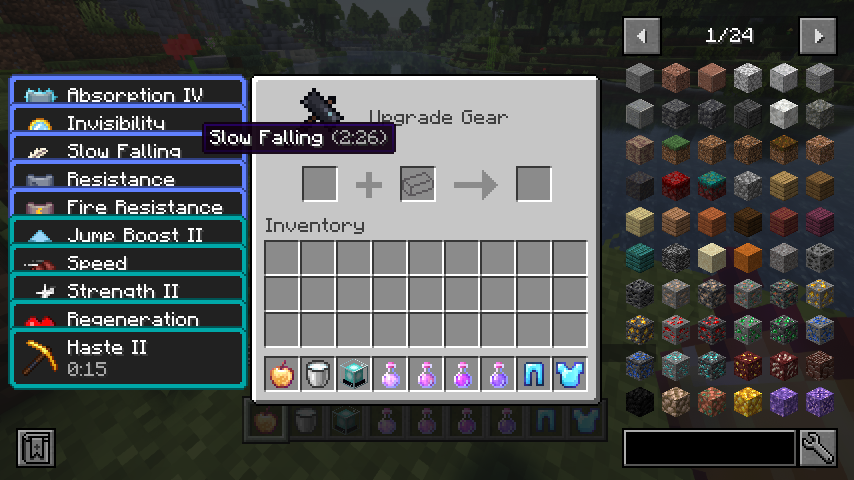
But wait, now that status effects are shown small and compact with just an icon, how will you find out how your active effects are called? Don't worry, a handy tooltip is added for that. The tooltip will be even more useful when Just Enough Effect Descriptions by MehVahdJukaar is installed.

You like the vanilla inventory status effect display and want to keep it or even use it on the hud as well? No problem! You can choose any widget mode you want, or even none. Alongside that there are many configurable settings, such as the screen side for effects, amount of rows and columns, a custom alpha value, text colors, custom screen positions, and much, much more.

📷 Media:

  
Stylish effects in action being very stylish    Various effect render types can be chosen and configured
 
  
Compact effects replace the vanilla display inside of the inventory    The effects display is shown in every container, not just the inventory
 
  
Useful tooltips will appear when effect widgets are hovered    So many possible settings, create your very own effect display
 
    
Great JEI and REI compatibility     
 

💡 FAQ:

Q: How do I configure this mod on Forge?
A: Install my Config Menus for Forge mod and do it directly in-game!

Q: How do I configure this mod on Fabric?
A: Editing configs directly in-game has not yet been implemented. Instead when in a world run the /config showfile <modid> command by choosing either CLIENT or SERVER (depending on the mod), then click the file name (ending with .toml) that appears in chat to be able to manually edit the config file in a separate editor. After saving the file, the config will automatically reload in-game after a couple of seconds, so no game restart required.

Q: Where can I download this mod for Fabric on versions of Minecraft before 1.19?
A: Older downloads are found on the old project page.

🏆 Credits:

Developing Stylish Effects was helped and inspired by:

Reddit


Quick facts

Install steps are the general flow for this file type — How to install Minecraft Java mods & modpacks walks through it step by step.

Verified by MCModsHub

These come from our own check of the pack file, not from the source page.

📺 Java videos for Stylish Effects watch on YouTube ↗

BEST Minecraft Effects MOD #shortsYouTubeBEST Minecraft Effects MOD #shortsMarcTGamer
🎬Made a video about Stylish Effects? Feature it #1 here for free — put the mcmodshub.com link near the top of your description, or in a pinned comment.

Explore more