Pvp X Optimization
Java modpack listed for Minecraft 1.21. Downloads from the MC Java Mods app on Android.
High-performance PvP modpack powered by VulkanMod, delivering ultra-smooth FPS, low input delay, and a clean, stable experience without GUI glitches or…
⬇ Download on Modrinth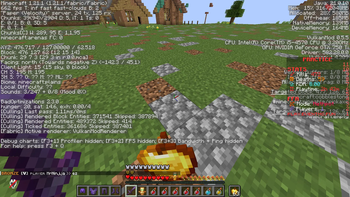
⚡ Pvp X Optimization
Pvp X Optimization is a performance-focused Minecraft modpack designed for smooth gameplay, high FPS, and competitive PvP. Built around VulkanMod, this pack delivers a fast and responsive experience while avoiding common rendering issues like GUI flickering and crashes.
🚀 What this modpack does
This modpack is carefully optimized to:
Maximize FPS on low to mid-range PCs Reduce input delay for better PvP performance Provide a clean, distraction-free interface Ensure stable gameplay without visual bugs
Every mod is selected to improve performance without breaking Vulkan rendering.
⚙️ Key Features 🎯 High Performance Significant FPS boost compared to vanilla Reduced lag spikes and smoother frame pacing Optimized memory and CPU usage 🧠 Stability First Removed incompatible rendering mods Fixed common issues like: GUI blinking Shader crashes Tested for stable VulkanMod usage 🎮 PvP Focused Clean HUD and minimal UI distractions Fast menu navigation Better responsiveness in fights 🛠️ Built With
Includes powerful optimization mods such as:
Lithium FerriteCore Krypton EntityCulling
Combined with VulkanMod for advanced rendering performance.
⚠️ Important Notes This modpack is designed specifically for VulkanMod Adding shader or heavy rendering mods may cause crashes Recommended RAM: 4GB–6GB Use fullscreen mode for best results 💻 Who is this for? PvP players (Lifesteal, Practice, etc.) Players with low-end or mid-range PCs Anyone who wants high FPS + stability without glitches 🔥 Goal of this pack
To provide a simple, fast, and stable PvP experience without unnecessary features — just pure performance and smooth gameplay.
- Edition: Minecraft Java
- File type: .jar
- Minecraft version listed: 1.21.11
- How to install: Install the matching mod loader (Forge, Fabric or NeoForge) for your Minecraft version. → Download the .jar. → Put it in the .minecraft/mods folder and launch that loader profile.
- Where to get it: Opens on Modrinth — not every file is mirrored on our own servers.
Install steps are the general flow for this file type — How to install Minecraft Java mods & modpacks walks through it step by step.
- Downloads as Pvp X Optimization 1.0.0.mrpack
- Download size: 55 KB
- Download link checked 21 Oct 2026 — working
These come from our own check of the pack file, not from the source page.