Dark Mode Everywhere
Java mod listed for Minecraft 1.18–1.21. File opened and checked on 29 Sep 2026; downloads from the MC Java Mods app on Android.
I don't know my version or loader

 Join my Discord
  Support me on Patreon
  Follow me on twitter
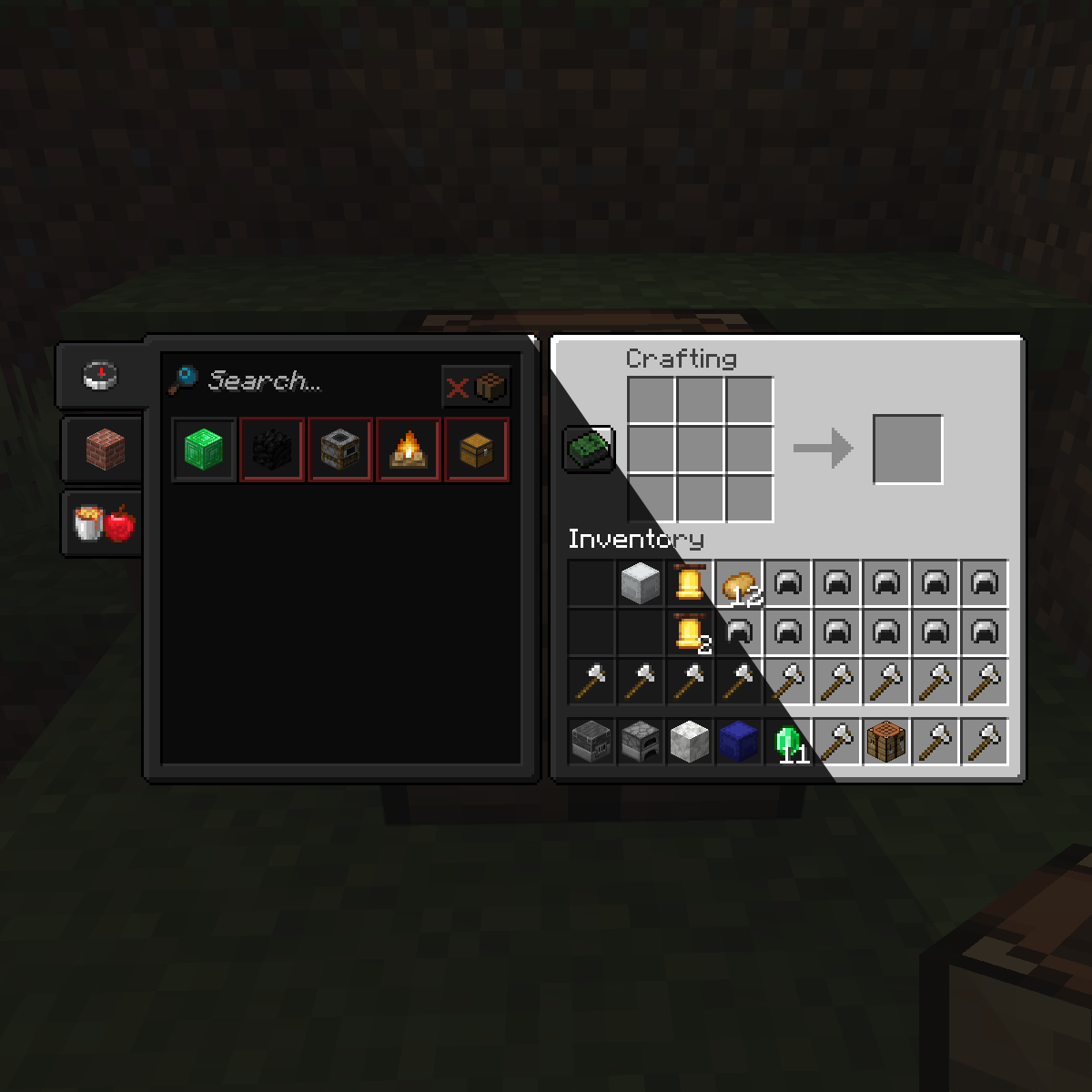
Dark Mode Everywhere uses the built in 1.18 Minecraft shaders to transform any GUI texture into a Dark Mode. Thanks to the shaders it will work in any GUI in the game, it will also try to modify the text color so its not hard to read in dark mode. Please report any visual issues so I can fix it.
The mod currently provides with 3 dark modes to suit your needs that can be easily changed by clicking on the button on the bottom left:

You can have the possibilty if adding new GUI shaders by modifying the "darkmodeeverywhereshaders.json" and using a Resource Loader mod or a Resource Pack.
Shader Blacklist
#A list of strings that will prevent the dark shader to be used.
#Each string consists of the class and the method or any part of it to prevent the use of the dark shader.
#The dump will consist of a bunch of string with this style 'net.minecraftforge.client.gui.overlay.ForgeGui:renderHunger' (class:method), any part of that dump (like just using renderHunger) will prevent the hunger bar from using the dark shader.
METHOD_SHADER_BLACKLIST = ["mezz.jei.common.render.FluidTankRenderer:drawTextureWithMasking", "renderCrosshair", "net.minecraft.client.gui.screens.TitleScreen", "renderSky", "renderHotbar", "setupOverlayRenderState", "net.minecraftforge.client.gui.overlay.ForgeGui", "renderFood", "renderExperienceBar"]
#Enabling this config will dump every 5 seconds which classes & methods were used to render something in the screen and the dark shader was trying to be used
METHOD_SHADER_DUMP = false
undefined
- Edition: Minecraft Java
- File type: .jar
- Minecraft versions listed: 1.21.1, 1.20.1, 1.21
- How to install: Install the matching mod loader (Forge, Fabric or NeoForge) for your Minecraft version. → Download the .jar. → Put it in the .minecraft/mods folder and launch that loader profile.
- Where to get it: Opens on CurseForge — not every file is mirrored on our own servers.
Install steps are the general flow for this file type — How to install Minecraft Java mods & modpacks walks through it step by step.
- Ships as darkmodeeverywhere-1.21-1.3.5.jar — drop this file into the mods folder
- Download size: 30 KB
- Download link checked 24 Oct 2026 — working
These come from our own check of the pack file, not from the source page.


