
The Real New World
A modpack that has Create, Immersive Engineering and Create Aeronautics, while also bringing many improvements and rebalances to the Vanilla Minecraft!
⬇ Download on Modrinth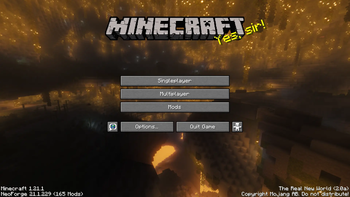



Features
- Create & Create Aeronautics 🚂
- Immersive Engineering 🚀
- New Combat System 🗡️
- Trading Rebalances 💲
- Progression Rebalances ⚖️
- Transportation Rebalances 🐎
- Sound & Atmosphere Improvements ✨
- ...and more! 📌
Being a spiritual successor of my previous, long forgotten modpack I made for a server of friends - The Real New World was remade from ground up for NeoForge and had preserved the charm from its predecessor, bringing along with lots of great additions and improvements.
Hundreds of hours went into carefully picking each mod and fine-tuning each config to result in the most balanced and fun experience!
Controls ⌨️
- Press LSHIFT+R to toogle the recipe viewer's visibility
- Press X to feint when you're about to swing a weapon
- Press C to attach a cart onto a mount or yourself
- Press V to toogle slow riding while the cart is attached
Create & Create Aeronautics 🚂
DetailsThese two need no introduction, but in case they do - check out their trailers below.
Create Mod Trailer Create Aeronautics Mod TrailerImmersive Engineering 🚀
DetailsArguably, an even bigger tech mod than Create and Create Aeronautics, adding all sorts of new systems and mechanics, unlike other technology mods, making its technology realistic, among the most notable features being electrical grids, heavy machinery and new weaponry to terrorize your friends.
On top of that, Immersive Petroleum was also included, which adds oil and oil processing.
However, the vanilla mod looks rather ugly, so to address that, Immersive Engineering: Reimmersed was added to make the textures look less ugly and update the 3D models this mod uses.
Craft Engineer's Manual to get started!
I didn't know this many people want to build a refinery, to be honest.
New Combat System 🗡️
DetailsEver since 1.9 Minecraft's Combat is mediocre at best despite it being present throughout the entirity of player's gameplay. Better Combat with a few other subtle additions make combat a bit more engaging and fun.
On top of that, now you can also stack soups, stews and potions to up to 16!
Trading Rebalances 💲
DetailsVillager Trade Rebalance 💲
Ever since 1.14 trading in this game has been broken to the point of you being able to obtain the best enchantment in the game within 5 minutes of creating a new world. Mojang tried addressing it with their experiment called "Villager Trade Rebalance" that among other things, locks the most precious enchantments Librarian villagers are selling to be biome-exclusive though they weren't brave enough to make it a part of the game, making it an optional datapack instead. See the table below for the full list:
Available tradable enchantments| Category | Desert | Plains | Savanna | Snow | Taiga | Jungle | Swamp |
|---|---|---|---|---|---|---|---|
| Special | Efficiency III | Protection III | Sharpness III | Silk Touch | Fortune II | Unbreaking II | Mending |
| Common | Fire Protection Thorns Infinity |
Punch Smite Bane of Arthropods |
Knockback Curse of Binding Sweeping EdgeJE only |
Aqua Affinity Looting Frost Walker |
Blast Protection Fire Aspect Flame |
Feather Falling Projectile Protection Power |
Depth Strider Respiration Curse of Vanishing |
Shoutout to minecraft.wiki for composing this table!
Despite those being the main changes, there are many more subtler ones. Read about them here.
Villa la Revolution 💲
This mod fixes pretty much all mistakes left after 1.14, those being:
- Functional Fletching Table (craftable spectral arrows and tipped arrows)
- Disable Totems of Undying from spawning during Raids
- Populate Woodland Mansions with Pillages, Witches and, our secret guest - Illusisionists!
- Slowing down Villager-based iron farms drastically
- Prevent villagers from updating their trades if trapped in boxes
Progression Rebalances ⚖️
DetailsStructure Spawnrates ⚖️
- Villages are now 2 times more rare!
- Pillager Outposts are now 3 times more rare!
- Shipwrecks are now 3 times more rare!
- Monuments are now 4 times more rare!
Eye of Ender Recipe ⚖️
Now in order to get to The End you'd not only need to kill a bunch of blazes and endermen, but also visit an Ancient City, a Monument and a Trial Chamber to obtain each of their signature items to craft an Eye of Ender. Good luck!
Easy Anvils & Easy Magic ⚖️
Enchantment and Repair systems of this game were broken ever since they first introduced. While impossible to fully fix without a full overhaul, those are the changes that can make it less annoying while also favoring risk-free repairing your enchanted tools instead of rushing for Mending.
- You now can reroll enchantments at a cost of 5 exp and 1 lapis lazuli
- "Too Expensive!" error when trying to repair / enchant / rename an item is now gone
- Made repair costs per item capped at 8 levels
See more about these two mods here and there
Transportation Rebalances 🐎
DetailsA heavy focus of this modpack goes into building networks of transportation, so it would only be natural to rebalance almost all of the transportation methods from Vanilla to make them more viable.
Ice Boat Nerf 🐎
Ice Boats are now gone. Boats will no longer be able to reach absurd speeds while on ice.
Minecarts Buff 🐎
Minecarts powered by power rails will now go at 16 blocks per second instead of the previous 8. Bundle that with the ability to couple them provided by Create and now your mineshafts may shine like never before!
Buffed Horses 🐎
This one was given the most care of all.
ChangesHorseman 🐎
Thanks to the Horseman mod your time with a horse now be much more enjoyable, fixing many issues and giving you the ability to call your horses using Copper Horns! Your horse can now also swim and sit in the same boat with you. Your horse may no longer wander away past 16 block radius from the place it was left in; if it does - the horse now has a slot for a leash within its inventory!
Two Players One Horse 🐎
Same horse can now be ridden by two players!
Horse Breeding Fix 🐎
"Makes so the each stat of a baby horse is atleast as good as the of better parent."
AstikorCarts 🐎
Probably the best of them all - AstikorCarts adds a variety of carts for you and your horse to use, ranging from storage, transportation, crop planting and crop harvesting - those will give your horse a lot more uses!
Sound and Atmosphere Improvements ✨
DetailsSounds ✨
Sounds mod adds a ton of sounds to otherwise trivial tasks that are mute by default. See the trailer below to fully see its potential!
Sounds Mod TrailerPresence Footsteps ✨
People often undersetimate the importance of the footstep sounds in the overall vibe and atmosphere. Presence Footsteps expands on the footstep sounds, see the trailer below!
Presence Footsteps Mod TrailerEuphonium ✨
It was rather hard to pick the fitting mod for the ambient sounds, given most of them are either too heavy, too cluttered, or otherwise loud. For this case I've settled on Euphonium, adding just enough ambient sounds to not be too invasive - see the trailer below for a preview.
Euphonium Mod TrailerSubtle Effects ✨
Subtle Effects expands the visual side of Minecraft by adding a ton of subtle particle effects and more that you'll surely notice yourself ;)
Subtle Effects Mod TrailerCamera Overhaul ✨
Camera Overhaul was configured to be much less obvious than it is in its trailer, leaving only a subtle camera tilt when strafing on foot and more obvious one when swimming or riding a mount.
Notes ❗
Details Performance ❗Considering running both Create and Create Aeronautics equals running two separate rendering engines at the same time plus Distant Horizons would equal a rather abysmal performance regardless of the amount of perfrormance mods shipped alongside it.
So, how can you get around it?
- Pausing performance-heavy mods; luckily, I've already did that for you - by default Distant Horizons will have its distant generation setting set to false and the CPU impact set to low. A big guide on how to tackle Distant Horizons in its current state will be down in the according section of this page.
- More RAM; the bare minumum is at least 4 GB, but it's always best to allocate 8 GB instead. Minecraft is a very weird game RAM-wise and allocating anywhere past 8 either gives no performance benefit or downright worsens the performance.
- When playing Singleplayer, running a dedicated server and playing on localhost instead of an integrated server; it might sound weird, but heavy modpacks like these tend to perform better if you make a server-pack and run in when you want to play the game, joining it via localhost.
- Pregenerating chunks; Distant Horizons has a built-in chunk pregenerator that is described in the guide below. The main TPS eater in Minecraft after complex contraptions and farms is terrain generation. The more you pregenerate, the less stutters and lag you will have in your way. Yeah, a band-aid, I know, but that's just how modded Minecraft is, isn't it?
As mentioned before, by default, Distant Horizons' world generator is disabled to reduce the CPU strain and load the LODs and the world gradually. Enabling therefore mentioned world generator will result in poor client performance, poor server performance or both. Below you can see the instuctions for generating LODs and chunks around you in the most efficient way possible.
Please keep in mind that Distant Horizons is still in Beta and WILL have some performance issues regardless of how well you tweak it.
- Find a safe place to AFK in; ideailly in the light-dominant area indoors so the Phantoms and Monsters can't disturb you *
- Press ESC for the Pause Menu
- Open the mod menu by pressing Mods button
- Go to the top-left corner and search for Distant Horizons
- Press the Config button
- Crank the CPU Load option to be 5. I Paid For The Whole CPU
- Change Enable Distant Generation setting to be True
- (Optional) Change Show Generation Progress option from Disabled to Overlay to see the distant generation progress logged on your screen to know when it's finished
- AFK until the Overlay Text from Distant Horizons' Distant Generator vanishes
- Follow steps from 2 to 5 once more
- Change CPU Load option from 5. I Paid For The Whole CPU to anything from 1. Minimal Impact to 3. Balanced depending on how beefy your PC is. **
- Change "Enable Distant Generation" setting to be False
- (Optional) if you followed step 8, set Show Generation Progress setting to "False"
- Done!
* If you're in Singleplayer, you can just wait through the process in the Pause Menu
** Keep in mind, lower CPU Load options will drastically lower the speed of LODs generating and showing up when loading into the world.
ServersIf you're a server owner or have OP rights, you can run commands to use the distant generator regardless of your settings. Keep in mind that your server might experience severe lagging when doing so.
/dh pregen start <dimension> <x> <z> <radius in chunks>
You can find more info about this on the Distant Horizons user guide here.
Other Notes 📝- For the intended experience it is not recommended to tinker with configs of any the mods except Distant Horizons; many have seen to cause crashes and inconsistecies when changed and will probably worsen your experience.
- Due to how large this modpack grew, it will take a lot of time to fully flesh it out, so expect bugs, inconsistencies and other issues throughout your journey!
- Before reporting issues on GitHub's Issue Tracker make sure your issue isn't listed in the Known Issues section of the latest modpack changelog.
- Modrinth only hosts the latest releases of the modpack, hovewer, you can find all releases ever made on GitHub.
- Balancing is always ongoing!
Credits ⭐
Details Credits Mods- 3d-Skin-Layers by tr7zw
- AI-Improvements by BuiltBrokenModding
- Accelerated Rendering by Argon4W
- Accurate Block Placement by Clayborn, Flourick, KadTheHunter
- Alternate Current by Space Walker
- Amendments by MehVahdJukaar, Plantkillable
- Architectury by shedaniel
- Armor Trim Item Fix by MincraftEinstein
- AstikorCarts Redux by jusipat, MennoMax, pau101, talhanation# The description of the mod. This is a simple multiline text string that is used for display purposes in the mod list.
- BE Style Wither by MORIMORI0317
- BadOptimizations by Thosea
- Balm by BlayTheNinth
- Beautiful Enchanted Books by CerbonXD
- Better "Add Server" by Player005
- Better Advancements by way2muchnoise
- Better Biome Blend by FionaTheMortal
- Better Combat by Daedelus
- Better ModList by foxy, Prospector, haykam821, TerraformersMC
- Better Ping Display by Quintinity
- Better Tooltips by isXander, 1foxy2
- Better World Loading by H1ggsK
- Bobby by johni0702
- Bookshelf by Darkhax
- CameraOverhaul by Mirsario
- Cardboard Chalk Box by seaweedCS
- Centered Crosshair by JustAlittleWolf
- Cerulean by Toni, Mephodio
- Chalk by mortuusars
- Clean F3
- Cloth Config v15 API by shedaniel
- Collective by Rick South
- Colorful Hearts by Terrails
- Colorwheel by djefrey
- Concurrent Chunk Management Engine by RelativityMC, ishland
- Connector Extras by Su5eD
- Continuity by PepperCode1
- Cool Rain by Leclowndu93150
- Create by simibubi
- Create Aeronautics by Simulated Team
- Create: Blocks & Bogies by Weido's Oddities (@weidos.oddities), teacup (@t__cup), Matt
- Create: Copycats+ by Lysine, Bennyboy1695, Redcat_XVIII
- Create: EMI Schematics by LiukRast, swzo
- Create: Pattern Schematics by Cake
- Cubes Without Borders by Kir_Antipov
- Default Options by BlayTheNinth
- Delete Worlds To Trash by Fuzs
- Distant Horizons
- Dynamic FPS by juliand665 & LostLuma
- EMI by Emi
- Easy Anvils by Fuzs
- Easy Magic by Fuzs
- Eating Animation by theone_ss, spusik_, PinkGoosik, DoctorNight1
- Enchanted Bookshelves by boyonk
- Enhanced Attack Indicator by Minenash
- EntityCulling by tr7zw
- Euphonium by svenhjol, Sisby folk
- Fabric Language Kotlin by FabricMC
- Fast Minecart by Me!
- Fast Paintings by MehVahdJukaar
- FastQuit by KingContaria
- Ferrite Core by malte0811
- Flerovium by MoePus
- Forgified Fabric API by Sinytra, FabricMC
- Fzzy Config by fzzyhmstrs
- GPUTape by mr_toad
- Gnetum by decce
- Hide Experimental Warning by Rick South
- Horse Breeding Fix by misterxycb
- Horseman by mortuusars
- Ice Boat Nerf by supersaiyansubtlety
- Iceberg by Grend
- Illagers Wear Armor by TallestEgg
- ImmediatelyFast by RK_01
- Immersive Optimization by Luke100000
- Iris by coderbot, IMS212
- Item Borders by Grend
- Ixeris by decce
- Kotlin for Forge
- Krypton FNP by 404, tuxed
- LambDynamicLights by LambdAurora
- Leave My Bars Alone by Fuzs
- Legendary Tooltips by Grend
- Lithium by 2No2Name, JellySquid
- Lithostitched by Apollo
- Log Begone by AzureDoom
- M.R.U by IMB11 (mineblock11)
- MC-273265 Fix by Singlain
- Main Menu Credits by isXander
- Map Tooltip by VendoAU
- MaxHealthFix by Darkhax
- MidnightLib by TeamMidnightDust, Motschen
- MmmMmmMmmMmm by Mehvahdjukaar, Bonusboni, Gooigipunch, Plantkillable
- Model Gap Fix by MehVahdJukaar
- ModernFix by embeddedt
- MonoLib by Lupin, Jason13
- Moonlight Lib by MehVahdJukaar
- More Culling by FX - PR0CESS, 1Foxy2
- More Sounds by DVOA
- Mouse Tweaks by Ivan Molodetskikh (YaLTeR)
- Neo Bee Fix by WFPhantom
- NetherPortalFix by BlayTheNinth
- No Chat Reports by Aizistral
- No Chat Restrictions by Aizistral
- No Resource Pack Warnings Forge by 1foxy2
- Noisium by Steveplays28
- Not Enough Recipe Book by OctoStudios
- NotEnoughAnimations by tr7zw
- OctoLib by OctoStudios
- OptiGUI by opekope2
- PacketFixer by TonimatasDEV
- Palladium by Mr.Toad
- Particle Core by fzzyhmstrs
- Particle Effects by LopyMine, KlashRaick
- Particle Rain by pigcart
- Paxi by YUNGNICKYOUNG
- Player Animator by KosmX
- Preferred Gamerules by Estecka
- Presence Footsteps by Hurricaaane (Ha3), Sollace
- PrickleMC by Darkhax
- Prism by Grend
- Puzzles Lib by Fuzs
- QuickBench by Ampflower, Tfarecnim, Shadows-of-Fire
- Recipe Fixer by Mysticpasta1, TonimatasDEV
- Recreative by Evan
- Reese's Sodium Options by FlashyReese
- Resourcefulconfig
- Responsive Knockback by Revvilo
- Responsive Shields by Revvilo
- Sable by RyanHCode
- Saturn by AbdElAziz
- Scholar by mortuusars
- Screenshot to Clipboard by comp500
- Server Pinger Fixer by JustAlittleWolf
- ShulkerBoxTooltip by MisterPeModder
- Simple Snowy Fix by KostromDan, Apollo
- Sinytra Connector
- Skeleton Aiming Fix by Xiaolin2
- Smart Particles by Andrew-Chedid
- Smarter Farmers by MehVahdJukaar
- Smooth Skies by Microcontrollers
- Smooth Swapping by Schauweg
- Snow Under Trees by bl4ckscor3
- Sodium by JellySquid (jellysquid3), IMS212
- Sodium Extra by FlashyReese
- Sodium Shadowy Path Blocks by Rynnavinx
- Sounds by IMB11, cassiancc
- SparseStructures by MaxenceDC
- Stackable Potions by CursedFlames
- Stackable Stew and Soup by Lupin, Jason13
- Structure Layout Optimizer by TelepathicGrunt
- Stylish Effects by Fuzs
- Subtle Effects by MincraftEinstein
- Tectonic by Apollo
- Tiny Item Animations by Trivaxy
- Tiny Skeletons by Fuzs
- ToadLib by Mr.Toad
- TooManyRecipeViewers by Nolij (@xdMatthewbx#1337) & the Craftoria team
- TwoPlayersOneHorse by Beethoven92
- TxniLib by Toni
- Updating World Icon by CursedFlames
- Void Totem by Affehund
- XP_Stream
- YUNG's API by YUNGNICKYOUNG
- YetAnotherConfigLib by isXander
- aero_copycats
- lazy-language-loader by ChachyDev
- quick-pack by Drex
- NoRaidTotems by Rochedo
- Nullscape by Stardust Labs
- Progressive Ender Eyes by Ranold
- Totem of Undying Death Messages by n_bonnie2
- Craftable Enchanted Golden Apples by Vanilla Tweaks
- Vanilla Tweaks by Vanilla Tweaks Team
- Recolorful Containers GUI + HUD by Vi_Tul
- Enhanced Boss Bars by Naku
- C418 Songs Only by redsquare
- Big Lush Cave Panorama by Singlain (credited myself award)
- Big Lush Cave Panorama (Shaders) by Singlain (credited myself again award)
- (Bee's) Fancy Crops by bebebea_loste
The following mods were bundled as .jar(s) in the overrides due to them being unavailable on Modrinth/GitHub or being CurseForge exclusives.
Special Thanks ⭐
- @GlitchCMD
- General Help, Playtesting, Feedback
- @RalseiFromDeltarune
- General Help, Updating the mods/configs, Troubleshooting, Playtesting, Feedback
- Edition: Minecraft Java
- File type: .jar
- Minecraft version listed: 1.21.1
- How to install: Install the matching mod loader (Forge, Fabric or NeoForge) for your Minecraft version. → Download the .jar. → Put it in the .minecraft/mods folder and launch that loader profile.
- Where to get it: Opens on Modrinth — not every file is mirrored on our own servers.
Install steps are the general flow for this file type — How to install Minecraft Java mods & modpacks walks through it step by step.
- Downloads as The Real New World-3.0-beta.2.mrpack
- Download size: 496 KB
- Download link checked 7 Sept 2026 — working
These come from our own check of the pack file, not from the source page.