
Tryforce optimizations
This is a project that aims to make Minecraft run well on any computer. While still adding a nice touch of QoL and visual enhancements.
⬇ Download on Modrinth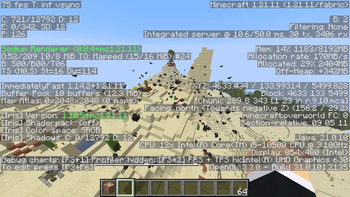
✨ About This Project
This modpack is a curated, performance-focused Fabric setup designed to provide a stable, optimized, and enhanced Minecraft experience. It combines backend optimizations, rendering improvements, quality-of-life upgrades, and optional visual features into a cohesive configuration.
Content
🚀 Performance & Optimization
- Rendering optimization (Sodium, Sodium Extra, Reese’s Sodium Options)
- Memory and entity optimization (Lithium, FerriteCore, Clumps, Entity Culling, More Culling)
- Threading and chunk performance improvements (C2ME, ThreadTweak)
- Network and packet optimizations (Krypton, Fast IP Ping)
- Faster startup and shutdown (ImmediatelyFast, FastQuit)
- Dynamic performance scaling (Dynamic FPS)
- Removal of resource reload interruption (Remove Reloading Screen)
🎨 Visual & Rendering Enhancements
- Shader support (Iris)
- Dynamic lighting (LambDynamicLights)
- Entity model & texture enhancements (EMF, ETF)
- Enhanced capes & animations (WaveyCapes, Not Enough Animations)
- Custom skyboxes (Skyboxify)
- Zoom functionality (Zoomify)
All visual features remain configurable depending on hardware capability.
🧩 Quality of Life & UI Improvements
- Advanced keybind management (Controlling)
- Enhanced mod configuration (Mod Menu, YACL, Cloth Config)
- Improved statistics & chat management
- Mouse Tweaks
- Resource pack management (Resourcify)
🗺️ Utility & Multiplayer Features
- Xaero’s Minimap
- Xaero’s World Map
- Open Parties and Claims
- Custom Skin Loader & 3D Skin Layers
🔧 Core Libraries & Compatibility
Includes all required Fabric libraries and compatibility APIs to ensure stability, proper dependency resolution, and clean configuration management.
- Edition: Minecraft Java
- File type: .jar
- Minecraft version listed: 26.1.2
- How to install: Install the matching mod loader (Forge, Fabric or NeoForge) for your Minecraft version. → Download the .jar. → Put it in the .minecraft/mods folder and launch that loader profile.
- Where to get it: Opens on Modrinth — not every file is mirrored on our own servers.
Install steps are the general flow for this file type — How to install Minecraft Java mods & modpacks walks through it step by step.
- Downloads as Tryforce optimizations 26.1.2.1.mrpack
- Download size: 8 KB
- Download link checked 21 Aug 2026 — working
These come from our own check of the pack file, not from the source page.