

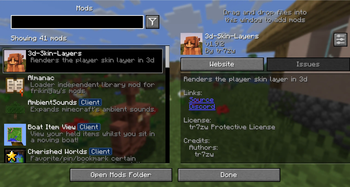
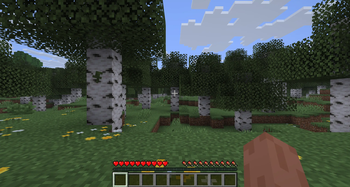
This modpack has base mods for you to create your own modpack. This includes optimization, libs, APIs, bug fixes and small tweaks. This is so you can easily create a modpack because all the libs and essentials is alredy installed. Essential is a mod that is part of the modpack, and not all modpacks fit essential. Delete the mods that doesn't fit your modpack.
How to install and use
- Open the modrinth app and search: Make a modpack
- Click on the icon and go to versions.
- Choose your verson and click install or download.
- Go to your new instance and click: install or download content
- Chosse your mods and click play!
Mods
Creators:
HorizonPiece05
Why Install This
Chosse this modpack because it has most Libs and Configs so you probably don't need to intall any more. it does not have any big game changing mods so any mod will fit right in.
Q and A Coming soon!
Click here to join discord and ask questions for Q and A
- Edition: Minecraft Java
- File type: .jar
- Minecraft version listed: 1.21.6
- How to install: Install the matching mod loader (Forge, Fabric or NeoForge) for your Minecraft version. → Download the .jar. → Put it in the .minecraft/mods folder and launch that loader profile.
- Where to get it: Opens on Modrinth — not every file is mirrored on our own servers.
Install steps are the general flow for this file type — How to install Minecraft Java mods & modpacks walks through it step by step.
- Downloads as Make A Modpack 21.6 1.0.0.mrpack
- Download size: 32 KB
- Download link checked 10 Sept 2026 — working
These come from our own check of the pack file, not from the source page.