
STARPORT
A Simple Vanilla+ Modpack focused on making a more animated social experience. This modpack focuses on using resource packs and QOL mods to make Minecraft…
⬇ Download on Modrinth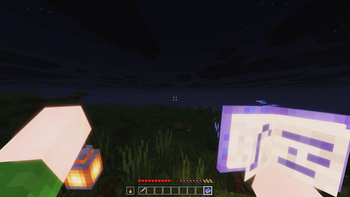
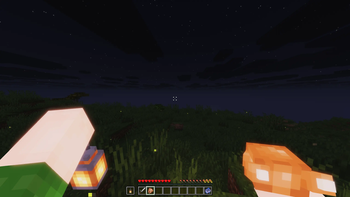
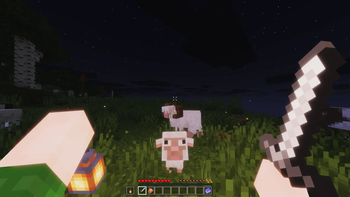
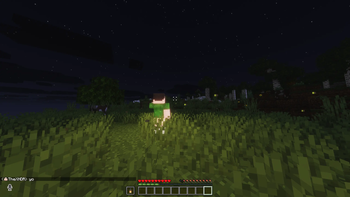
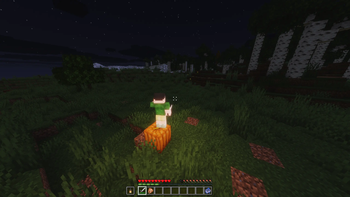

Welcome to the STARPORT Modpack
Introduction
The STARPORT Modpack is a Vanilla+ Modpack focused on creating a more animated & dynamic experience, while not introducing anything overly complex to Minecraft. Several new features allow for a great time, whether you're playing solo or with your Friends.
Multiplayer is Recommended
Main Changes
Numerous QOL features enhance the game's functionality and overall experience.
Some of the main features include
- Hold My Items - Animated First Person
- Fresh Animations + A bunch of Fresh Packs: Animated 3rd Person, Mobs, and 3D Items
- Blur & Smooth UI: A few mods to smooth out and polish the UI
- Shoulder Surfing Reloaded: A new way to experience 3rd Person in Minecraft.
- Sound Physics + Footsteps + Ambient Sounds: Sound mods that fill in the silence.
- A bunch of Particle Mods: Makes the game feel more alive and dynamic
There are a few social features that have been added
Voice Chat + Sound Physics: Talk to your friends, either in Proximity chat or in Groups. Experience Reverb in Caves, and make sure you whisper around Shulk Sensors.
Chat Heads: You can now see your friends' heads inside the chat when they talk. This will help make the chat feel more modern and emotional.
Lootr: All loot containers generated in structures are now client-side. If you have any friends who pillage villages, you can still go through and get your loot.
Server Setup
- Download the newest server pack
- Take the mods and config
- Download the Fabric Server
- Port forward:
25565and24454 - Then give your friends the IP.
- Make sure you whitelist it (Just for safety)!
Thank you
I really wanted to make something for my friends and family, but making this public will allow other people to enjoy what I have been working on. I know it isn't much, but I hope you enjoy it.
XNDR (STARPORT STUDIOS)
- Edition: Minecraft Java
- File type: .jar
- Minecraft version listed: 1.21.8
- How to install: Install the matching mod loader (Forge, Fabric or NeoForge) for your Minecraft version. → Download the .jar. → Put it in the .minecraft/mods folder and launch that loader profile.
- Where to get it: Opens on Modrinth — not every file is mirrored on our own servers.
Install steps are the general flow for this file type — How to install Minecraft Java mods & modpacks walks through it step by step.
- Downloads as STARPORT 0.0.4.mrpack
- Download size: 193 KB
- Download link checked 10 Sept 2026 — working
These come from our own check of the pack file, not from the source page.