
Em's Options
Em’s Options is a lightweight Fabric modpack that boosts FPS, sharpens vanilla-style visuals, and adds PvP-focused HUD improvements for smoother, more…
⬇ Download on Modrinth
🎮 Em’s Options – Fabric Modpack
Em’s Options is a carefully put-together Fabric Modpack that includes many of the mods I personally use every day to make Minecraft look better, run smoother, and feel more optimized for PvP.
This pack focuses on performance, visuals, and combat improvements, giving you an enhanced vanilla experience while keeping things lightweight and stable.
I’m always open to suggestions and feedback through the Discord server, where you can also get support by creating a ticket. I usually respond within 1–3 days.
⚔️ PvP Mods
- Useful additions to give you an edge in combat.
- Includes Armor HUD and a Saturation Display for better fight awareness.
🕐 Performance Mods
- Tweaked for smooth, consistent FPS on most setups.
- Includes top-tier optimizers like Sodium, Lithium, and several others for better rendering and world performance.
- Expect me to update or swap out performance mods over time to keep improving stability.
🧱 Visual & Texture Mods
- Subtle improvements that keep the vanilla feel while making the world more immersive.
- Features Connected Textures, Better Grass, Improved Glass, and other small aesthetic upgrades(Newest update doesn't support this yet).
💬 Need help or have a suggestion? Join the Discord server to submit your ideas or create a support ticket. I appreciate all feedback — every bit helps make this pack better!
✨ Optimized. Beautiful. PvP-ready. That’s Em’s Options.
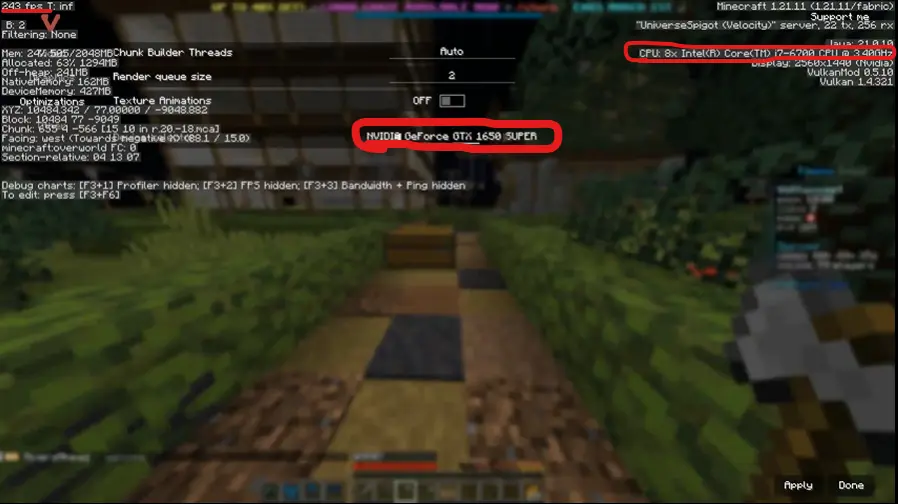
📷 Pictures/Screenshots:
- Edition: Minecraft Java
- File type: .jar
- Minecraft version listed: 1.21
- How to install: Install the matching mod loader (Forge, Fabric or NeoForge) for your Minecraft version. → Download the .jar. → Put it in the .minecraft/mods folder and launch that loader profile.
- Where to get it: Opens on Modrinth — not every file is mirrored on our own servers.
Install steps are the general flow for this file type — How to install Minecraft Java mods & modpacks walks through it step by step.
- Downloads as Em's Options 1.21 1.2.1.mrpack
- Download size: 2 KB
- Download link checked 6 Sept 2026 — working
These come from our own check of the pack file, not from the source page.