

This modpack requires OptiFine


More bountiful than ever
Bountiful Redux is a modpack designed to improve your Minecraft 1.8 experience (The Bountiful Update). It's perfect for those who enjoy the 1.8 combat system, but want some new features, backports and QOL improvements for a more satisfying playthrough.
This is my first modpack so a follow is always appreciated :)
✦ Features
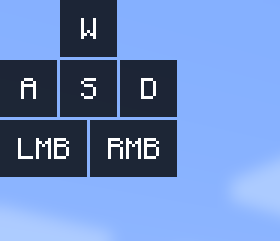
- Keystrokes
- Free world hosting
- Downloading worlds and packs in-game
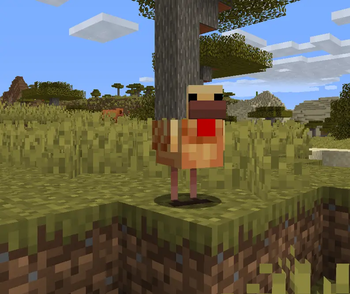
- More new mob variants
- Free cosmetics
- Motion blur customization
- Advanced particle customization
- Recording and replaying
- Minimap and world map
- Customizable color saturation, damage tint, name tag, weather
- Toggleable sprint
- Customizable artificial keyboard sounds
- Glowing effect
- Modern F3 features
- Backported mob variants
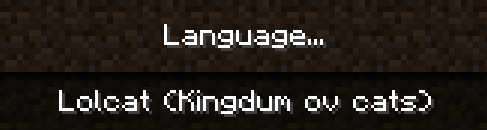
- More languages
- Backported sounds
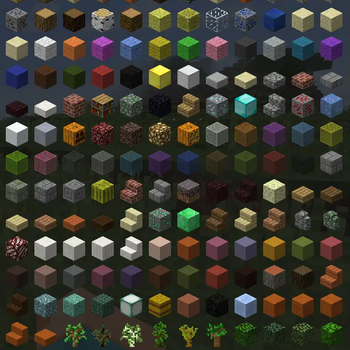
- Backported textures
- 3D modelled skin layers
- Keybinds search bar
- Scrollable tooltips
- Crafting recipe viewer
- Zooming
- Text replacing
✦ Bountiful Guide
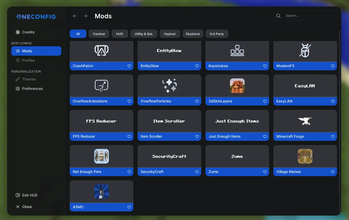
Mod menu
• Use right shift while in game to open the OneConfig mod menu.
• Click on the blue mod names to turn mods on or off. Click on the icons to change mod settings.

• Click on "Edit HUD" in the bottom-left corner of the menu to move HUD elements. Downloading worlds

• Click on the + button in the top right of the world list to open the world downloader.

• Click on any world and then the "Install" button to download it. Free world hosting

• Press Esc and click on "Open to LAN" to open your world to other players.

• Wait for a temporary IP to appear in chat. As long as you're online, other players can use the IP to join your world. Resource pack customization

• Press Esc, then go into "Options" and then "Resource Packs" to customize resource packs.

• Make sure the pack "Backport Everything" is always at the very bottom of the list to avoid texture glitches.
✦ Included mods and resource packs
All of the mods and resource packs in this pack come directly from the Modrinth website.
Most resource packs in this modpack will not work unless OptiFine is installed, get the right version here and drag it into your 'mods' folder.
Pack list (Click to expand) - 3D Skin Layers (tr7zw)- AI Improvements (Built Broken Modding)
- Animatium Legacy (Legacy Visuals Project)
- ASMC (AstroTibs)
- Backport Everything (samfortyseven)
- Backported Chickens (Sloosh)
- Backported Cows (Sloosh)
- Backported Ore Textures (mituba4154)
- Backported Piggies (Sloosh)
- Bat Backport (Scutoel)
- Bedwars Wool Overlay (Michaelninder)
- Better Burning (Darkhax)
- Born in a Barn (Speiger)
- CaneleX Keystrokes Revamp (Polyfrost)
- Chatting (Polyfrost)
- ColorSaturation (Polyfrost)
- Controlling (jaredlll08)
- CraftPresence (CDAGaming)
- CreamyKeys (cutebow)
- DamageTint (Polyfrost)
- e4mc Retro (xhyrom)
- Entity Culling (tr7zw)
- Entity Glow (Backport) (Microcontrollers)
- FIX MY PINGGGGG (Itamio)
- Fluff Clouds (ElenaBerry)
- FPS Reducer (bre2el)
- Fullbright (Armandukx)
- FurSky Reborn (Tylerrrr)
- GlintColorizer (Polyfrost)
- Horse Backport (Scutoel)
- Just Enough Items (JEI) (mezz)
- LolCat Backport (GlassMods)
- Low On Fire (Haikis)
- MixinBooter (Cleanroom)
- Modern Splash Texts (aric3435)
- ModernF3 (ImToggle)
- MoreCosmetics (CosmeticsMod)
- Neat (Vazkii)
- New Cave Sounds from Tricky Trials (ShadyInktail)
- NoMoreRealms (Nixuge)
- OptiFine_1.8.9_HD_U_M5 ()
- OverflowParticles (Polyfrost)
- PolyBlur (Polyfrost)
- PolyCrosshair (Polyfrost)
- PolyHitbox (Polyfrost)
- PolyNametag (Polyfrost)
- PolyPatcher (Polyfrost)
- PolySprint (Polyfrost)
- PolyTime (Polyfrost)
- PolyWeather (Polyfrost)
- Raw Input (Chromatic)
- Resourcify (DeDiamondPro)
- Scrollable Tooltips (sk1er)
- ServerlistBufferCrashFixer (HowardZHY)
- Small Held Items (Bluebird)
- TextReplacer (cxntered)
- Toki Pona Translation Backport (RememberThePorter)
- VanillaHUD (Polyfrost)
- Wolf Backport (thricebite)
- Xaero's Minimap (thexaero)
- Xaero's World Map (thexaero)
- Zombie Piglin Backport (Scutoel)
- Zume (Nolij)
- Edition: Minecraft Java
- File type: .jar
- Minecraft version listed: 1.8.9
- How to install: Install the matching mod loader (Forge, Fabric or NeoForge) for your Minecraft version. → Download the .jar. → Put it in the .minecraft/mods folder and launch that loader profile.
- Where to get it: Opens on Modrinth — not every file is mirrored on our own servers.
Install steps are the general flow for this file type — How to install Minecraft Java mods & modpacks walks through it step by step.
- Downloads as Bountiful Redux 1.4.0.mrpack
- Download size: 50.1 MB
- Download link checked 8 Sept 2026 — working
These come from our own check of the pack file, not from the source page.