
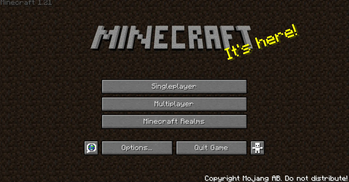
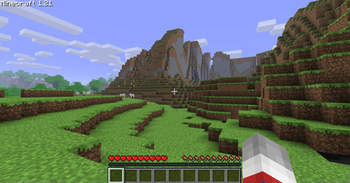
ABOUT THE MODPACK
Golden Years uses Nostalgic Tweaks and other mods to faithfully recreate the feel of older versions of Minecraft: Java Edition, while keeping the quality-of-life features and performance improvements of modern Minecraft.
HOW TO INSTALL
Modrinth (Recommended)
The easiest way! Just download the version you want with a few clicks.
Prism Launcher
Prefer more control? Use Prism Launcher! Head to the Modrinth section and search for Golden Years.
FEATURES
Golden Years includes:
⚡ Great Performance

✅ Free Multiplayer

🎨 Legacy Resource Pack Support

🌍 Dedicated Golden Years Server

🖥️ Optimized for the Best Performance Possible
Special Thanks
A huge shout-out to Adrenix, the creator of Legacy Tweaks, the foundation this entire project is built upon!
FAQ
Can I play on any multiplayer server? Yes! I’ve even played on Hypixel—anti-cheat systems won’t ban you.
Why use this modpack if I can just play the old betas? Because this modpack brings back the nostalgic look and feel while keeping modern features and improvements. The best of both worlds!
Is there a community server for this modpack? Yes! Join us on Jayden's Wacky Saturday.
- Edition: Minecraft Java
- File type: .jar
- Minecraft version listed: 1.21
- How to install: Install the matching mod loader (Forge, Fabric or NeoForge) for your Minecraft version. → Download the .jar. → Put it in the .minecraft/mods folder and launch that loader profile.
- Where to get it: Opens on Modrinth — not every file is mirrored on our own servers.
Install steps are the general flow for this file type — How to install Minecraft Java mods & modpacks walks through it step by step.
- Downloads as Golden Years 1.0.mrpack
- Download size: 14 KB
- Download link checked 21 Aug 2026 — working
These come from our own check of the pack file, not from the source page.