
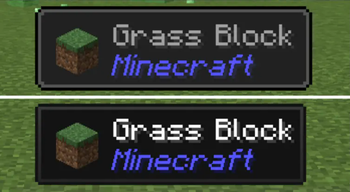
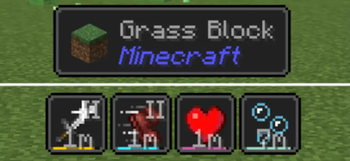
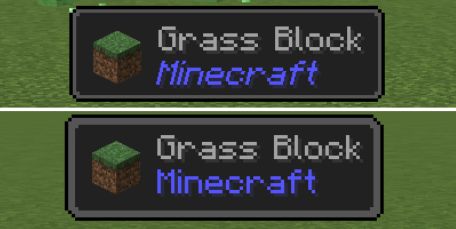
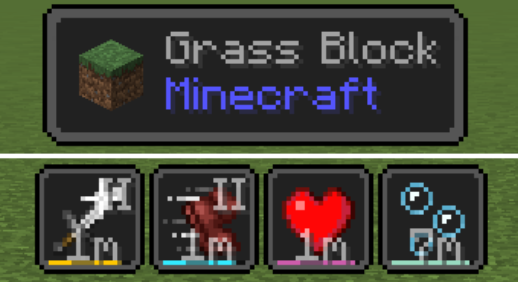
 JBDT is a theme made for Jade to match with Status Effect Timer and/or Status Effect Bars, and also look more simplistic to pair better with Minecraft's style.
This resource pack requires "Jade 🔍" by Snownee and "Mod Menu" by Prospector to function.
For some reason when you install from the Modrinth app, it only installs V2 even if you click V1. To fix this, just install V1 from the website and put it in your "resourcepacks" folder.

Check the gallery for more images of V1 and V2! Do not enable resource packs V1 and V2 at the same time.
Having trouble? Here's how to enable the pack!
- Add this to your modpack and check you have both required mods.
- Enable the resource pack "JadeBetterDark"
- Click the "Mods" button on the main menu or the pause menu and search for Jade.
- Click on Jade and go to Mod settings > Appearance > Theme and enable Better Dark.
- Save and quit.
- Edition: Minecraft Java
- File type: .zip (resource pack)
- Minecraft versions listed: 1.20, 1.20.1, 1.20.2
- How to install: Download the .zip resource pack — do not unzip it. → Put it in .minecraft/resourcepacks. → Enable it in Options → Resource Packs.
- Where to get it: Opens on Modrinth — not every file is mirrored on our own servers.
Install steps are the general flow for this file type — How to install Minecraft Java resource packs walks through it step by step.
- Downloads as JadeBetterDark.zip
- Download size: 10 KB
- Download link checked 27 Aug 2026 — working
These come from our own check of the pack file, not from the source page.