![[Moonsu] Better GUI Create Style for Tom's Simple Storage](https://cdn.modrinth.com/data/G4E1ubyN/34523f3b36da766cc638e38198da35eb3e781a4d_96.webp)
ResourcepacksJava
[Moonsu] Better GUI Create Style for Tom's Simple Storage
I don't know my version or loader
Open the Minecraft launcher and look at the profile you play on — it names both, like fabric-loader-1.21.4. The version also shows in the bottom-right corner of the game's main menu.
No loader in the profile name? Then it's plain Minecraft, and these mods won't run — you need Fabric or NeoForge installed first.
![[Moonsu] Better GUI Create Style for Tom's Simple Storage — screenshot 1](https://cdn.modrinth.com/data/G4E1ubyN/images/de3d1e633ec50c2f6935e4dcf5221a3bc9dbae50_350.webp)
![[Moonsu] Better GUI Create Style for Tom's Simple Storage — screenshot 2](https://cdn.modrinth.com/data/G4E1ubyN/images/fffb869cd37f5c0a865684b64944671f80b737af.png)
![[Moonsu] Better GUI Create Style for Tom's Simple Storage — screenshot 3](https://cdn.modrinth.com/data/G4E1ubyN/images/0e77f91c6d20c39f1afe4332da436b332d5e88ac.png)
![[Moonsu] Better GUI Create Style for Tom's Simple Storage — screenshot 4](https://cdn.modrinth.com/data/G4E1ubyN/images/c2e69d3e55e3c15c32a542e1f88d5bca284100fa.png)
I found that the GUI needed a more unique style.
 (Check the "images" tab if the main image does not load)
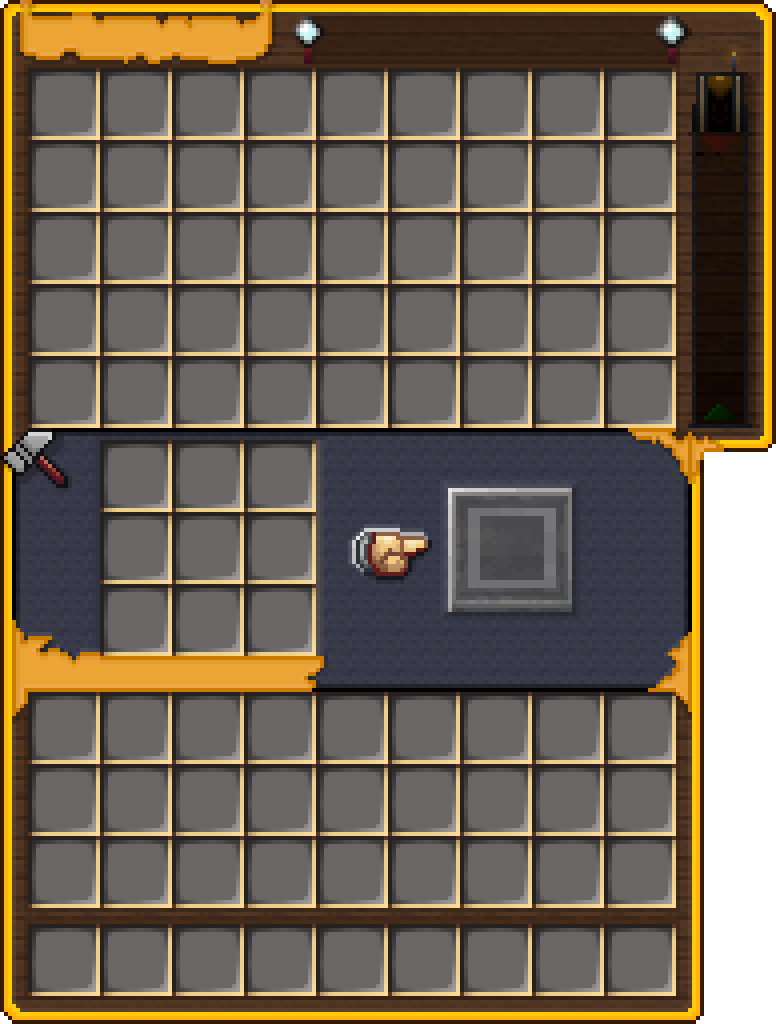
Link mod!: https://modrinth.com/mod/toms-storage
Can i use for my modpack?
Sure! no problem, but I would appreciate if you could leave credits.
Any questions or suggestions can be left in the Official Discord: Discord!
Quick facts
- Edition: Minecraft Java
- File type: .zip (resource pack)
- Minecraft versions listed: 1.21, 1.21.1, 1.21.2
- How to install: Download the .zip resource pack — do not unzip it. → Put it in .minecraft/resourcepacks. → Enable it in Options → Resource Packs.
- Where to get it: Opens on Modrinth — not every file is mirrored on our own servers.
Install steps are the general flow for this file type — How to install Minecraft Java resource packs walks through it step by step.
Verified by MCModsHub
- Downloads as [Moonsu] Better GUI Tom's S.S. 2.0 1.21.X.zip
- Download size: 182 KB
- Download link checked 27 Aug 2026 — working
These come from our own check of the pack file, not from the source page.