Hafen
Java resource pack listed for Minecraft 1.21–26.x. Downloads from the MC Java Mods app on Android.
I don't know my version or loader
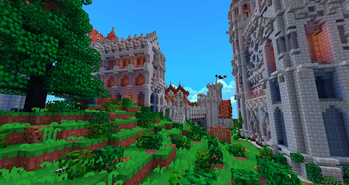
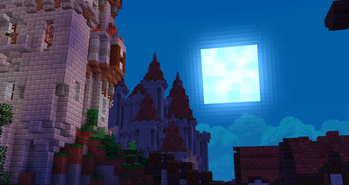
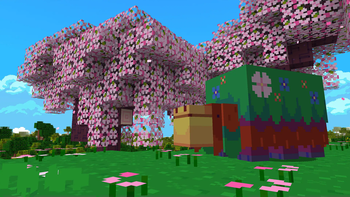
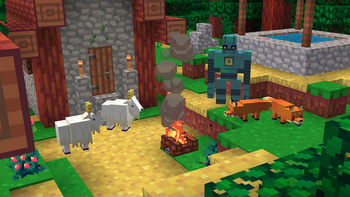
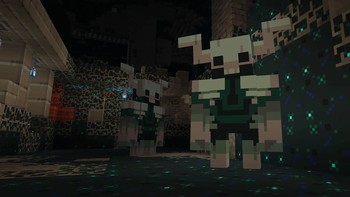
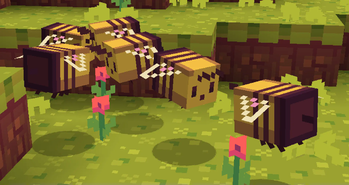
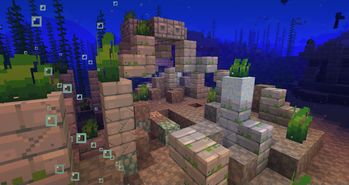
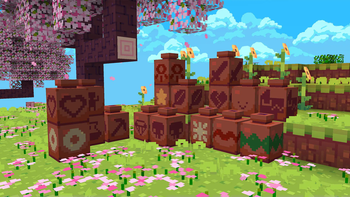
Hafen is a texturepack I've been working on for a while now. I wanted to make a version of Minecraft that's more bright and colorful, taking inspiration from some of my favorite video games! I hope you enjoy.
For Bedrock Players
Hafen is available on the Marketplace for 660 Minecoins, and it is now fully updated to 1.21.10.
Link to Hafen on the marketplace
Join my discord server for info, updates, behind the scenes, and more!
https://discord.gg/E5MuAfpcmqSome mod support by OMGlasers!
https://modrinth.com/resourcepack/hafen+

Add-Ons
FAQ
Q: The creative inventory UI is totally broken!
A: Try installing the "1.19.2 or Lower UI Fix" Add-on
Q: There the bottom of the sky is a big white shape. How can I fix this?
A: Go into Options -> Video Settings -> Details -> Sky: OFF
Q: I do not like the font. Can I change it?
A: Yes. Within the fonts folder (assets\minecraft\textures\font) there is a file called "optional ascii". If you wish to use the alternate font, delete the "ascii" file and rename "optional ascii" to "ascii".
Q: I am not fond of the 2.0 update. Is there any way I can get the old textures?
A: I have made add-ons so you can add old textures back into your game. You can see them a bit higher on this post.
Q: How do I use the add-ons?
A: The add-ons are mini texturepacks which override the files of Hafen. In the texture packs menu, simply activate the add-on and place it above Hafen.
Q: When I try to activate your texture pack, it tells me it is made for an older version. Is this okay?
A: Yes, in most cases you can safely ignore that prompt. If you are playing in 1.14, install the Fix Chests Add-On and activate it on top of the latest version resource pack. If you are playing in 1.12, there is a special download at the top of this page.
Q: The light is too orange! Can I change it?
A: Yes. You can install the Orange Light Reduction add-on. Alternatively, if you want to disable the pack's custom lightmap functions entirely, you can go into Options -> Video Settings -> Quality -> Custom Colors: OFF
Q: I play in an earlier version of Minecraft. What versions are available for Hafen?
A: Anything after 1.12.
Q: Can I get this pack for Windows10/Mobile/Xbox/PS4/Switch?
A: Yes, it's available on the marketplace for 660 Minecoins.
If you use this resource pack for any video, server, or modpack, credit is appreciated but not required.
- Edition: Minecraft Java
- File type: .zip (resource pack)
- Minecraft versions listed: 1.21.6, 1.21.7, 1.21.8
- How to install: Download the .zip resource pack — do not unzip it. → Put it in .minecraft/resourcepacks. → Enable it in Options → Resource Packs.
- Where to get it: Opens on Modrinth — not every file is mirrored on our own servers.
Install steps are the general flow for this file type — How to install Minecraft Java resource packs walks through it step by step.
- Downloads as Hafen_2.31.zip
- Download size: 14.9 MB
- Download link checked 7 Oct 2026 — working
These come from our own check of the pack file, not from the source page.