
Classic Menu Panorama
Java resource pack listed for Minecraft 1.21. Downloads from the MC Java Mods app on Android.
I don't know my version or loader
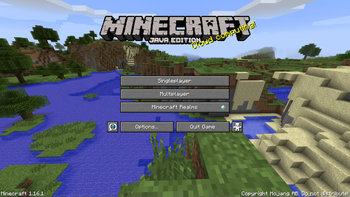
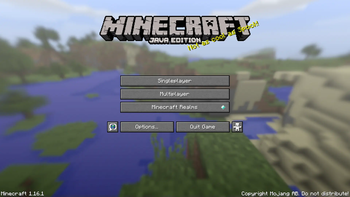
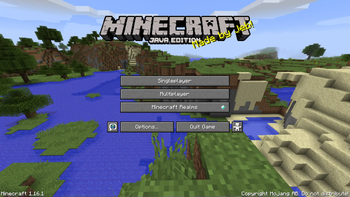
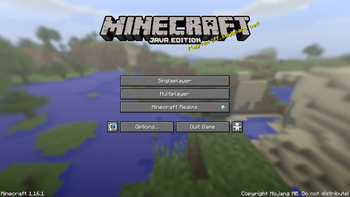
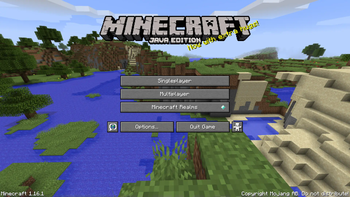
If you want the most authentic, accurate recreation of the original, classic menu background panorama, this pack is for you! This resource pack will replace your menu background with the original one from before 1.13, as a full 360° 4K panorama.
This pack comes in 6 different variations:
- using Minecraft's beta textures, in clear and blurred
- using pre-1.14 textures, in clear and blurred
- using post-1.14 textures, in clear and blurred
Head over to the Versions tab, and download your preferred version!
Pack labels- B - Beta (referring to using old beta textures in the panorama)
- C - Classic (referring to using pre-1.14 textures in the panorama)
- J - Jappa (referring to using post-1.14 textures - made by Jasper Boerstra (Jappa) - in the panorama)
- B - blurred
- C - clear
My intention with this pack was to recreate the old panorama textures as faithfully as possible. This meant getting the correct camera position and angle, the correct cloud and sun locations, the correct render distance, and many other smaller details. No other recreation pack took these into account.
I tried various methods, but what I ended up doing was downloading an old version of MCEdit that can open pre-anvil worlds (max Y level is 128), and I made a schematic of the terrain. I then made a superflat world in 1.12.2 with the same seed, and pasted the schematic into the exact same coordinates. Then I used the Replay Mod to create a cube projection screenshot, which ensures that I can capture the entire 360° view of the area all at once. This is an absolute necessity, because the clouds are constantly moving, so there is no way to screenshot them without them being misaligned on the different sides on the panorama cube.
Another hurdle I had to overcome, is that the east/west and north/south orientations have changed since beta 1.7.3, so I ended up having to rotate the terrain by 90° to get the correct sun position. This also meant the water texture had to be rotated by -90° to maintain the correct orientation.
Another issue cropped up with the the clouds again. In beta 1.7.3 they were 20 blocks lower compared to newer versions. This meant the clouds couldn't be aligned properly with the original reference. This meant I had to raise the terrain by 20 blocks, since the cloud layer could not be lowered in any way.
These were the major steps to ensure the recreation is as faithful to the original as possible.
- Edition: Minecraft Java
- File type: .zip (resource pack)
- Minecraft versions listed: 1.21, 1.21.1, 1.21.2
- How to install: Download the .zip resource pack — do not unzip it. → Put it in .minecraft/resourcepacks. → Enable it in Options → Resource Packs.
- Where to get it: Opens on Modrinth — not every file is mirrored on our own servers.
Install steps are the general flow for this file type — How to install Minecraft Java resource packs walks through it step by step.
- Downloads as Classic_Menu_Panorama_[BB].zip
- Download size: 12.7 MB
- Download link checked 29 Oct 2026 — working
These come from our own check of the pack file, not from the source page.