
ResourcepacksJava
Glass Hotbar Connected
Java resource pack listed for Minecraft 1.6–26.x. Downloads from the MC Java Mods app on Android.
⬇ Download on Modrinth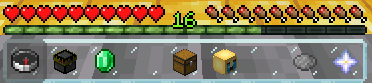
🧊 Glass Hotbar Connected
This resource pack changes the hotbar background to glass.
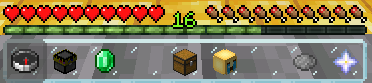
It is a great resource pack for those who like simple and compact design.
🎨 Other Variations
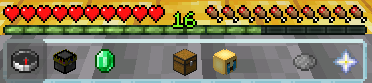
You can access these variations by clicking on the photos or on my profile.
Default
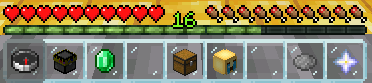
Clean
📦 Installation
- Download the resource pack .zip file.
- Place it in your Minecraft resourcepacks folder.
- Launch Minecraft and go to Options > Resource Packs.
- Select the pack from the left list and click the arrow to move it to the right (enabled) list.
- Click "Done" to apply the pack.
🌐 ITITAN Hosting

💬 Feedback and Request
If you have a request or feedback, please write them in to my discord 3geetr.
Quick facts
- Edition: Minecraft Java
- File type: .zip (resource pack)
- Minecraft versions listed: 1.6.1, 1.6.2, 1.6.4
- How to install: Download the .zip resource pack — do not unzip it. → Put it in .minecraft/resourcepacks. → Enable it in Options → Resource Packs.
- Where to get it: Opens on Modrinth — not every file is mirrored on our own servers.
Install steps are the general flow for this file type — How to install Minecraft Java resource packs walks through it step by step.
File checked by MCModsHub
- Downloads as Glass Hotbar Connected.zip
- Download size: 85 KB
- Download link checked 29 Oct 2026 — working
These come from our own check of the pack file, not from the source page.