
3D Particles
I don't know my version or loader
3D Particles
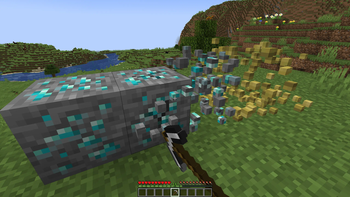
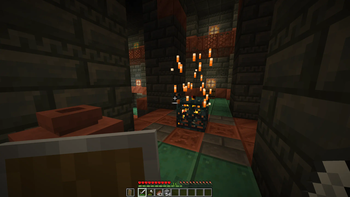
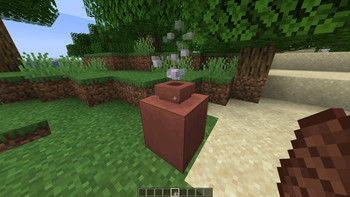
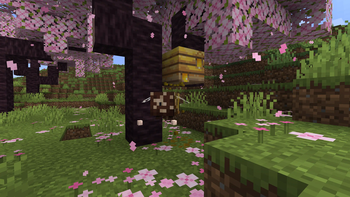
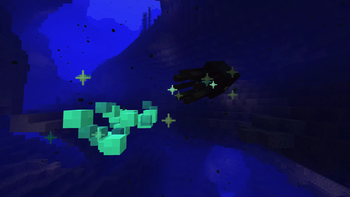
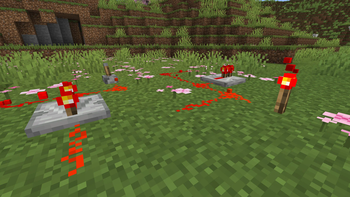
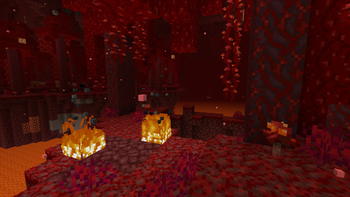
3D Particles is a fork of DartCats 3D Breaking Particles updated to the latest mc version (currently 1.21.5) with some added features and improvements
Added features in this pack:
- Improved particle lighting. 3D particles use the same lighting as entities, meaning things like directional dimension lighting will apply to them properly (this applies to all versions except 1.21.5 due to a bug in that version!)
- More 3D particles! This pack makes a total of 33 particle types 3D (see below for full list)
- ash
- block
- crimson_spore
- dolphin
- dripping_dripstone_lava
- dripping_dripstone_water
- dripping_honey
- dripping_lava
- dripping_obsidian_tear
- dripping_water
- dust
- dust_plume
- falling_dripstone_lava
- falling_dripstone_water
- falling_honey
- falling_lava
- falling_nectar
- falling_obsidian_tear
- falling_spore_blossom
- falling_water
- glow_squid_ink
- large_smoke
- mycelium
- ominous_spawning
- smoke
- spore_blossom_air
- squid_ink
- trial_spawner_detection
- trial_spawner_detection_ominous
- underwater
- vault_connection
- warped_spore
- white_ash
- Render distance config, 3D particles will render as 2D when they are more than 24 blocks away (configurable)
Config
To adjust the 3D particle render distance, you can open the pack and go to assets/minecraft/shaders/include/three-dimensional-particles/config.glsl and adjust the value on the second line.
Removing Particles
To make a particle not 3D, you can open the pack and navigate to assets/minecraft/particles. Deleting a file from here will make the corresponding particle render the same way as it would in vanilla. You can use this minecraft wiki page to see what each particle does
Compatibility
See the table for compatibility ✅ = compatible ❌ = incompatible 🟧 = partially compatible
| Name | Compatibility | Notes |
|---|---|---|
| Vanilla | ✅ | |
| Sodium | ✅ | |
| Nvidium | ✅ | |
| Iris (shaders disabled) | ✅ | |
| Iris (shaders enabled) | ❌ | Can never be compatible as shader packs override vanilla shaders |
| Optifine (shaders disabled) | ✅ | |
| Optifine (shaders enabled) | ❌ | Can never be compatible as shader packs override vanilla shaders |
| Particle Interactions | 🟧 | The "Pixel consistent block/item particles" setting must be disabled, or block and item particles will look weird |
License
3D Particles is licensed under MIT
Copyright (c) 2023 DartCat25
- Edition: Minecraft Java
- File type: .zip (resource pack)
- Minecraft versions listed: 1.21.6, 1.21.7, 1.21.8
- How to install: Download the .zip resource pack — do not unzip it. → Put it in .minecraft/resourcepacks. → Enable it in Options → Resource Packs.
- Where to get it: Opens on Modrinth — not every file is mirrored on our own servers.
Install steps are the general flow for this file type — How to install Minecraft Java resource packs walks through it step by step.
- Downloads as 3D_Particles-v1.4.zip
- Download size: 105 KB
- Download link checked 28 Aug 2026 — working
These come from our own check of the pack file, not from the source page.