
Create Styled Gui
I don't know my version or loader
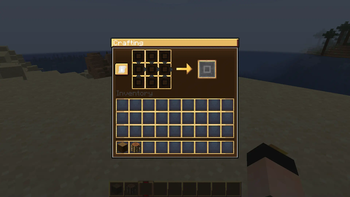
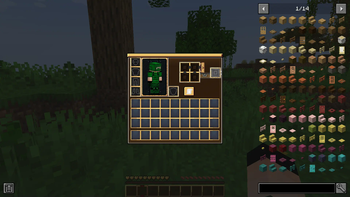
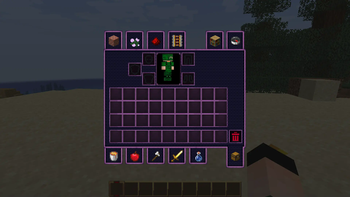
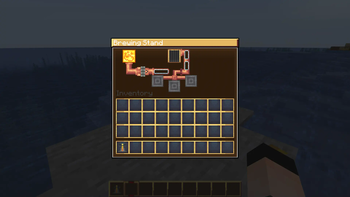
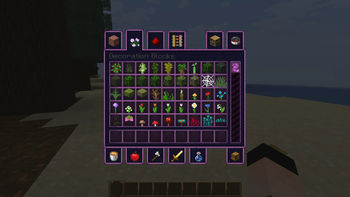
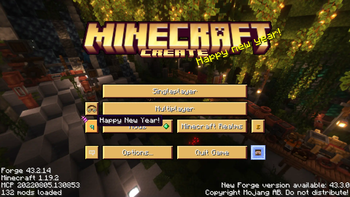
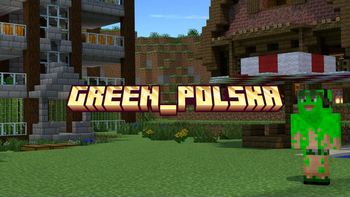
|Beta version|
Thank you all so much for 10000+ downloads in curseforge 💚. Now welcome to modrinth
Optifine recommended but not needed (if works with create at this version)

About:
Hello, I present to you fans of Create texturpack in the style of this mod.
The inspiration for this texturepack came from the orginal Create gui to which I wanted to adapt the rest of the gui from minecraft like crafting gui, smelter gui et cetera and the buttons in the pause menu.
This is the fancy version, which means it has elements in the gui created like create mod contraptions. There will still be a simplified version changing only the gui colors to the gui style from create
Work Details:
Version 1.20 may be slightly different from 1.16.2-1.19.4
The texture pack itself is currently not finished yet, (report bugs or something to fix in curseforge) but it is available for download as beta
Texturepack has a problem with the correct location of names in the gui which will be fixed with the release of the full version.
From the author:
This is my first ever texturepack so I don't have much skill. If anyone has any advice then maybe share in the comments (for now in curseforge since i dont have site for that).
PS: For future plans, there will be an animated version of this texturepack
- Edition: Minecraft Java
- File type: .zip (resource pack)
- Minecraft versions listed: 1.16.2, 1.16.3, 1.16.4
- How to install: Download the .zip resource pack — do not unzip it. → Put it in .minecraft/resourcepacks. → Enable it in Options → Resource Packs.
- Where to get it: Opens on Modrinth — not every file is mirrored on our own servers.
Install steps are the general flow for this file type — How to install Minecraft Java resource packs walks through it step by step.
- Downloads as §bCreate style gui v1.7mc1.16.2-1.19.4.zip
- Download size: 3.1 MB
- Download link checked 28 Aug 2026 — working
These come from our own check of the pack file, not from the source page.