
🖤 Black Flamingo — PvP Resource Pack
✨ Short Description
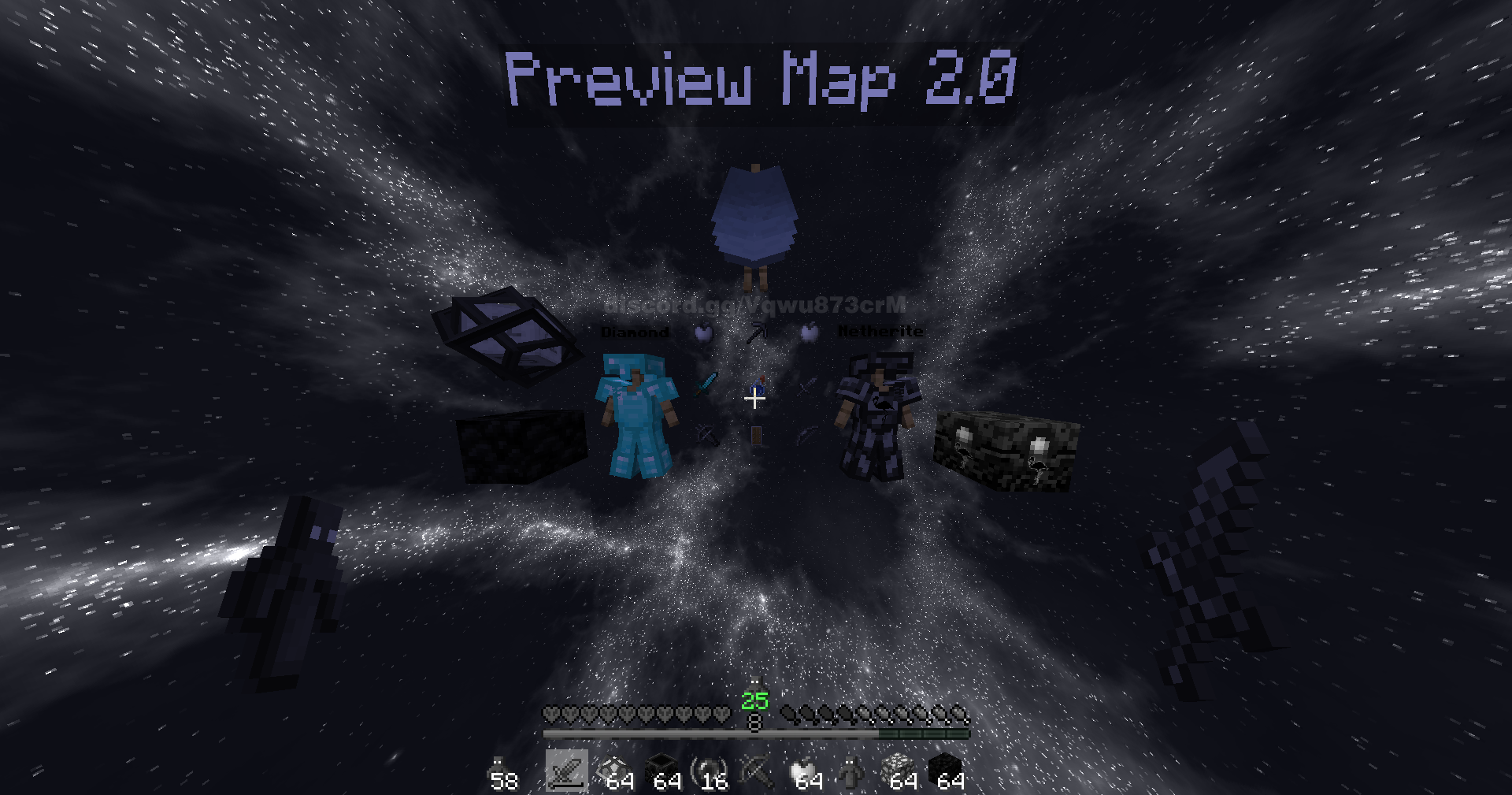
Step into the void with Black Flamingo ⚔️. A dark-themed PvP pack featuring clean gear, custom black sky, and optimized visuals for crystal PvP and duels.
💎 Features
- 🌌 Unique black & white nebula skybox.
- 🗡️ Dark-styled swords, armor & items.
- 🍏 Custom recolored golden apples.
- 🎨 Simplified GUI & hearts for clear visibility.
- ⚡ FPS-friendly performance for smooth PvP.
📥 Installation
- ⬇️ Download the
.zipfile. - ⚙️ Open Minecraft → Options → Resource Packs → “Open Pack Folder”.
- 📂 Drag & drop the zip in, then activate it.
- 🔄 Apply the pack.
🔗 Compatibility
- 🖥️ Minecraft versions: 1.20 - 1.21.3
- 🪶 Lightweight design (perfect for PvP clients).
- ✅ Works with FoxClient, Lunar, Badlion, Feather & others.
📸 Screenshot
Quick facts
- Edition: Minecraft Java
- File type: .zip (resource pack)
- Minecraft versions listed: 1.20, 1.20.1, 23w31a
- How to install: Download the .zip resource pack — do not unzip it. → Put it in .minecraft/resourcepacks. → Enable it in Options → Resource Packs.
- Where to get it: Opens on Modrinth — not every file is mirrored on our own servers.
Install steps are the general flow for this file type — How to install Minecraft Java resource packs walks through it step by step.
Verified by MCModsHub
- Downloads as BLACK FLAMINGO.zip
- Download size: 8.6 MB
- Download link checked 28 Aug 2026 — working
These come from our own check of the pack file, not from the source page.