
Custom Totems
Java resource pack listed for Minecraft 1.20–26.x. Downloads from the MC Java Mods app on Android.
⬇ Download on Modrinth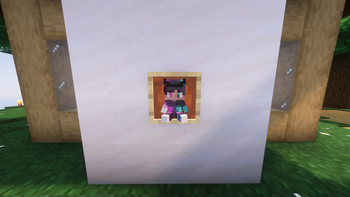
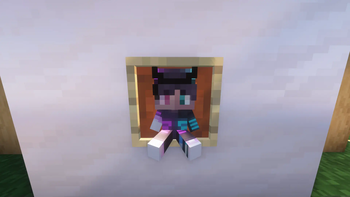
A resource pack that makes totems look like the selected skin inside the folder, which you can change with my tutorial, which you can find here: https://www.youtube.com/watch?v=dixaegBWfCA or read the txt below
get this to 20k downloads and ill make a new tut vid cuz this one is terrible
(note: this resource pack changes every totem not just the one you're holding, however this is very hard to change so please dont ask me about this)
REPLACING THE TOTEM WITH A SKIN
in the assets\minecraft\textures\item\ folder there is 1 PNG file (skin.png) which contains the skin for the player. You must replace this file (whithout changing the file name) to your skin choice. ENJOY!!!
- Edition: Minecraft Java
- File type: .zip (resource pack)
- Minecraft versions listed: 1.20, 1.20.1, 23w31a
- How to install: Download the .zip resource pack — do not unzip it. → Put it in .minecraft/resourcepacks. → Enable it in Options → Resource Packs.
- Where to get it: Opens on Modrinth — not every file is mirrored on our own servers.
Install steps are the general flow for this file type — How to install Minecraft Java resource packs walks through it step by step.
- Downloads as Custom Totems!.zip
- Download size: 19 KB
- Download link checked 9 Oct 2026 — working
These come from our own check of the pack file, not from the source page.